
Removing the Cash Box
Click here for a video on Removing the Cash Box (1 minute 10 seconds).
Note: The error message “SORRY THIS TERM IS NOT ABLE TO HANDLE ANY TRANSACTIONS” may appear when the cash box is full or is jammed.
-
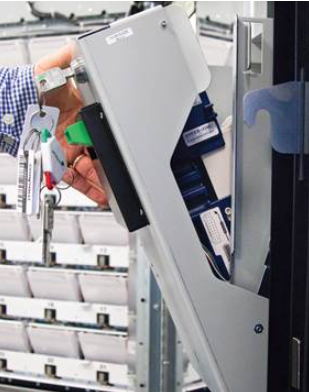
Unlock the bill acceptor compartment and gently tilt it away from the Gemini to reveal the bill acceptor and cash box.
-
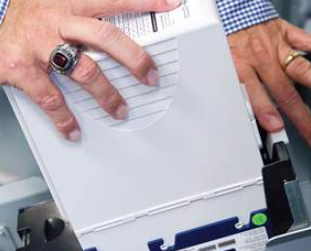
Press down on the white latch in the back of the cash box area, as shown below. Lift the cash box up and then push toward the Gemini to remove it from the cash box assembly.
-
Remove the cash from the cash box.
To print and clear a Shift:
-
Select Shift Report from the Main Menu.
-
The screen displays the report shown below.
-
Use the up and down arrows to scroll through the report on the screen if needed.
-
Select Print to print the report ONLY OR select Clear to print the report and also clear the Shift at the same time. Select the Home button to return to the Main Menu.
Replacing the Cash Box
-
Line up the tabs on either side of the cash box with the groves on the cash box assembly.
-
Push the cash box down into the groves and pull it away from the Gemini to lock into place.
 |
 |
Contact Brightstar for help or additional troubleshooting:
- Select the chat icon in the bottom right corner of this screen and type in Hello to get started.
OR
- Call the Hotline at 1-800-729-4832.