
Bill Acceptor Troubleshooting
Constant Reject / Jammed / No Response / Intermittent / Incorrect or No Credit / Won’t Accept Denomination / Games Unavailable Message
-
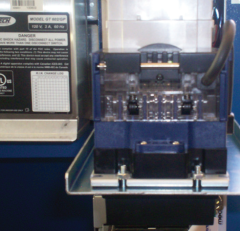
Open the bill acceptor door with the security key and tilt the assembly down.
-
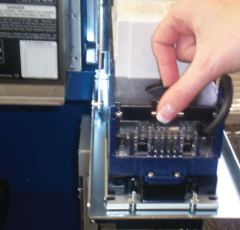
Place your fingers on the black groove and chrome bar and squeeze to release the bill acceptor read head.
-
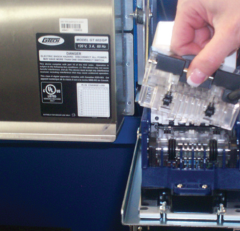
Gently lift the read head from the bill acceptor. This allows you to clear jammed bills.
-
After the bill acceptor has been cleared, gently slide it down into its locked position. If the bill acceptor is put into its proper position it will reset after 10 seconds.
Contact Brightstar for help or additional troubleshooting:
- Select the chat icon in the bottom right corner of this screen and type in Hello to get started.
OR
- Call the Hotline at 1-800-729-4832.