
Cash Box Troubleshooting
Removing the Cash Box
-
Unlock and open the bill acceptor compartment door.
-
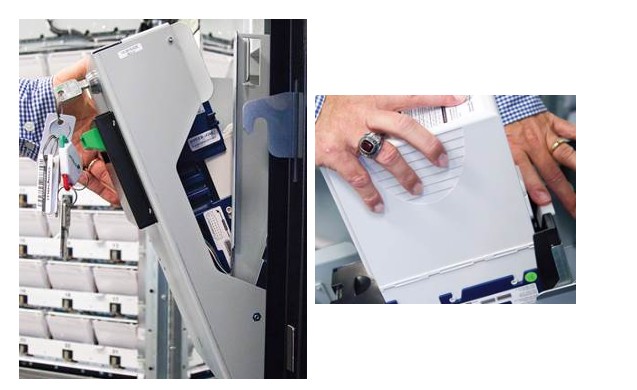
Gently tilt the bill acceptor compartment toward you to reveal the bill acceptor and cash box.
-
Press down on the white latch in the back of the cash box area, as shown. Lift the cash box up and back toward the white latch to remove it from the bill acceptor compartment.
-
Remove any cash from the cash box.
-
Replace the cash box.
Contact Brightstar for help or additional troubleshooting:
- Select the chat icon in the bottom right corner of this screen and type in Hello to get started.
OR
- Call the Hotline at 1-800-729-4832.