
Missouri Learning Wizard
The MO Learning Wizard URL is: https://learningwizard.lotteryservices.net/mos
Scan the QR Code Here:
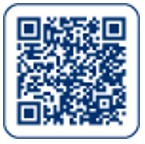
- Log into Learning Wizard using your retailer number as the username. The password is WelcomeToLW.
-
- The Learning Wizard Home page displays after log in.
- My Courses provides access to the courses they are enrolled in.
- Transcript provides a summary of completed courses.
- The Learning Wizard Home page displays after log in.
- You must start each course from the beginning and navigate through each course to complete it.
- After a course is completed, it remains on the learner’s My Courses page with a “Pass” icon in the status column. The completed courses are also listed on the Transcript page available on the Learning Wizard Home page with a button, or by clicking the Transcript menu item at the top of the Learning Wizard Home page.
NOTE: If you do not see a course listed, please ensure the "Show Completed Courses" switch is not set to OFF.
Printing A Certificate:
- Select Transcript Tab
- Select Details View
- Scroll all the way to the right for the course
- Select the View Certificate Icon
