
Hughes Communications Troubleshooting
- Verify power to the Hughes Modem (IDU).
If there is NO power:
-
-
-
-
Check connections to the IDU and the power supply pack.
- Test the power outlet: Unplug the IDU power cord and plug in a small appliance to verify power (i.e. radio, adding machine, etc).
-
-
-
- Secure connections to the IDU, and the terminal.
-
- Click Here to view a video on Verifying and Reseating the LAN Connection (1 minute 24 seconds).
- Verify the lights present on the IDU and follow procedures below:
-
-
-
5 blue lights are on OR only the System light is off:
-
-
Unplug the IDU power cord from the outlet.
- Wait 30 seconds and then plug the IDU in.
-
-
-
-
-
-
-
Only LAN light is off; the modem is not seeing the terminal, or the terminal is not on.
-
- Check connections to the ethernet cord on the terminal and IDU.
-
-
-
Note: For locations with 2+ devices (two GT1200s, one GT1200 and one Gemini Ultra, etc.), the LAN light will be out for any equipment not communicating.
-
-
-
Any other light configuration:
-
-
Unplug the terminal and IDU.
-
Wait 30 seconds and then power on the terminal.
-
Power on the IDU.
-
-
-
-
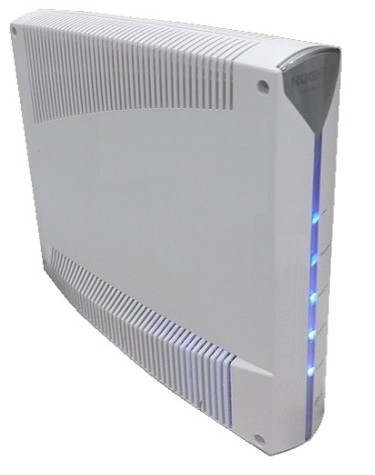
Hughes/ Direcway IDU (HN9260)
Contact Brightstar for help or additional troubleshooting:
- Select the chat icon in the bottom right corner of this screen and type in Hello to get started.
OR
- Call the Hotline at 1-800-729-4832.