Players can purchase tickets via Shopping Cart
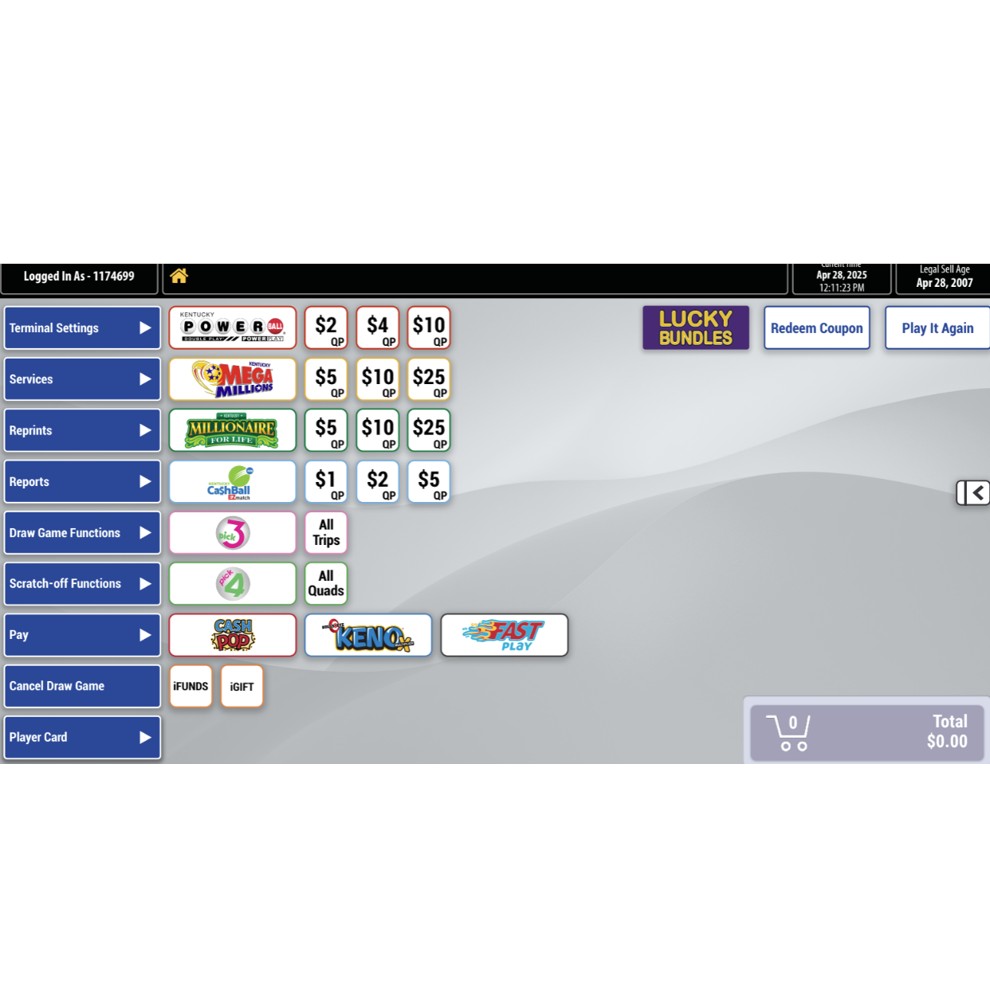
1. Select the game from the home screen:
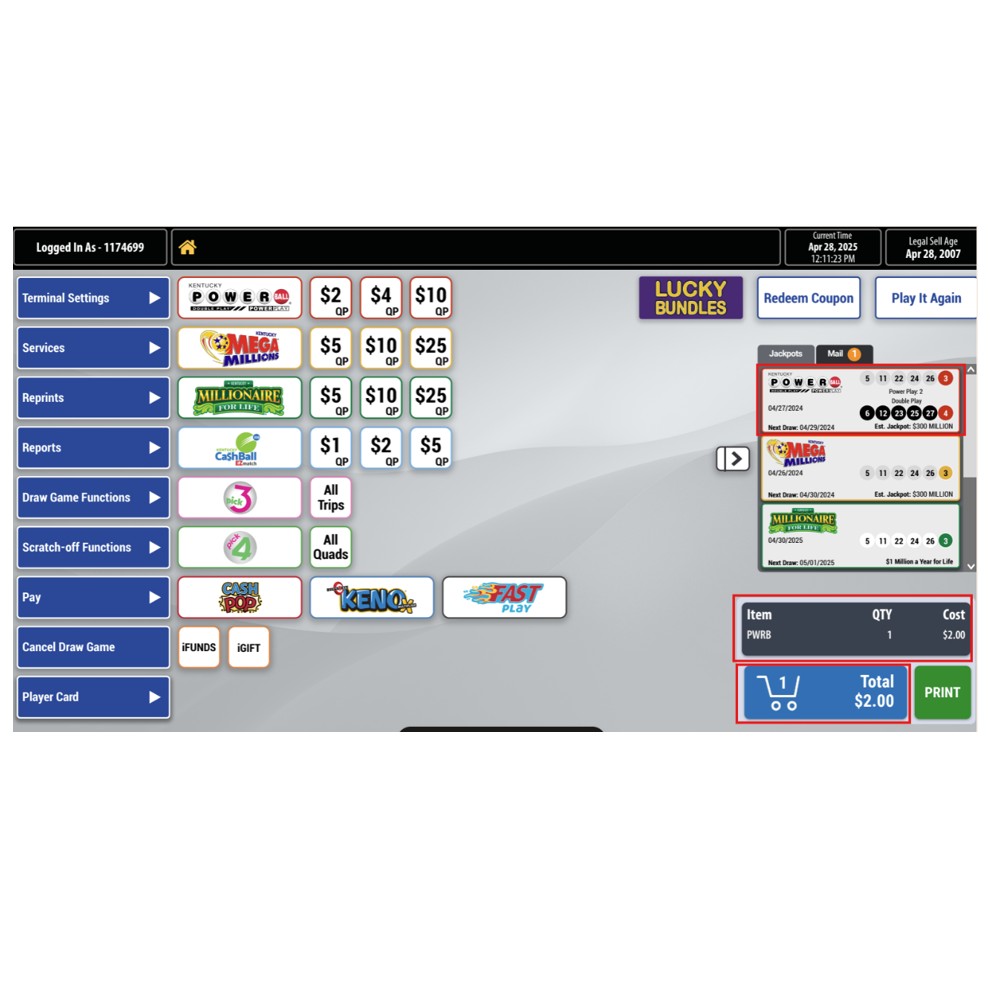
2. Once the wager is added to the cart, verify with the player that the information (game, dollar amount, draws) on the bottom right hand side is correct. Select Print.
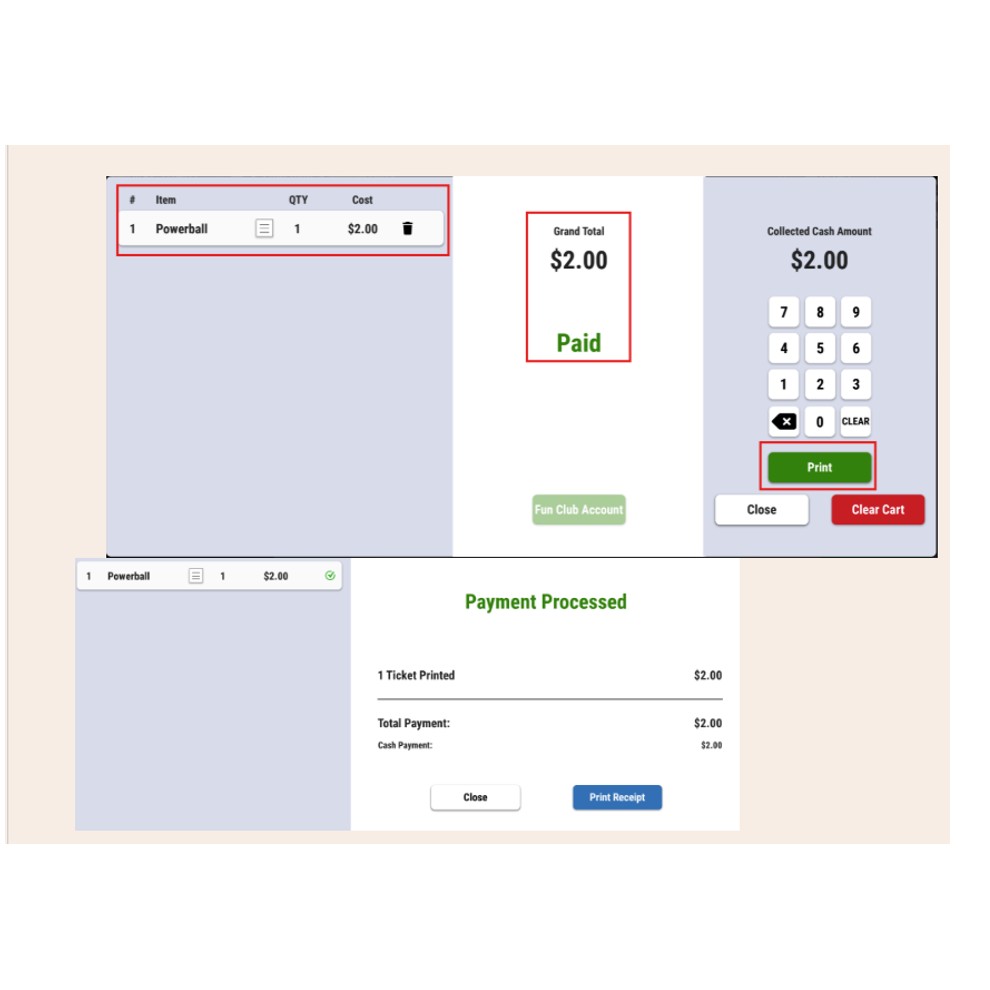
3. Select "Print Receipt" to print ticket and "Close" to go back to the home screen.
NOTE:
- If "Print" is light or greyed out on the first screen, select close and it will bring you to the second screen to print ticket.
- If the player wants to pay using their Player card, select "Fun Club Account".
4. If the transaction is incorrect or the retailer no longer wants the transaction, select "Clear Cart". a screen will appear. Select "Yes" to delete the cart.
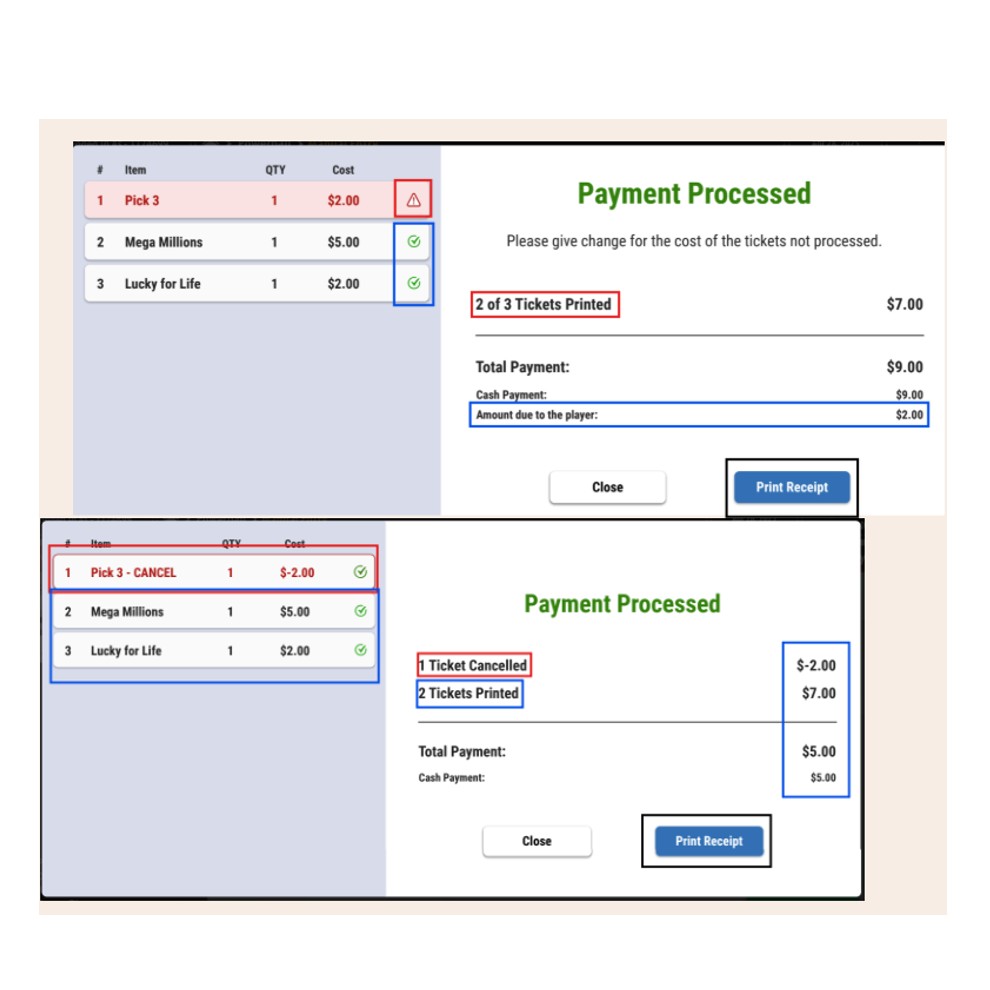
5. You can see when a transaction failed, processed or cancelled, on the Payment Processed screen. Always verify the screen before continuing.