
GT20 System Overview
The Game Touch terminal acts as both a Scratch Vending Machine to distribute Scratch Tickets and operates in Self-Service Terminal to perform Draw Game functions. The barcode reader can be used by players to scan their scratch and draw game tickets to see if they are winners.
Game Touch 20 External View
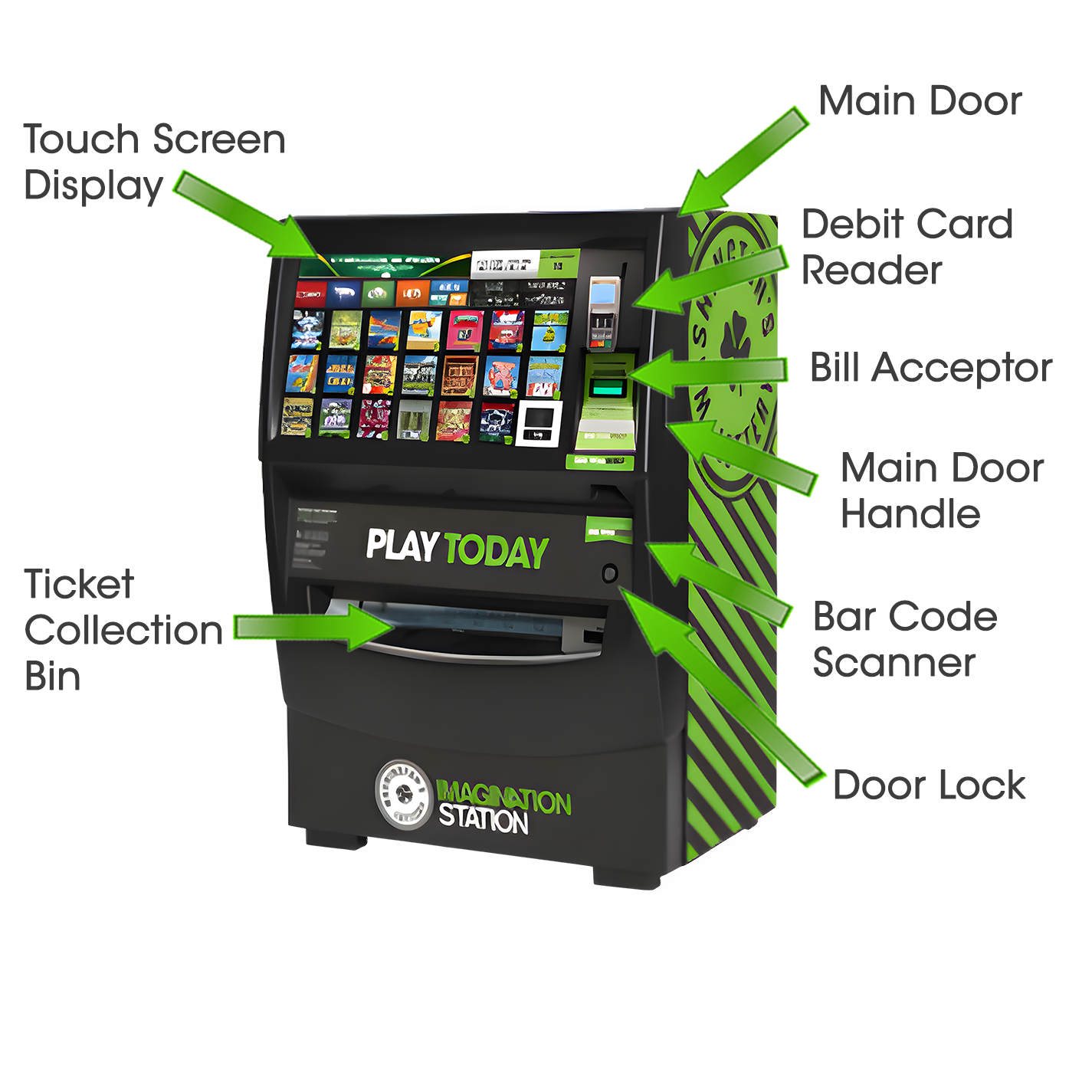
- The GT20 does not have a playslip reader.
Opening the Main Door
Insert the Main Door (MD) key into the main door lock located on the front of the machine, below the barcode scanner.
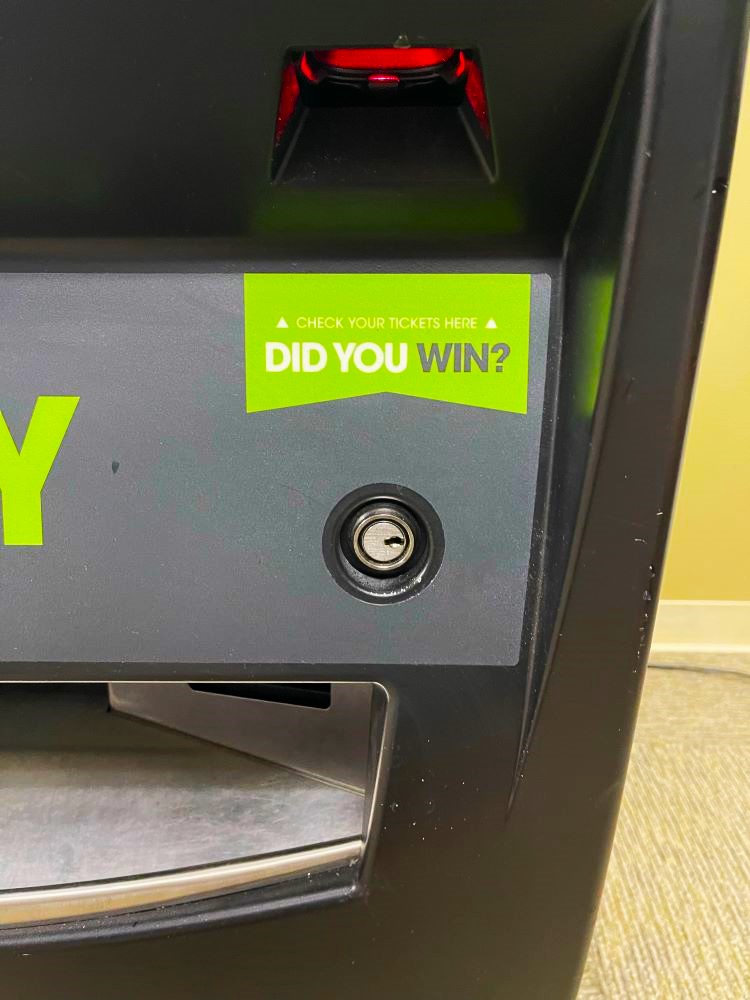
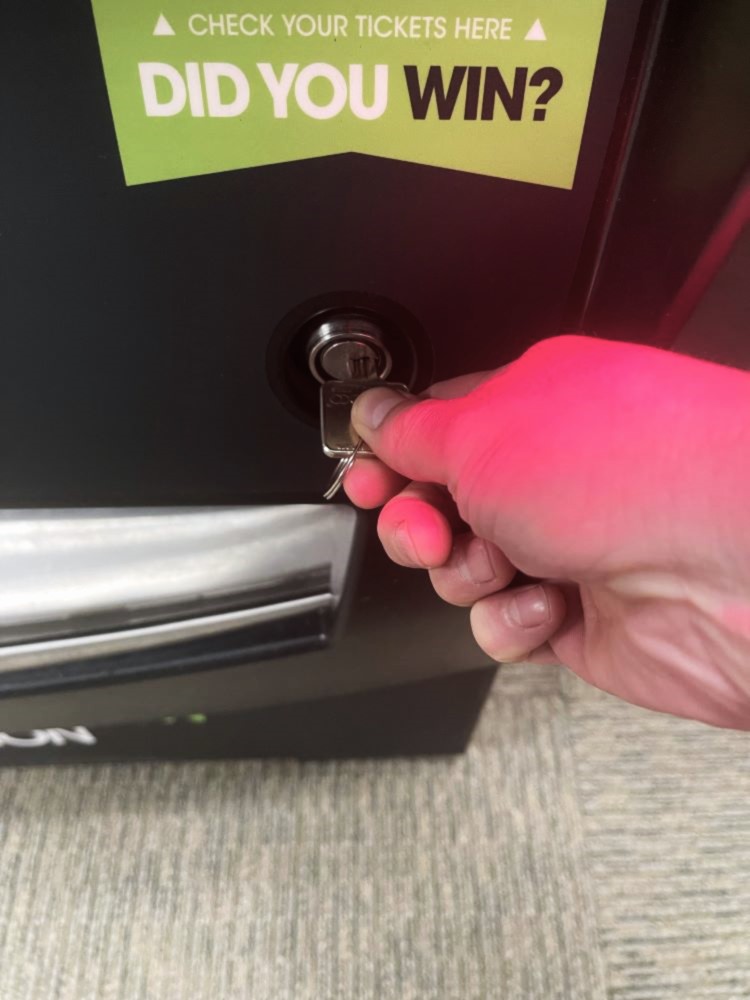
To open the door, pull up on the lever located on the right side of the door.
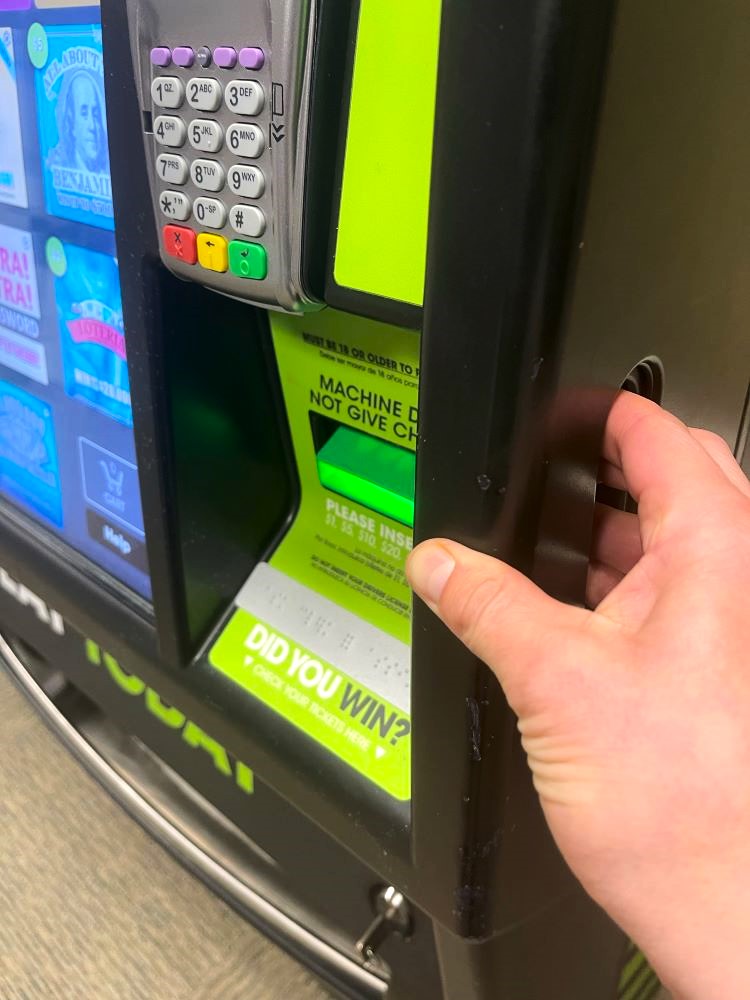
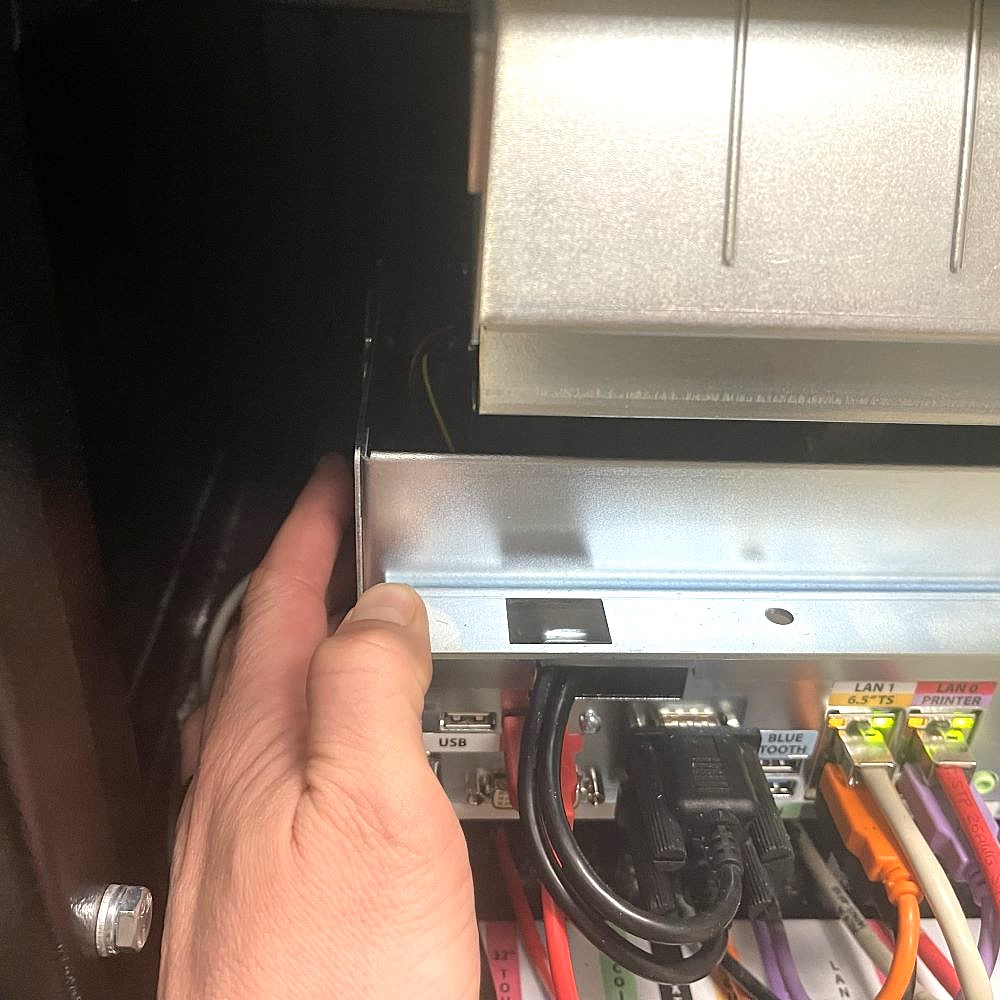
An audible alarm begins soon after the main door is opened. To silence the alarm, the Retailer must press the override button on the side of the terminal board at the bottom of the machine or sign-on to the terminal.
Retailer Sign-In
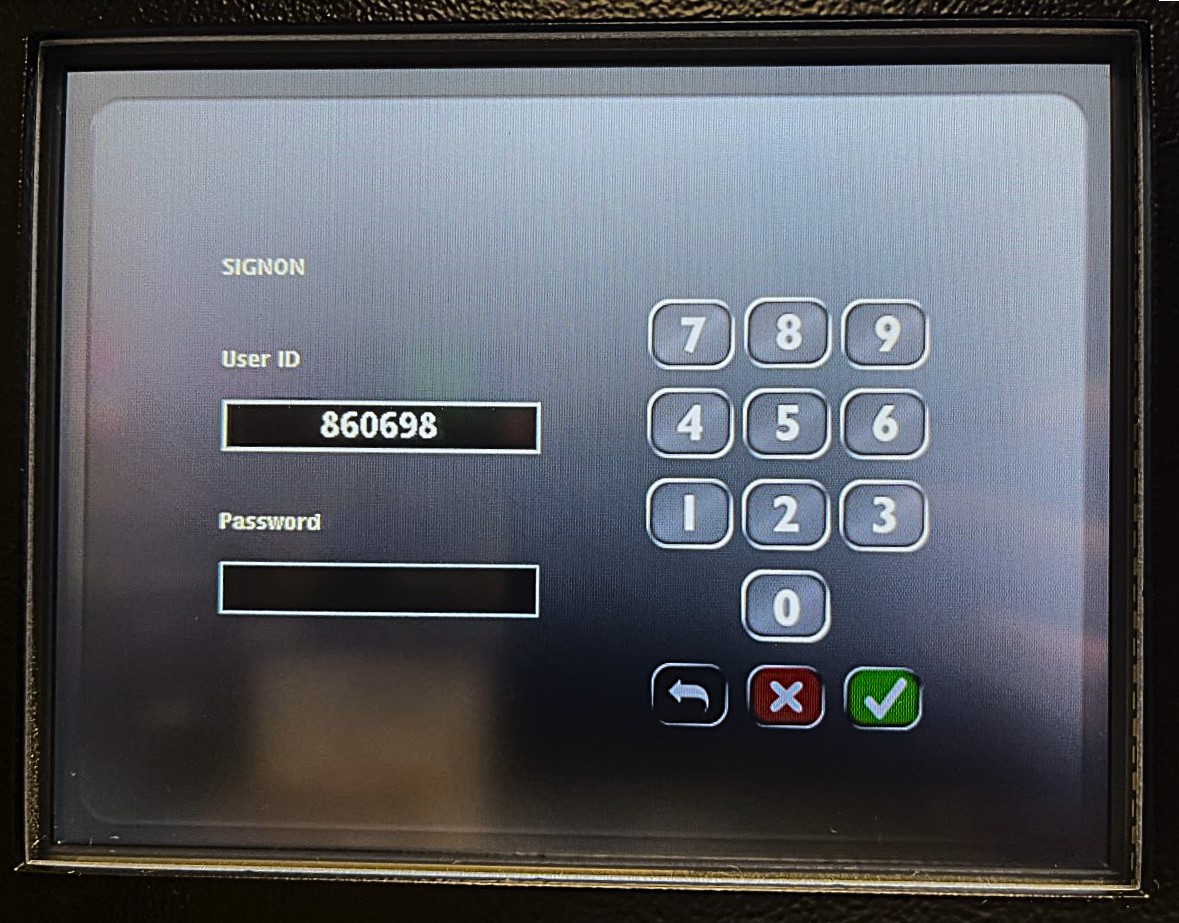
After opening the Game Touch G20 terminal Main Door, the Retailer terminal display prompts retailers to sign-in.
- Enter 6-digit Username and 4-digit Password. Touch the GREEN CHECKMARK.
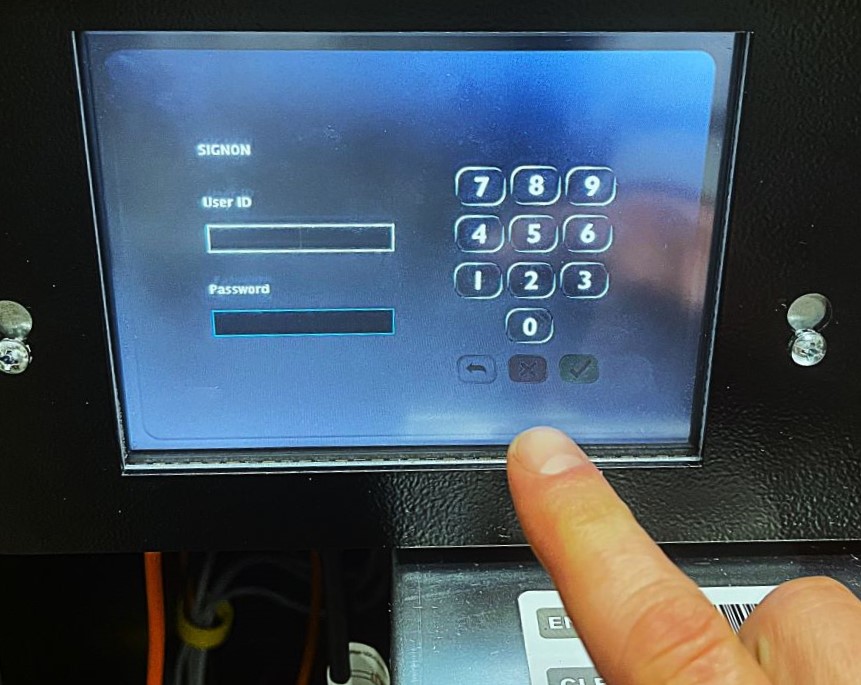
After a successful Sign-In, the Manager Functions Menu will display.
Manager Functions
The Game Touch Home Screen, or Manager Functions Menu, is available once you are signed in. This menu provides access to the terminal management functions.
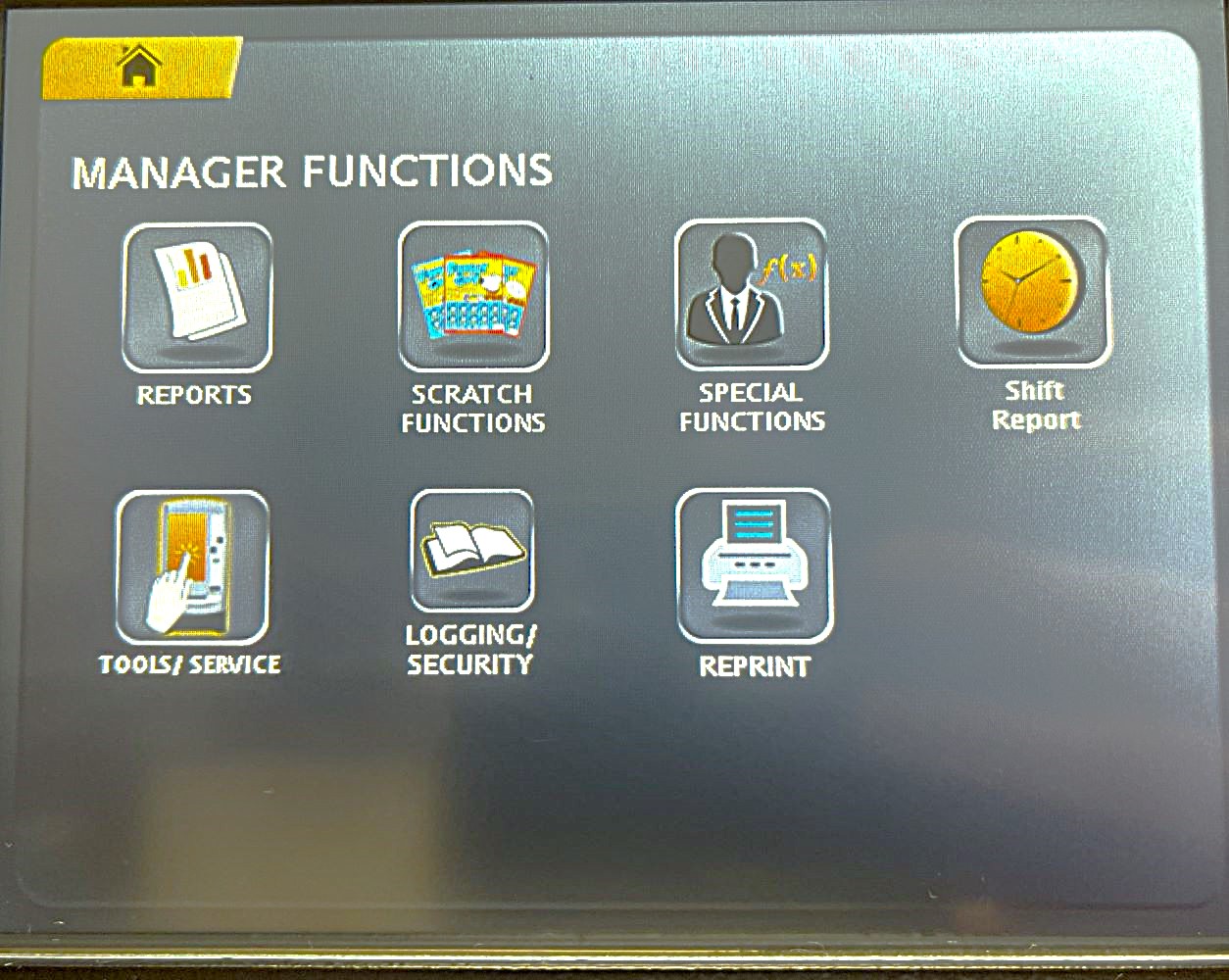
- Access this menu from any of the administrative screens by touching the HOME button.