
GT20 Cashbox
Note: Error message “SORRY THIS TERM IS NOT ABLE TO HANDLE ANY TRANSACTIONS” may appear when the cash box is full or is jammed.
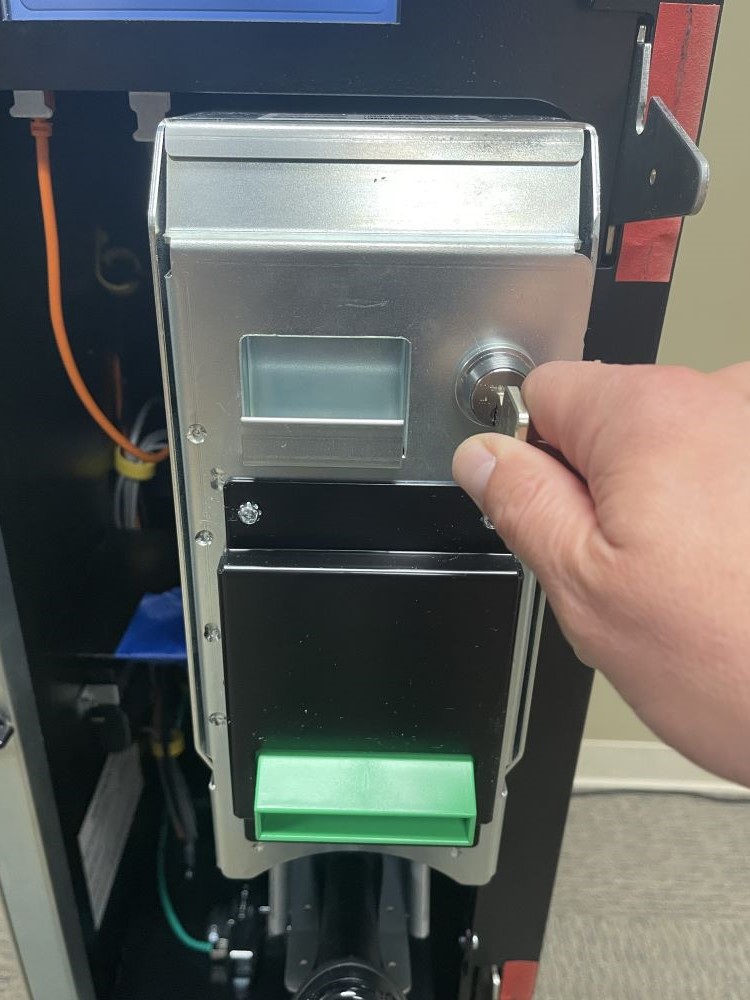
- Open the bill acceptor door with the security key and pull forward.
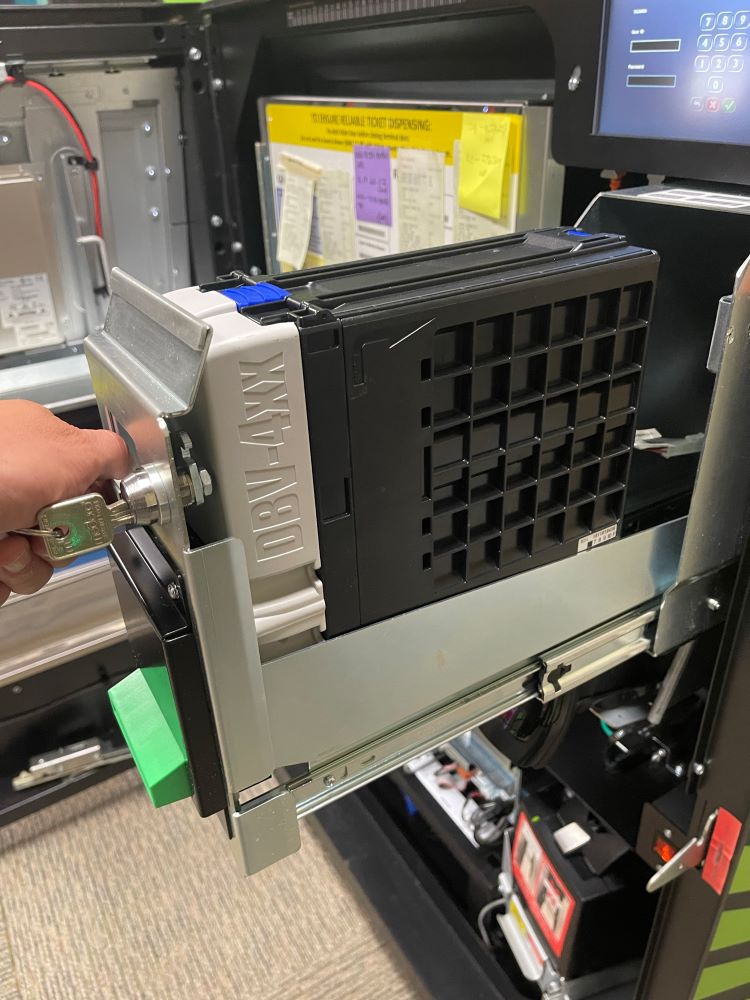
- Pull out the Cash Box by clicking the blue button and lifting up the cover.
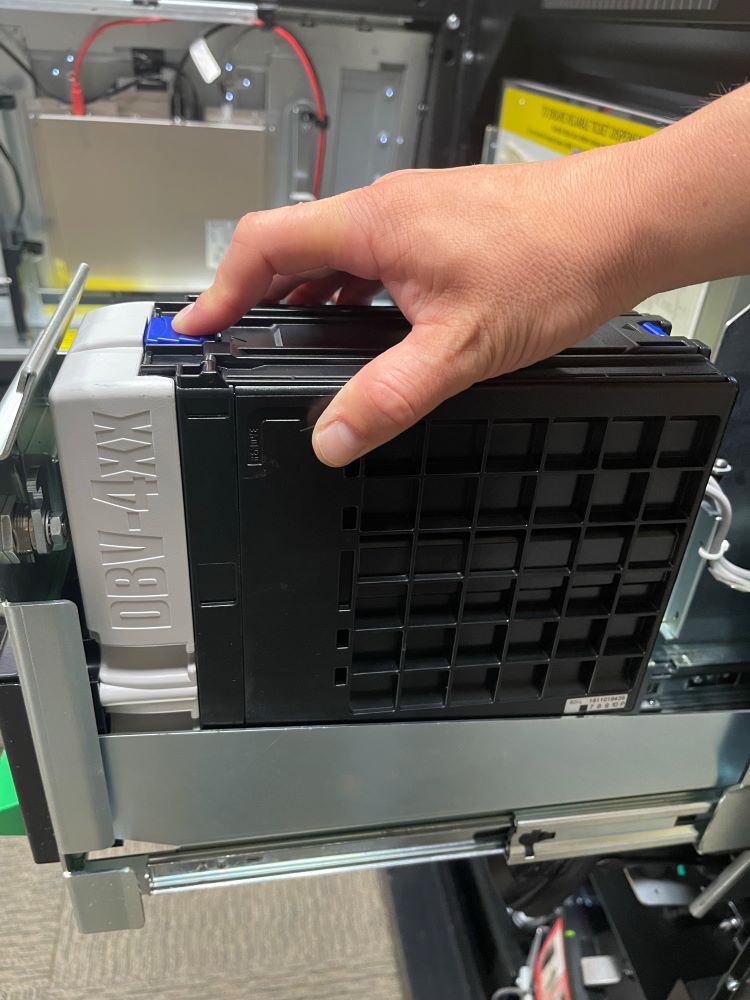
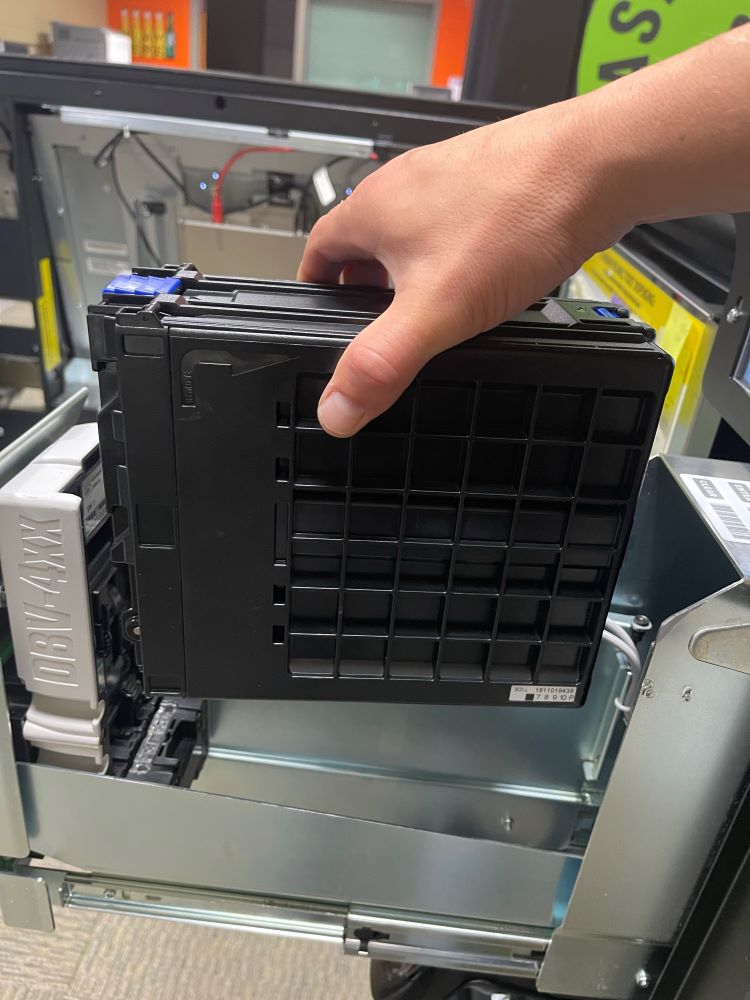
- To open the Cash Box, click the blue button and lift up the cover to the access the content.
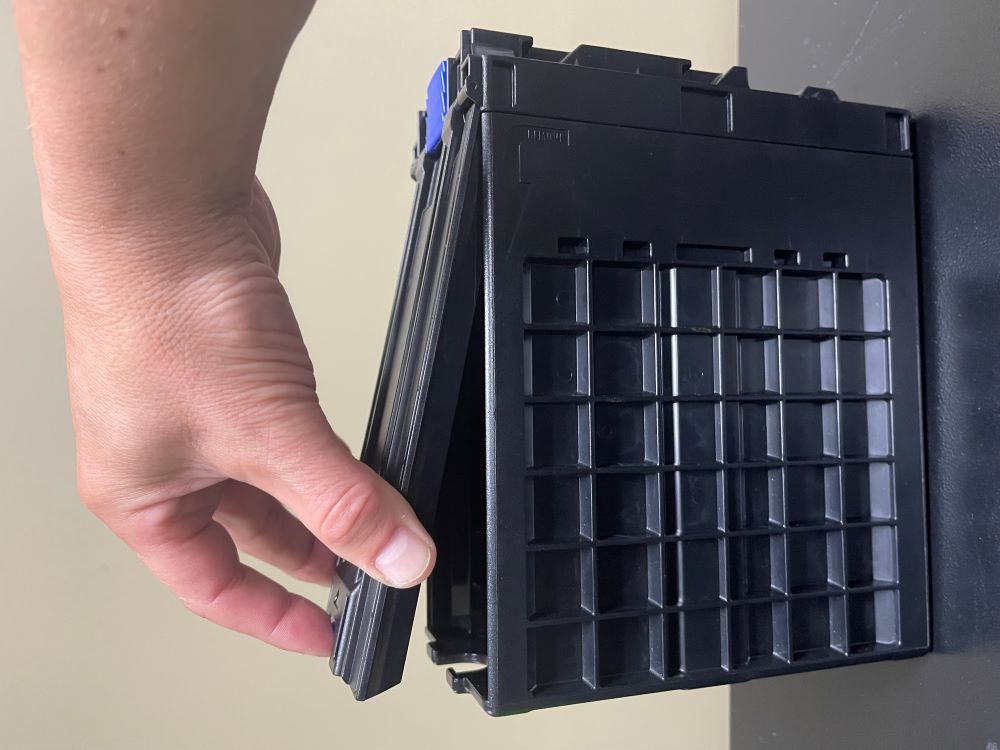
Note: the cash box opening is on the bottom of the cash box and may contain a separate lock.
-
Remove the cash from the cash box.
-
Replace the cash box.