Adding / Removing Games
ADDING/REMOVING GAMES VIA THE PARAMETERS BUTTON
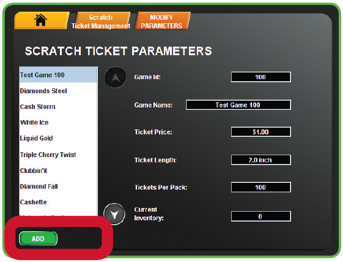
The Parameters button displays product details for each existing game on the terminal. Use this function to Add a new game or Remove an existing game.
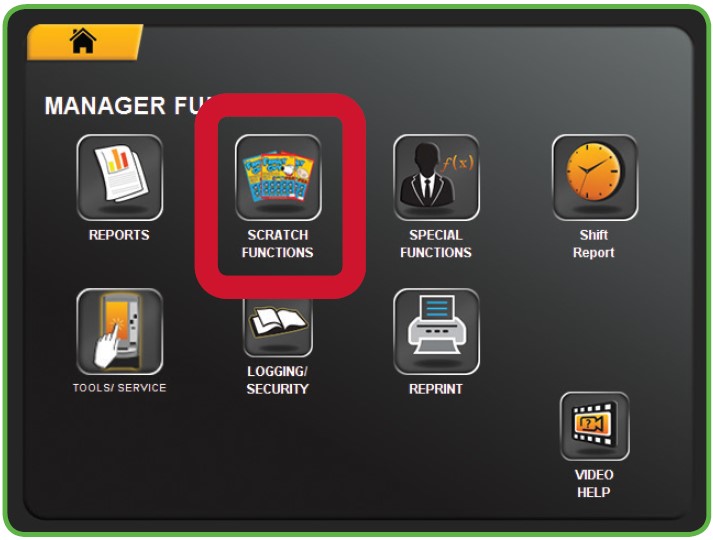
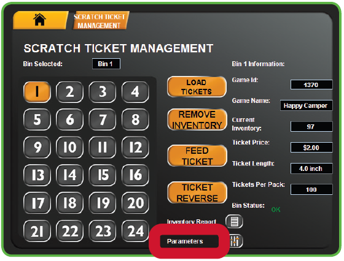
1. Touch SCRATCH FUNCTIONS from the Manager Functions Menu. Then, touch SCRATCH TICKET MANAGEMENT.
2. Touch the desired BIN NUMBER.
3. Touch PARAMETERS.
4. TO REMOVE AN EXISTING GAME: Touch REMOVE. A Confirmation screen displays. Touch the GREEN CHECKMARK to continue, or touch the RED X to cancel.
5. TO ADD A NEW GAME: Touch ADD. Enter the Game ID, then touch the GREEN CHECKMARK.