Device Status
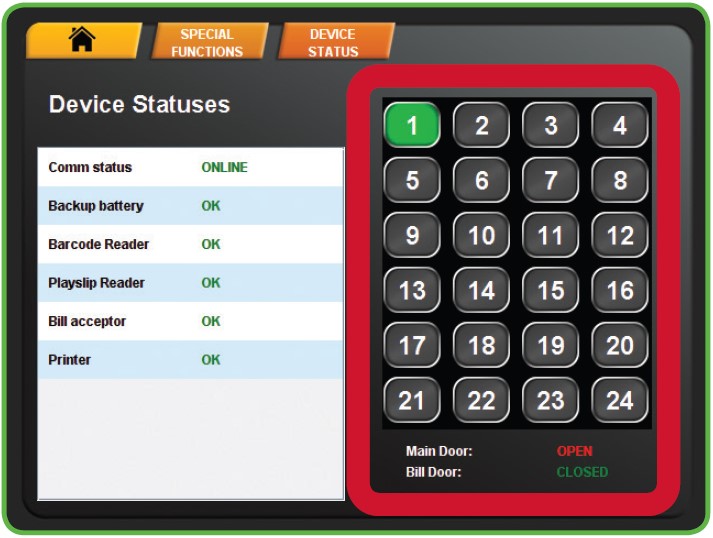
The Device Status screen displays all of the components in the terminal and their current operational status.
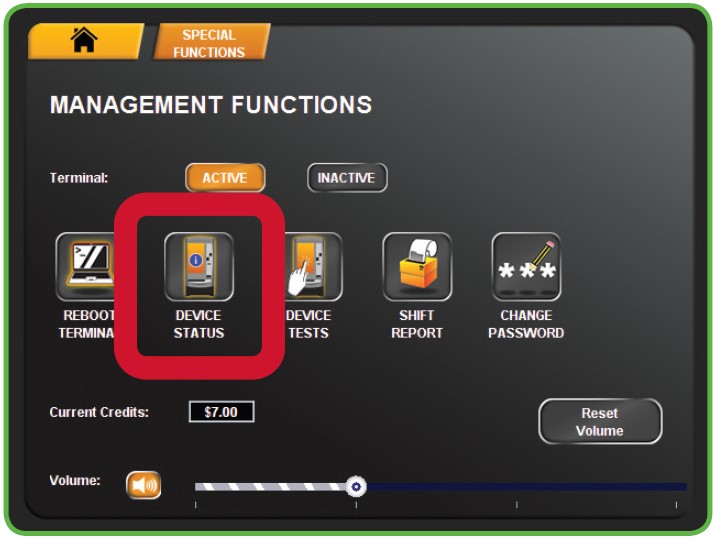
- Touch DEVICE STATUS from the Management Functions menu.
- The Device Statuses screen displays.
- Touch a specific BIN NUMBER to view the Bin Status of a particular bin.
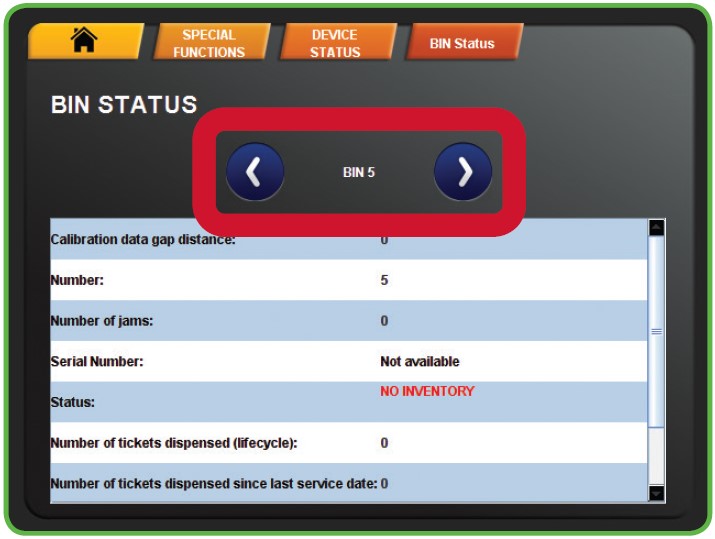
- The Bin Status displays. Touch the blue LEFT OR RIGHT ARROWS to move through each bin status report.