Search
Search
You are here:
Home
GENERAL
Device Tests
Device Tests
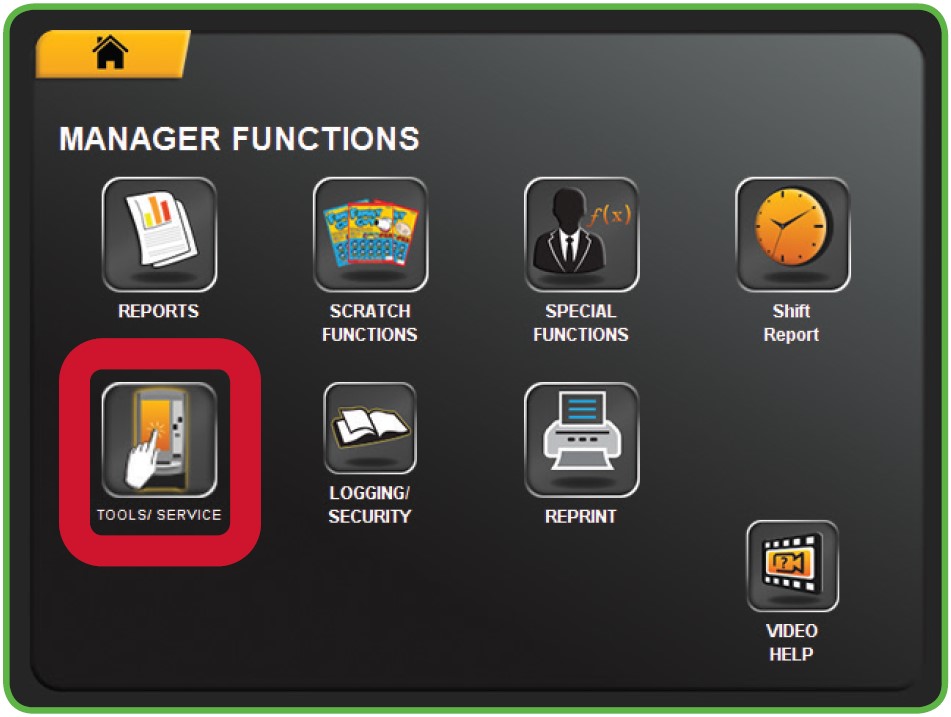
Touch TOOLS/SERVICE from the Manager Functions Menu.
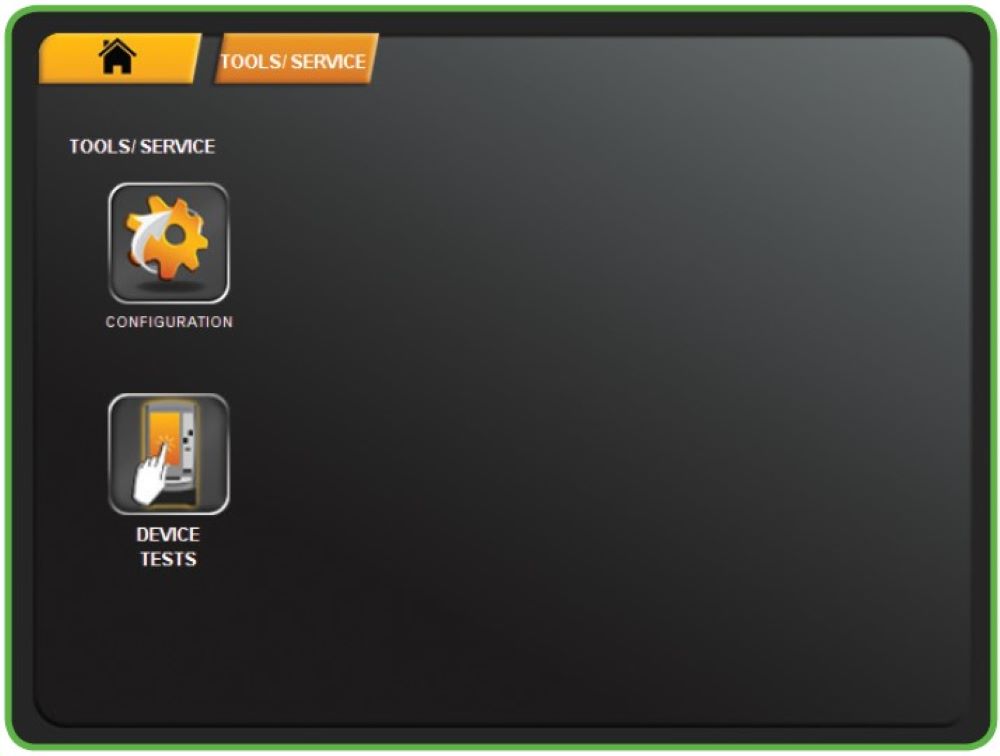
The Tools/Service menu displays.
Touch the desired option.
Recently Published
Cash Log Reports
Refunding Players - No Credits on Terminal
Refunding Players - Credits on Terminal
Refunding Players
Player Support
Recently Modified
Daily Tasks
Refunding Players - No Credits on Terminal
Cash Log Reports
Keyfob Remote Control
Refunding Players