Search
Search
You are here:
Home
GENERAL
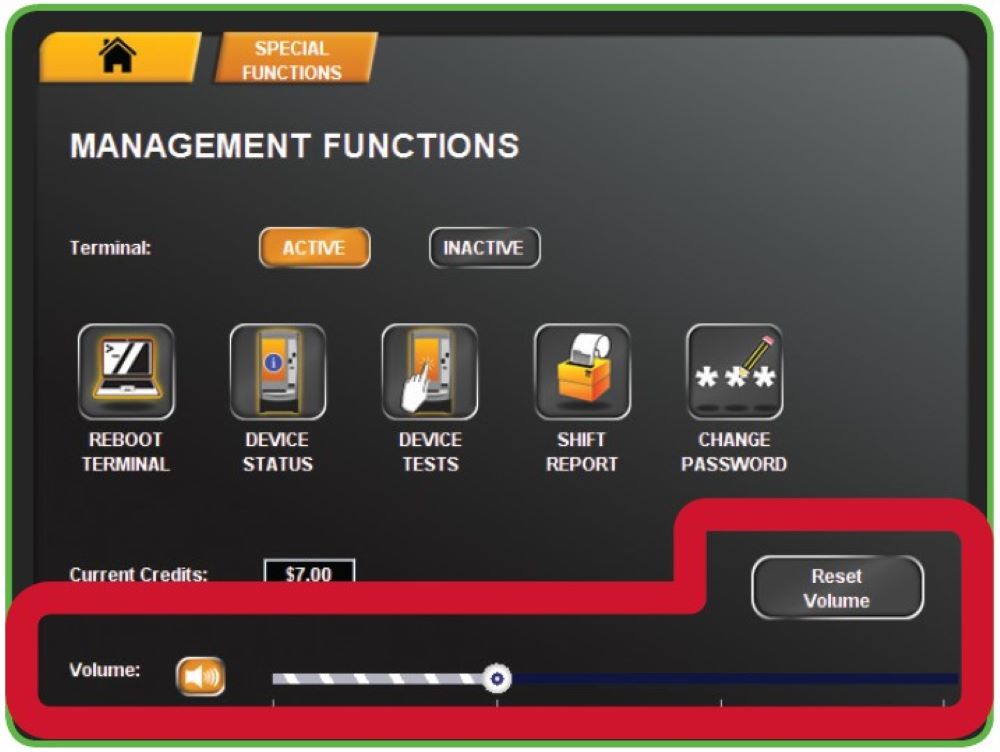
Volume
Volume
Touch
VOLUME BUTTON
on the Management Functions menu to mute/un-mute terminal sound.
Use the
VOLUME SLIDER
to lower/increase terminal sound.
Touch
RESET VOLUME
to reset the volume back to the default.
Recently Published
Cash Log Reports
Refunding Players - No Credits on Terminal
Refunding Players - Credits on Terminal
Refunding Players
Player Support
Recently Modified
Daily Tasks
Refunding Players - No Credits on Terminal
Cash Log Reports
Keyfob Remote Control
Refunding Players