
MEI Bill Acceptor - Troubleshooting
Video Available:
Removing the MEI Bill Acceptor (1.06 minutes)
- Power off the terminal by toggling the highlighted on/off switch above the keypad to the down position (leave terminal off until below steps are completed).
- Open the bill acceptor door with the security key and tilt the assembly down.
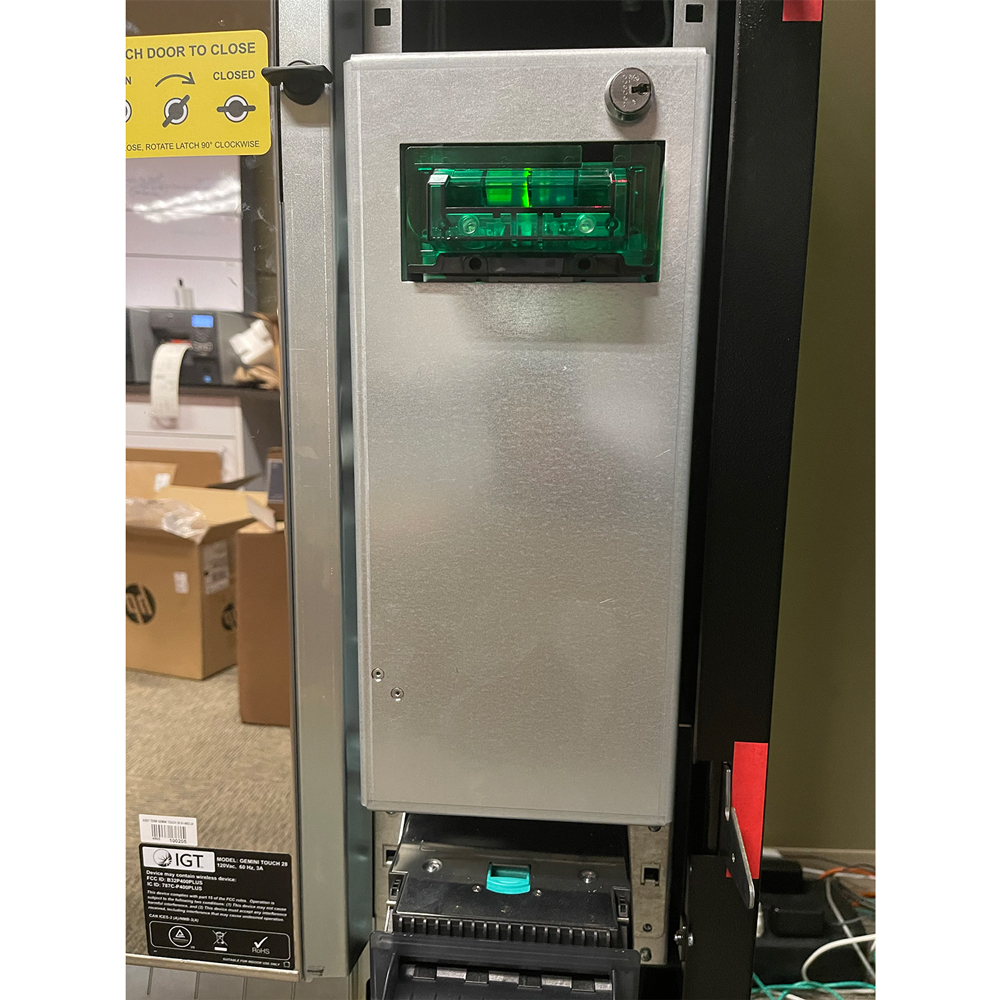
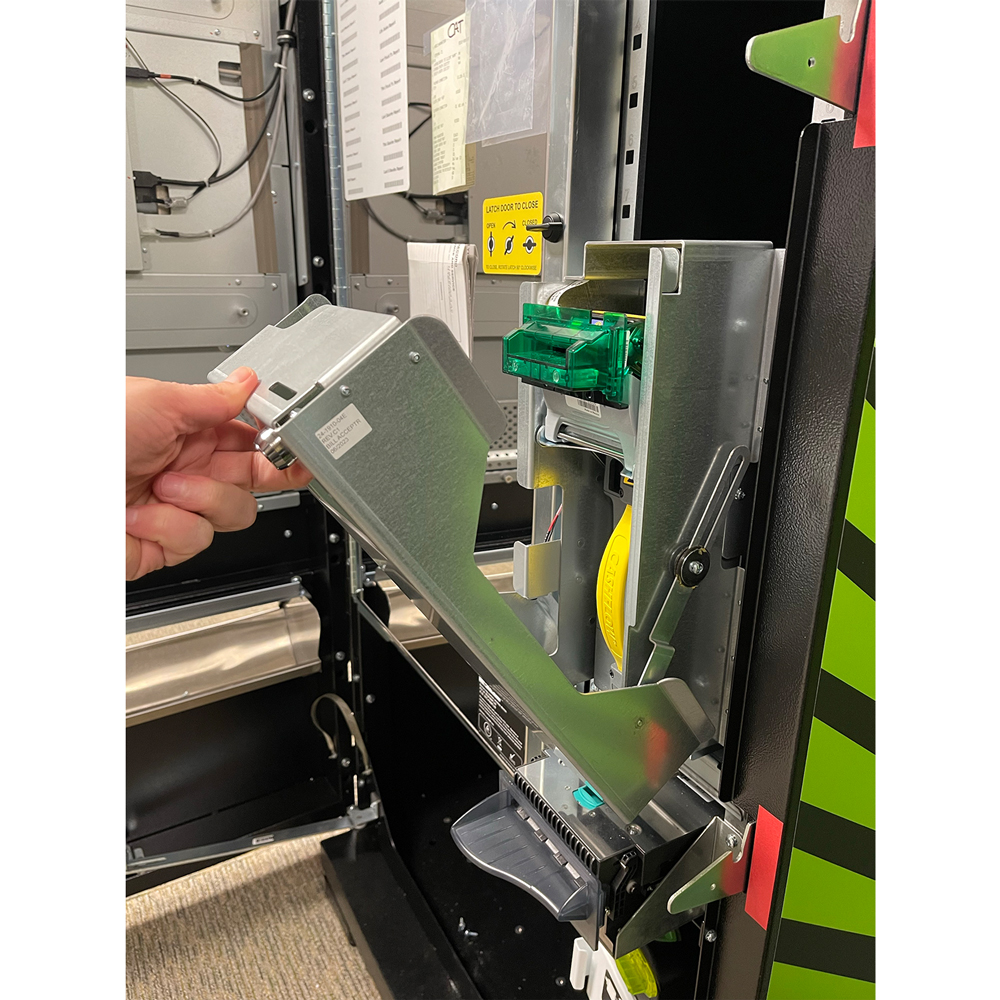
- Remove the acceptor module by pushing up the silver latching and pulling straight out.

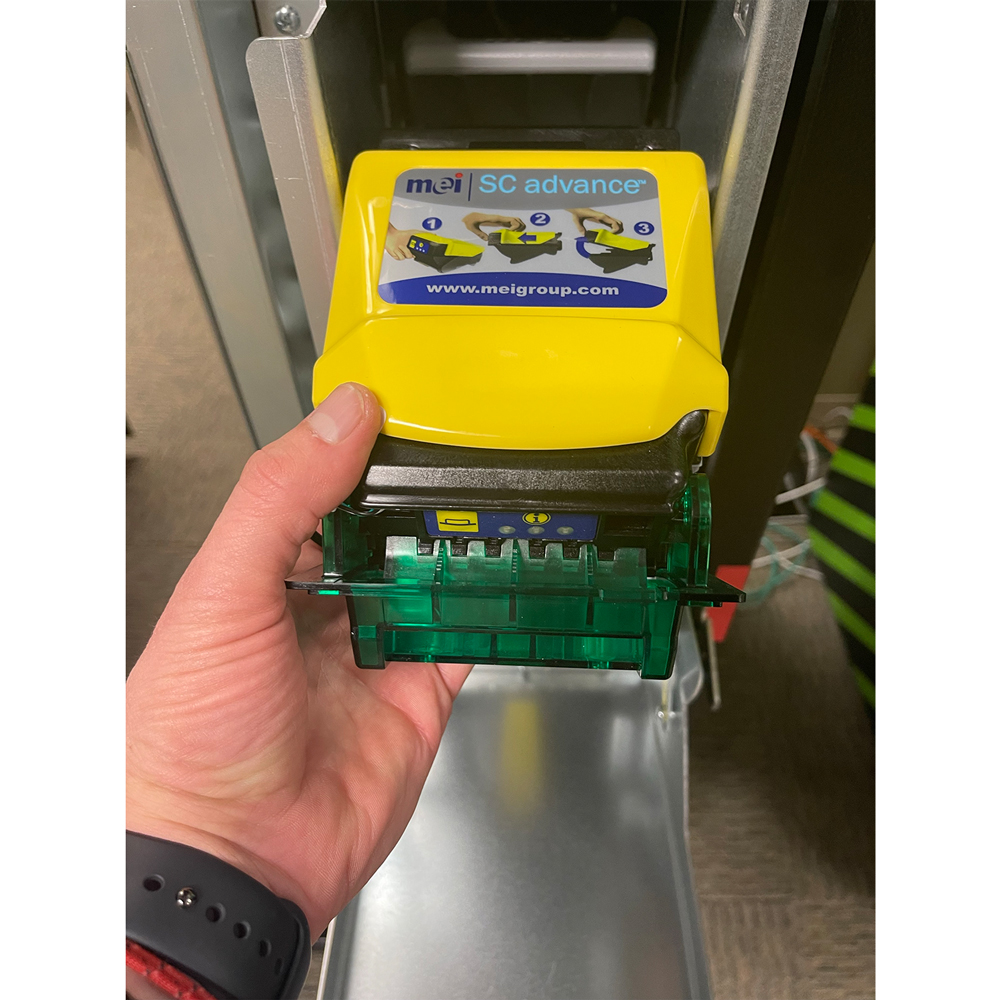
- Place your fingers on the black groove and chrome bar and squeeze to release the bill acceptor read head.
- Gently lift the read head from the bill acceptor - this allows the clearing of jammed bills.
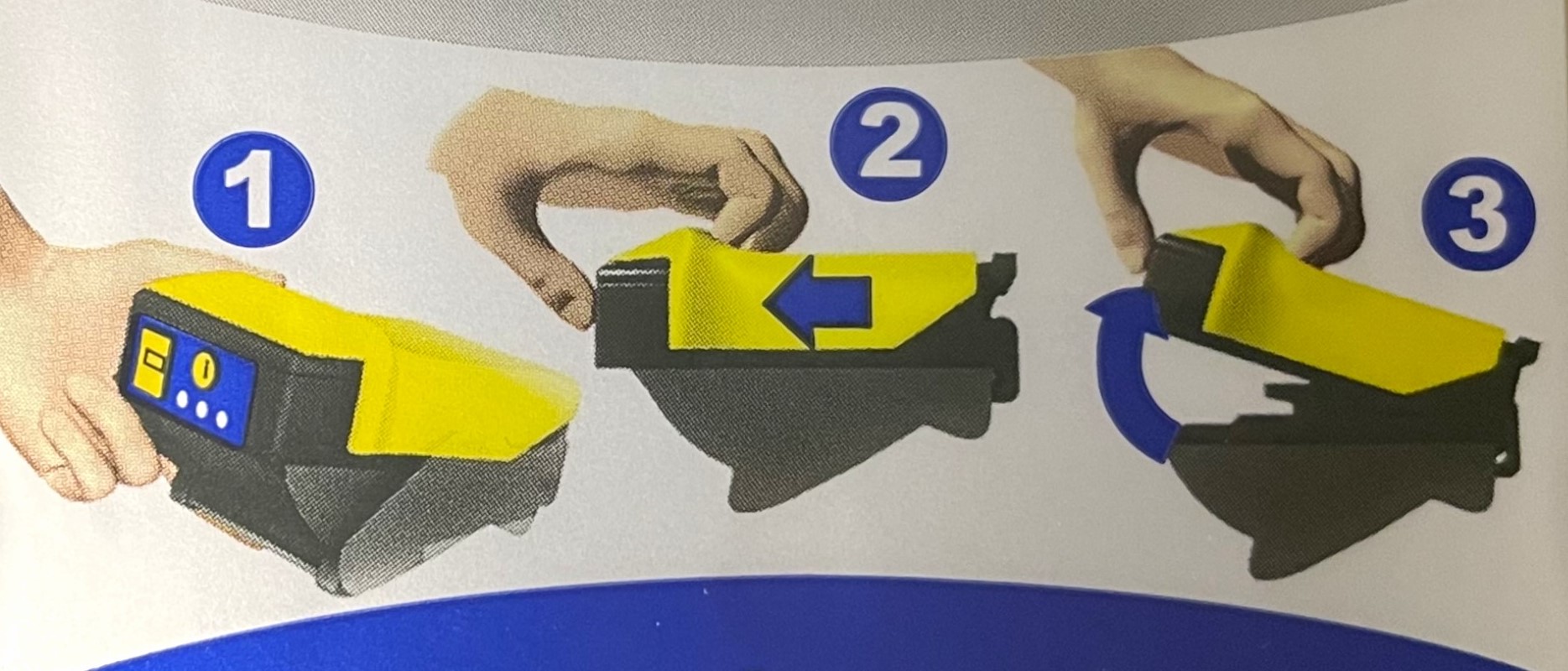
- After the bill acceptor has been cleared, gently slide it down into its locked position. If the bill acceptor is put into its proper position it will reset after 10 seconds.
- Power on terminal by toggling the on/off switch above the keypad to the up position.
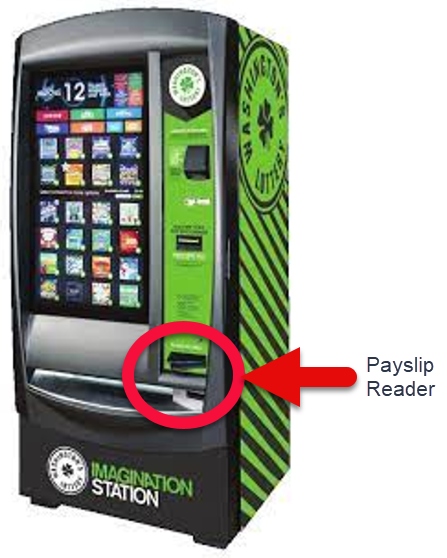
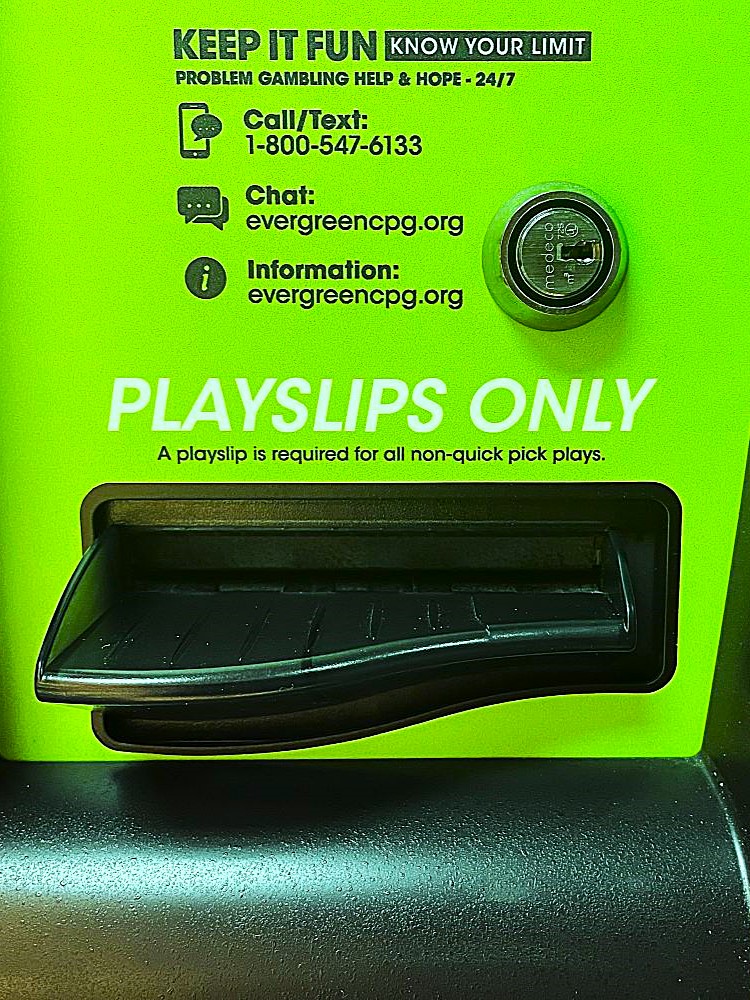
Playslip Reader Troubleshooting
Videos Available:
Cleaning the Reader (.28 seconds)
-
Verify playslip is filled out correctly and correctly inserted into the reader.
-
Advise customer to fill out another playslip, if needed.
-
Open a new pack of playslips, if needed.
-
-
Open main access door.
-
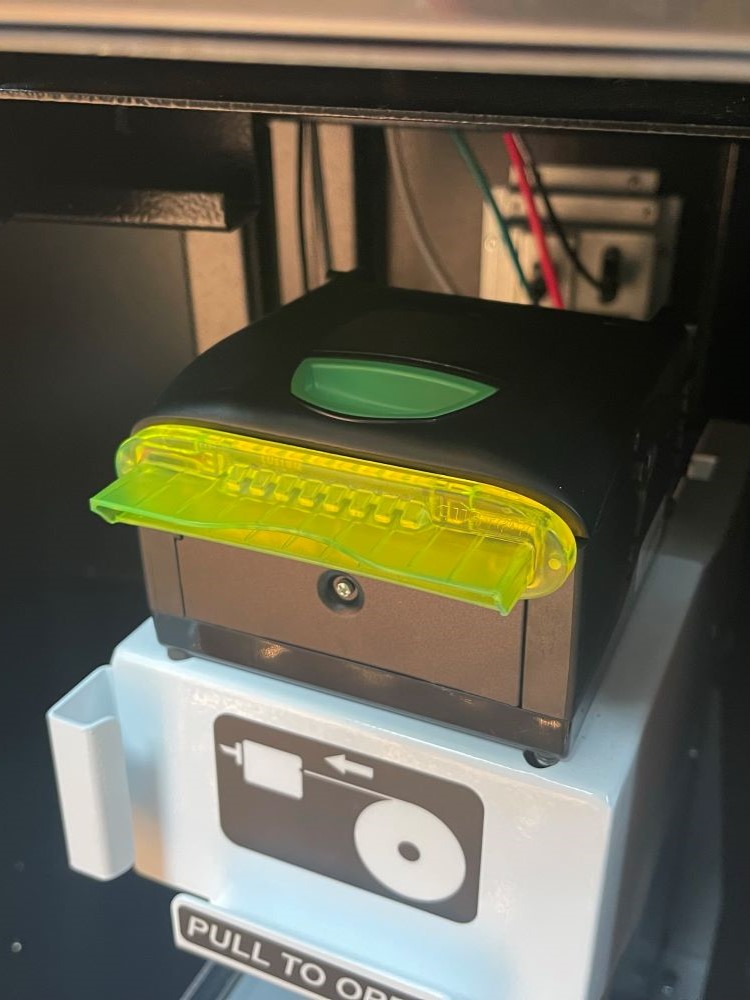
Gently pull up on the white latch on top of the reader.
-
Remove any jams or debris.
-
Wipe the reader lens.
-
Use isopropyl alcohol.
-
Never use a dry cloth.
-
-
Wipe rollers.
-
Use soft - dry cloth (paper towels are fine).
-
-
Lower the reader door until it clicks into place.
-
Close and lock the main door.
-
Test the Reader with a blank playslip.
Removing Cash from the Cashbox
Video Available:
Removing Money from the Cashbox (1.03 minutes)
Note: error message “SORRY THIS TERM IS NOT ABLE TO HANDLE ANY TRANSACTIONS” may appear when the cash box is full or is jammed.
-
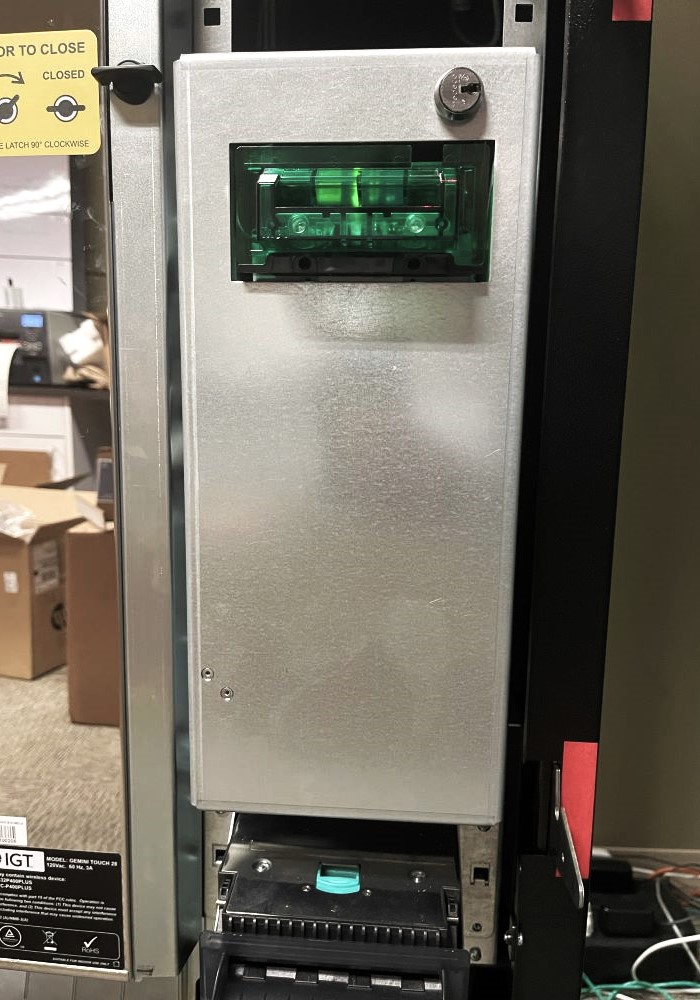
Open the bill acceptor door with the security key and tilt the assembly down.
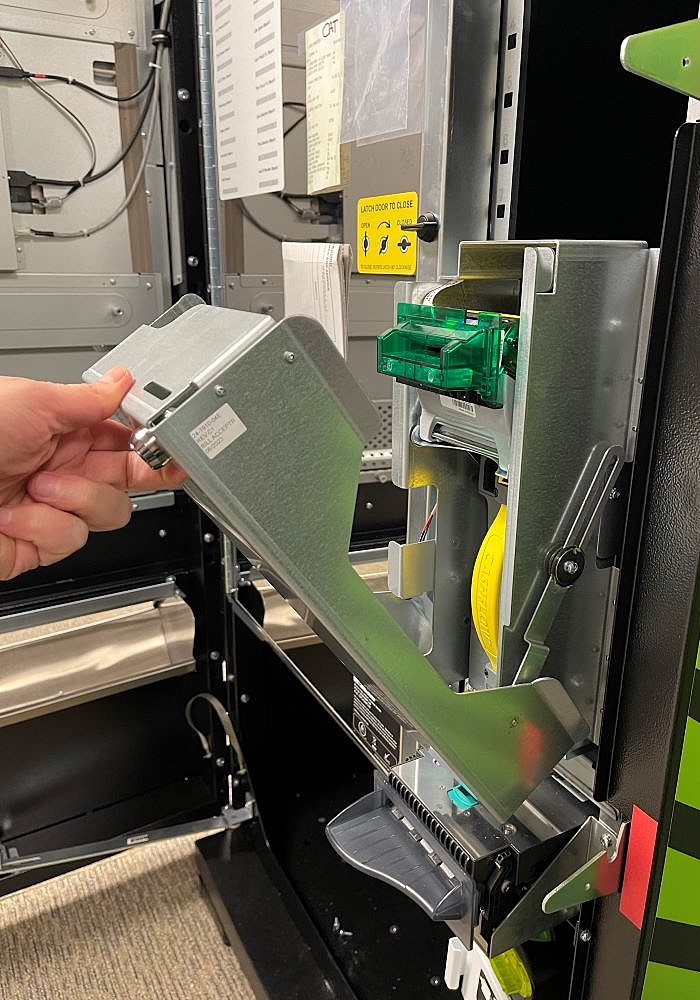
-
Pull out the Cash Box by grasping the yellow handle and pulling straight out.
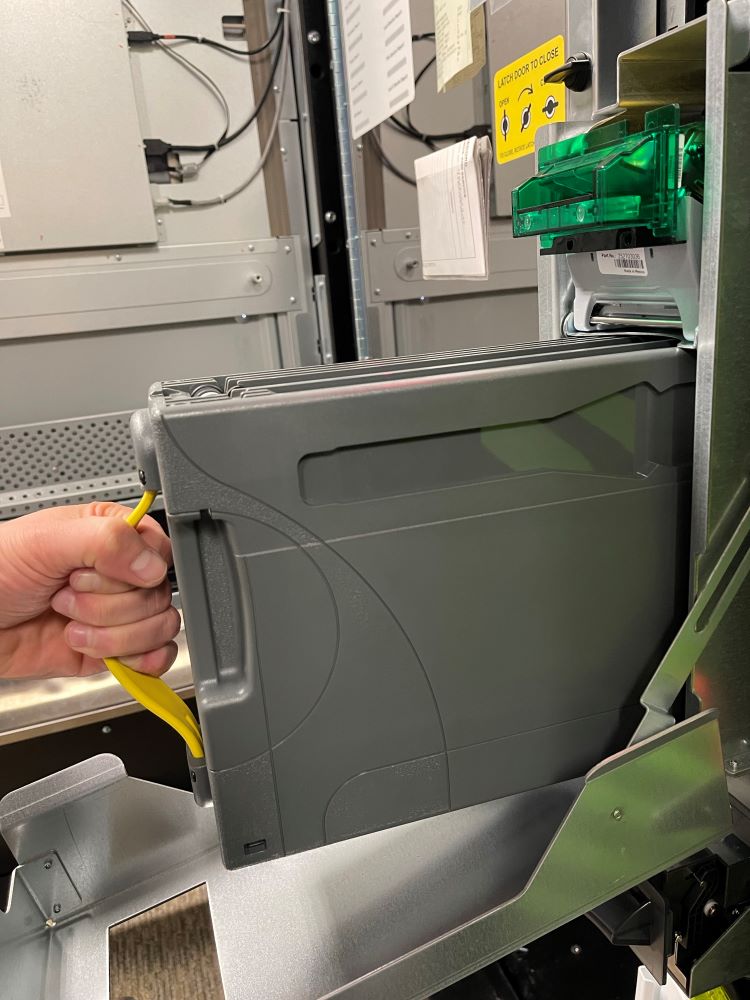
- To open the Cash Box, squeeze the yellow latch and slide the bottom cover open to the access the content.
Note: the cash box opening is on the bottom of the cash box and may contain a separate lock.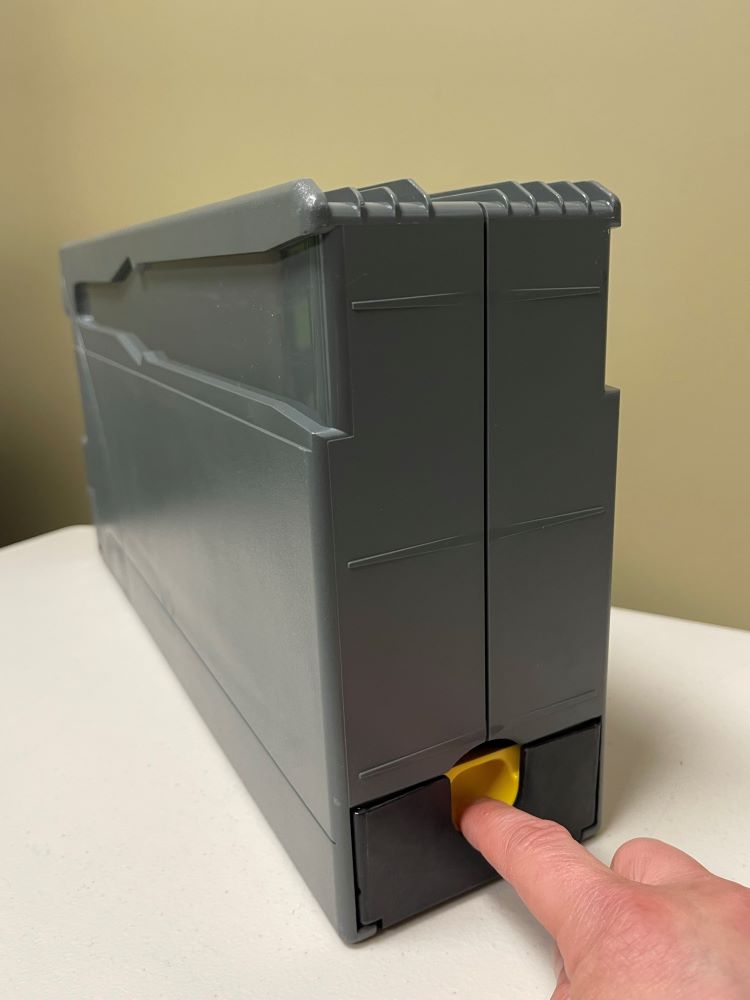
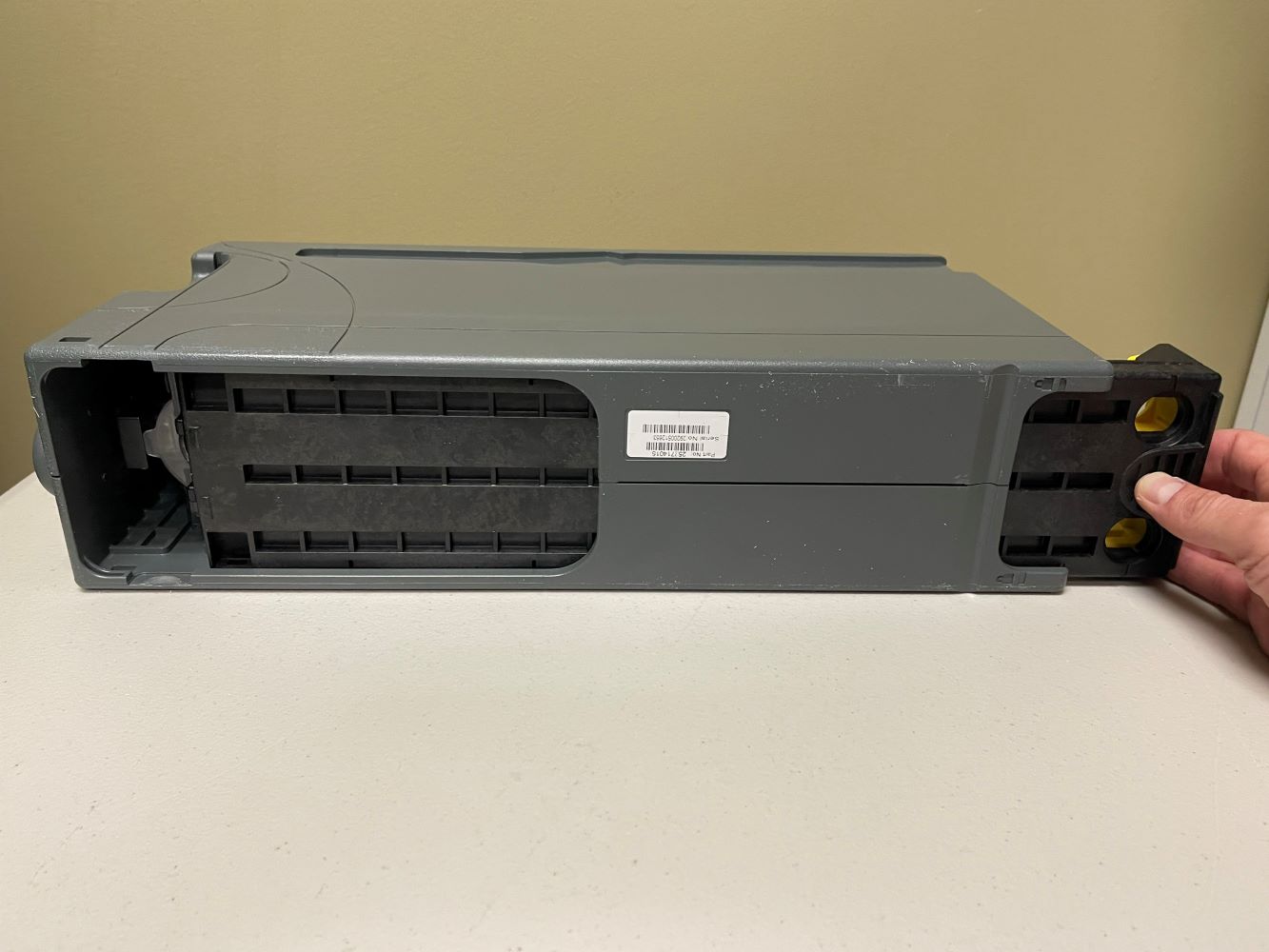
- Remove the cash from the cash box.
- Replace the cash box.
GT20 JCM Bill Acceptor
- Power off the terminal by toggling the hlighted on/off switch above the keypad to the down position (leave terminal off until below steps are completed).
-
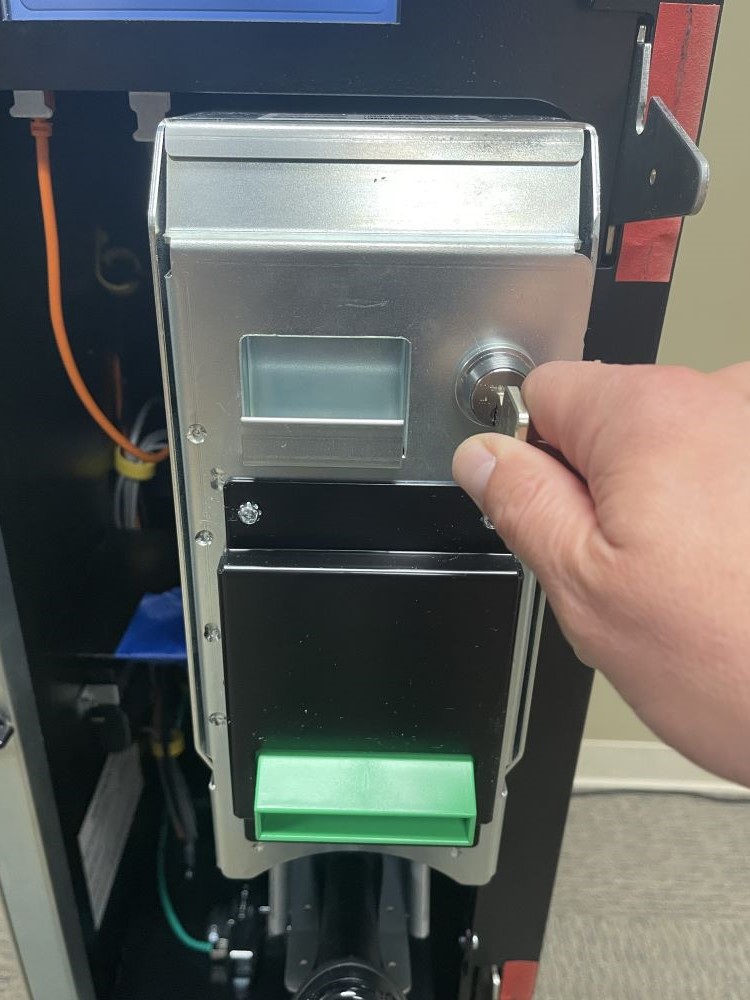
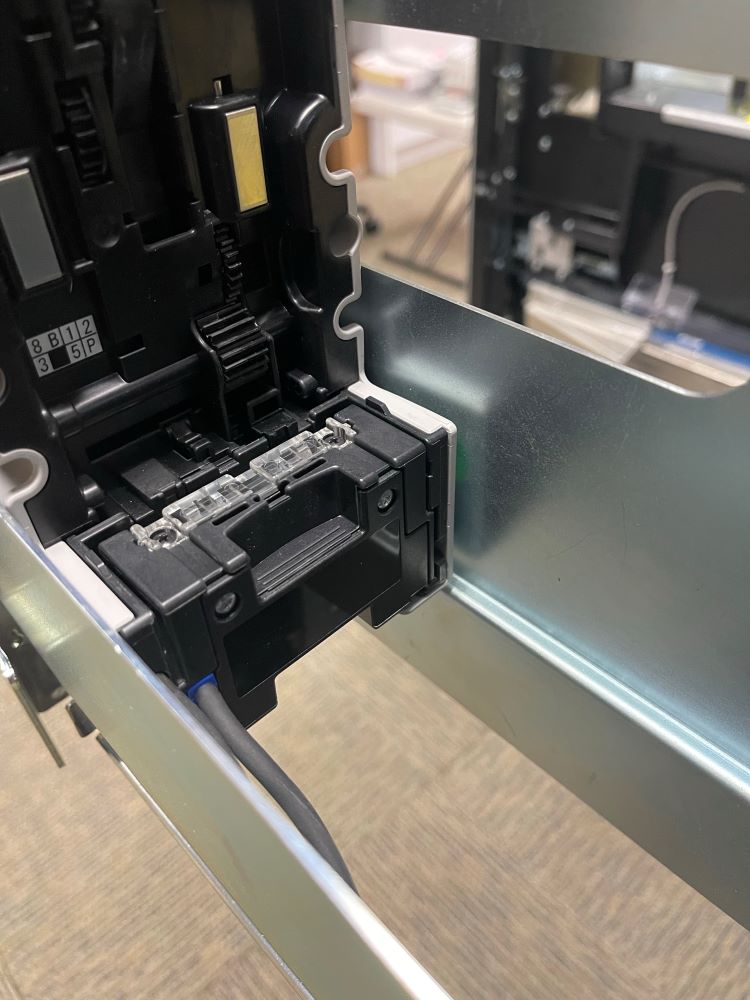
Open the bill acceptor door with the security key and tilt the assembly down.
-
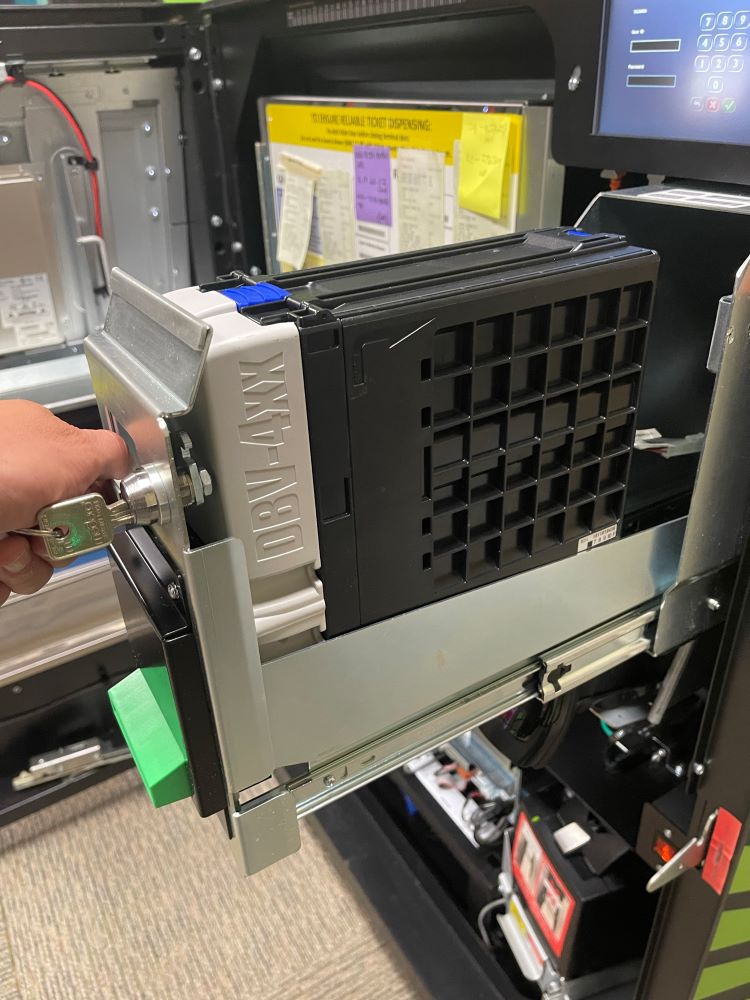
Remove the acceptor module by pushing up the silver latching and pulling straight out.
-
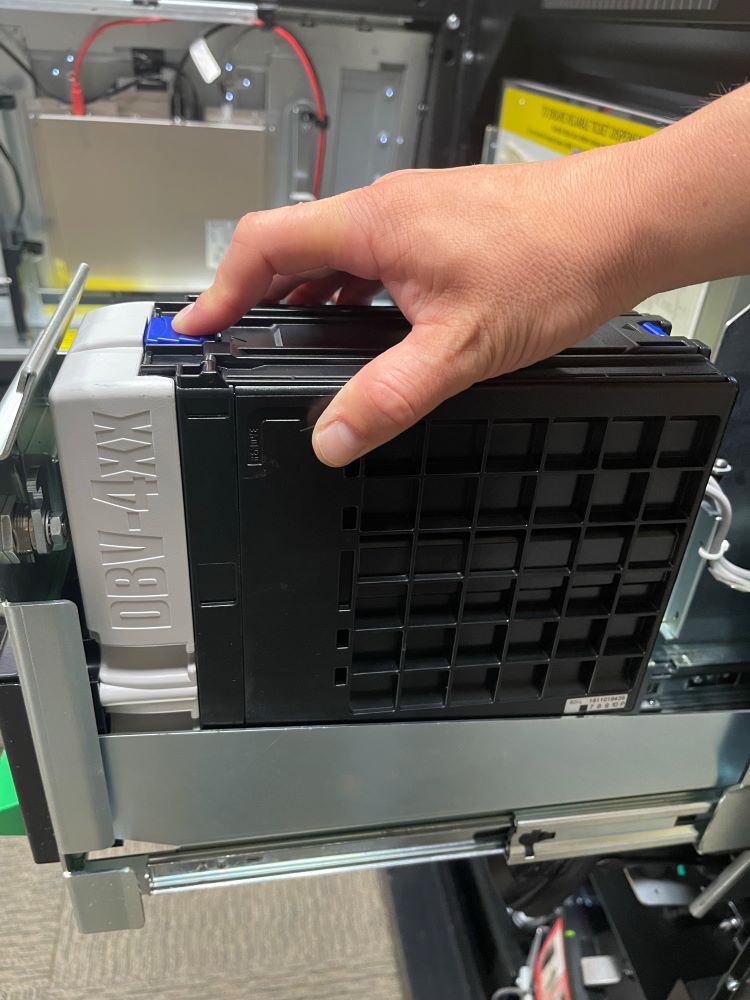
Place your fingers on the black groove and chrome bar and squeeze to release the bill acceptor read head.
-
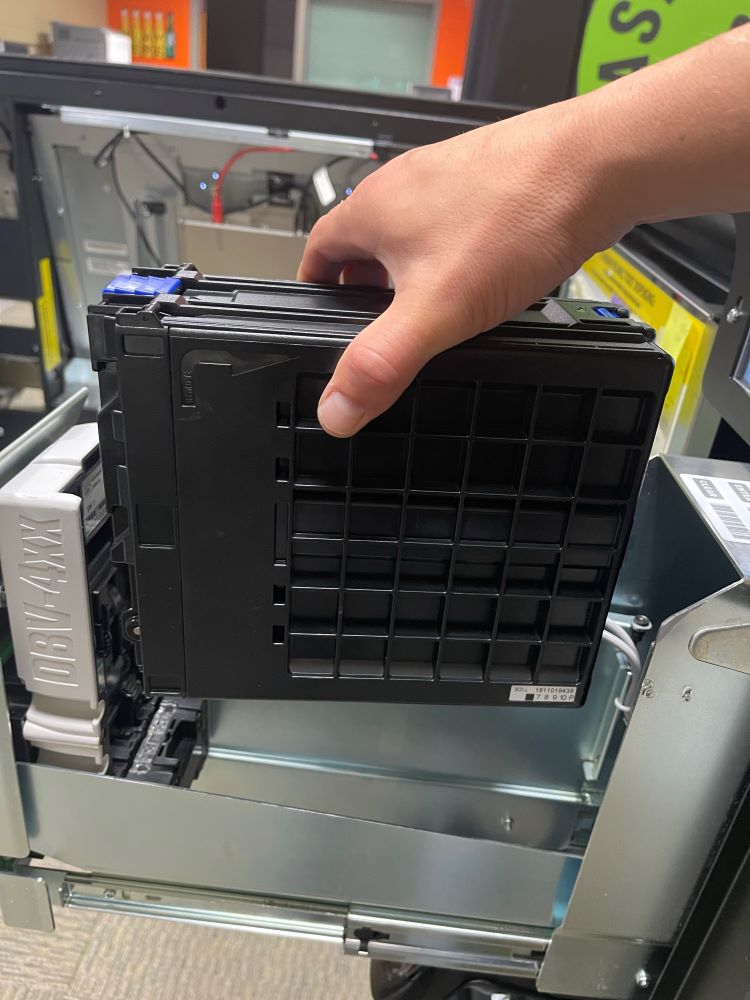
Gently lift the read head from the bill acceptor - this allows the clearing of jammed bills.
-
After the bill acceptor has been cleared, gently slide it down into its locked position. If the bill acceptor is put into its proper position it will reset after 10 seconds.
-
Power on terminal by toggling the on/off switch above the keypad to the up position.