Volume
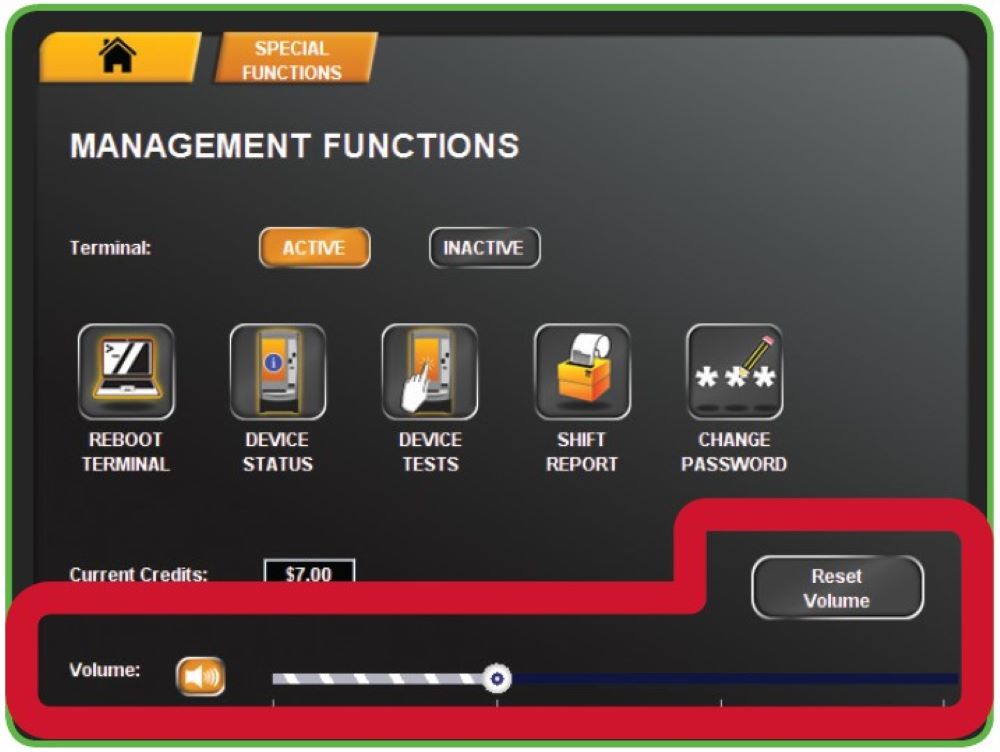
- Touch VOLUME BUTTON on the Management Functions menu to mute/un-mute terminal sound.
- Use the VOLUME SLIDER to lower/increase terminal sound.
- Touch RESET VOLUME to reset the volume back to the default.
Self-Service Terminals: Shift Report and Cash Reconciliation
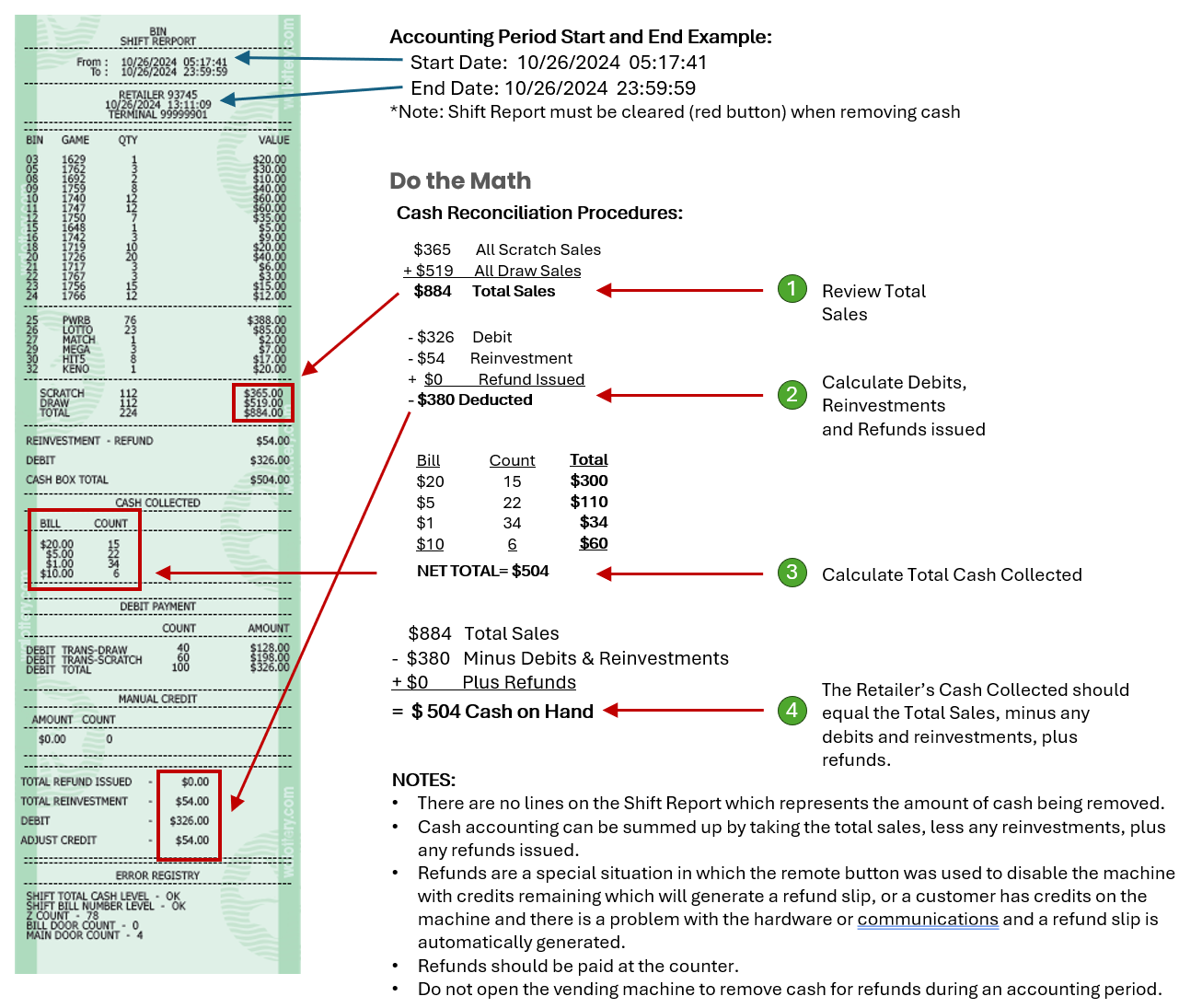
The Shift Report details sales activity for the current shift and should be used to balance the money in the cash box on a daily basis. The Shift Report tracks sales by Bin/Game, any Reinvestment, any refunds issued and will maintain a bill count by denomination. If used correctly the report will track the start and end for a given accounting period.
NOTES:
- Lottery retailers must remove the cash from their Lottery vending machine within 21 days or when the cash box is full. It is common for lottery retailers to remove their cash once a week, or once a day. The Cash Box will hold a maximum of 1600 bills or $10,000.
- Opening & Clearing the Cash Box
- Clear the Shift Report when removing the Cash Box. This will restart the accounting period.
- Failure to clear (Red button) the Shift Report will result in incorrect accounting, and an incorrect bill count which will eventually disable vending machine operation.
Running Shift Reports: GT-24/28 & G20 Terminals
The Shift Report details sales activity for the current shift and should be used to balance the money in the cash box on a daily basis. The Shift Report shows all sales as a total sales amount by Instants, Online and a TOTAL of both. The cash collected is the total money inserted into the bill acceptor. The Total cash collected calculated cash balance of that period of SALES.
To run this report:
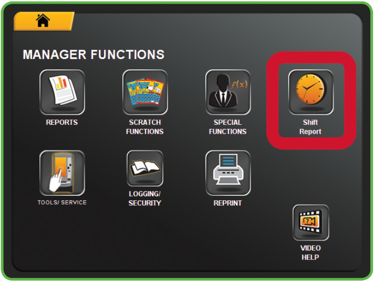
- Touch SHIFT REPORT from the Manager Functions Menu.
NOTE: You may also find the Shift Report on the Special Functions Menu. - The report displays.
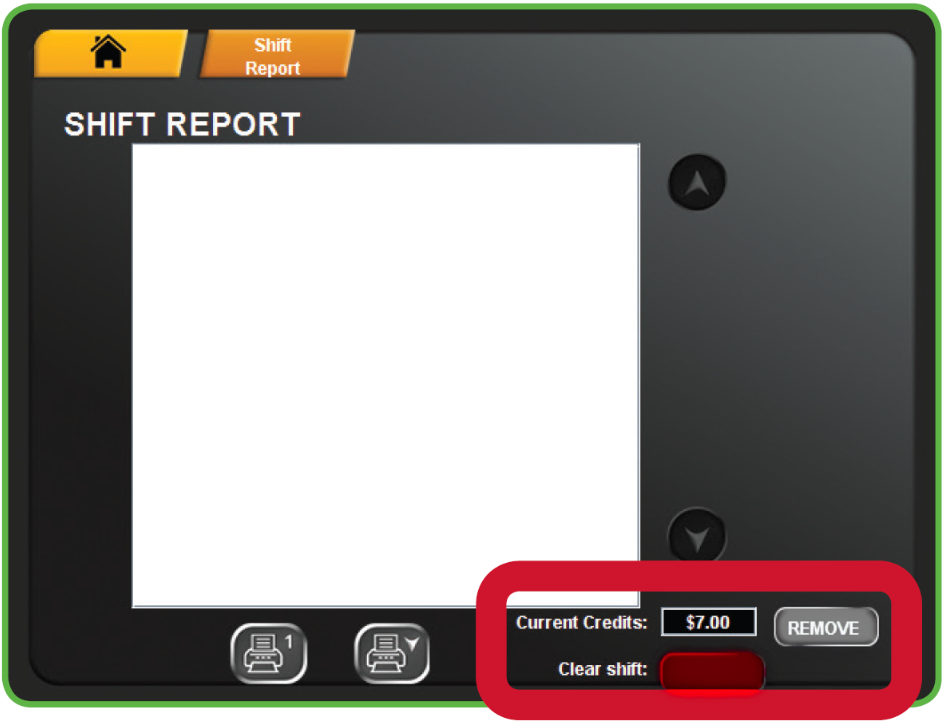
- Use the UP and DOWN ARROWS to scroll though the report on the screen if needed.
- Touch PRINT to print the report ONLY or touch REMOVE to remove credit. Then touch CLEAR SHIFT to print the report and also clear the Shift at the same time. Touch HOME to return to the Manager Functions Menu.
- NOTE: Removing credit results in a refund receipt printing.
Shift Report and Cash Reconciliation
Use this as a guide to reconcile the cash accounting for your lottery vending machine.
Cash accounting can be summed up by taking the total sales, less any reinvestments, plus any refunds issued.
Refunds & Reinvestments:
- Refunds are issued under special circumstances and can be generated when the remote-control button is pressed. Using the remote button will generate a refund slip for any credits remaining in the machine, or a Refund slip may also be generated automatically when there is a problem with the hardware or communications in the machine. Refunds should be paid at the counter, do not open the vending machine to remove cash for refunds during an accounting period.
- Reinvestments are generated when customers elect to redeem their winning tickets for additional credit towards ticket purchase with a maximum of $500 per winning ticket.
For questions, service, or repair of your Lottery Vending Machine call the Brightstar Lottery Hotline 888.810.4357
Device Tests
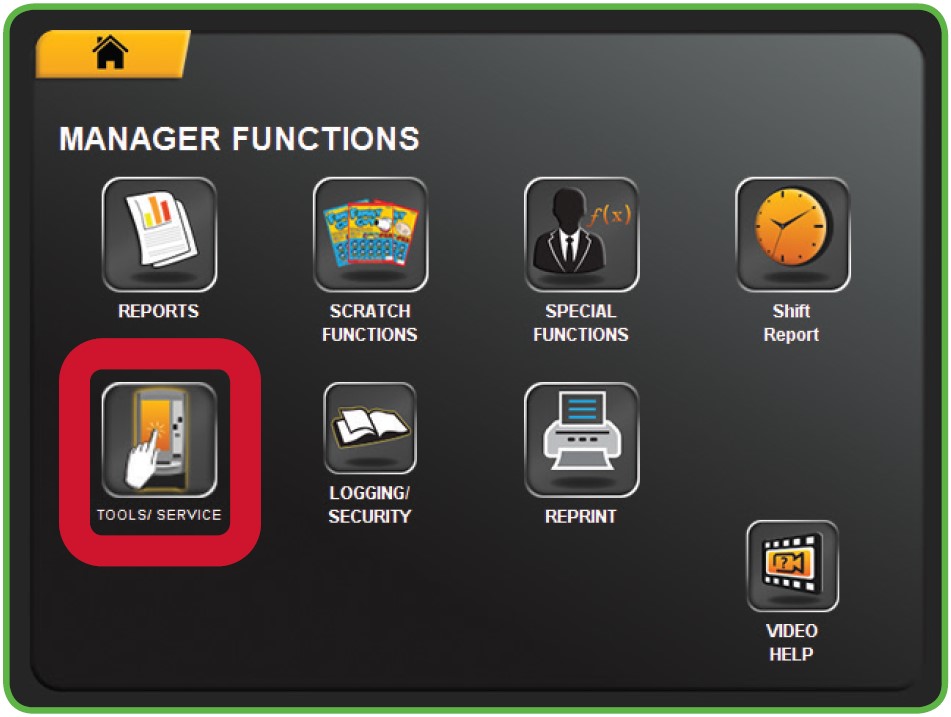
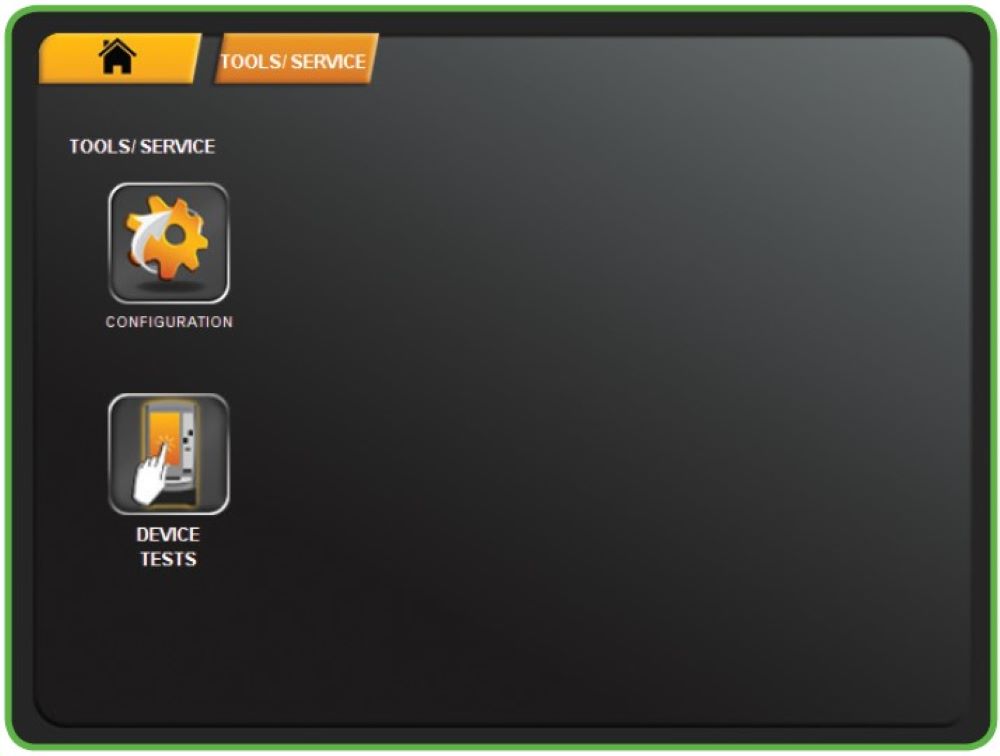
- Touch TOOLS/SERVICE from the Manager Functions Menu.
- The Tools/Service menu displays.
- Touch the desired option.
Device Status
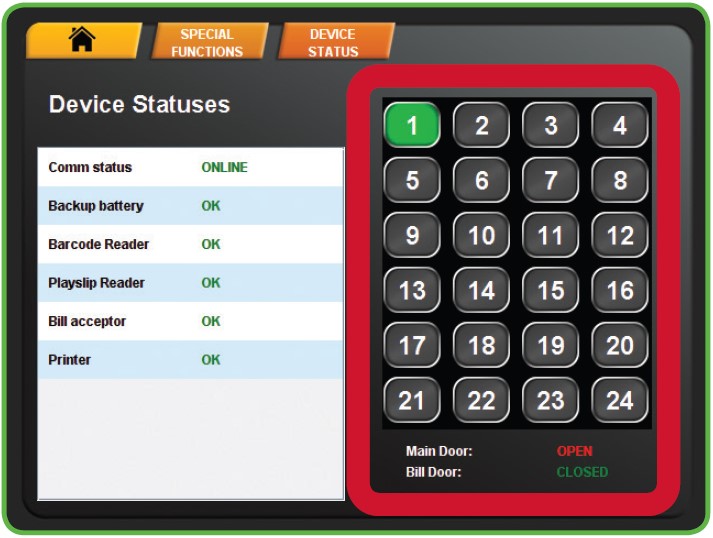
The Device Status screen displays all of the components in the terminal and their current operational status.
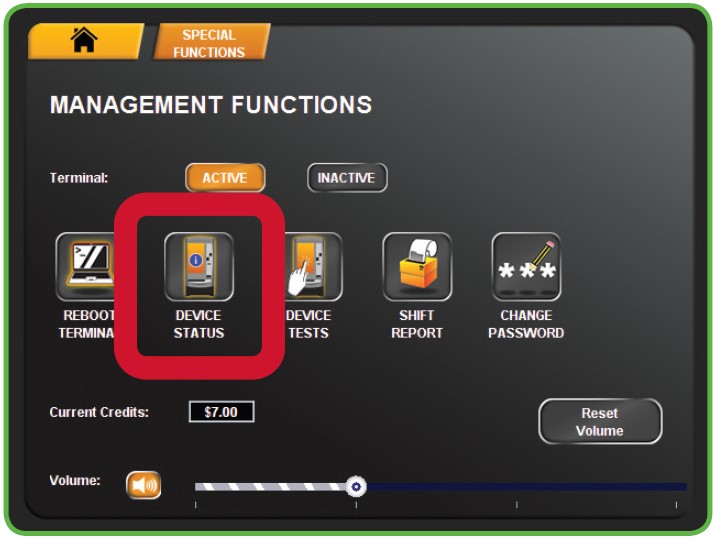
- Touch DEVICE STATUS from the Management Functions menu.
- The Device Statuses screen displays.
- Touch a specific BIN NUMBER to view the Bin Status of a particular bin.
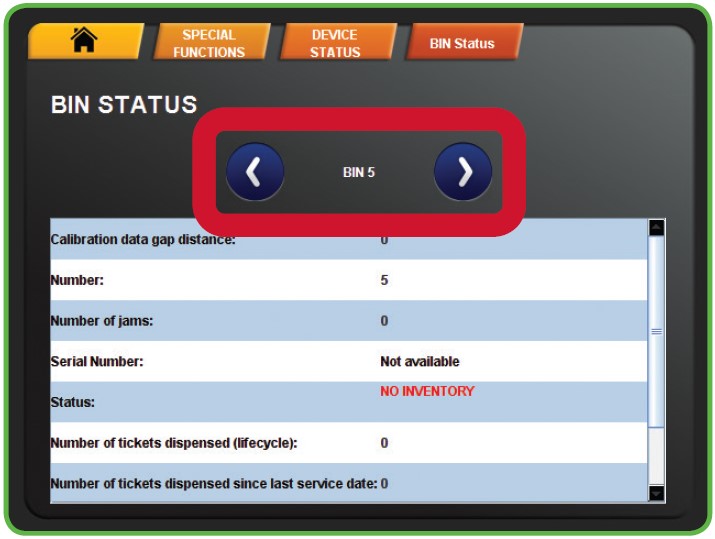
- The Bin Status displays. Touch the blue LEFT OR RIGHT ARROWS to move through each bin status report.