Pick 3
Pick 3 Game Overview:
- Pick 3 drawings held every night at 8 p.m.
- Tickets can be purchased until 7:45pm (PST), on the day of drawing.
- Tickets can be purchased until 7:45pm (PST), on the day of drawing.
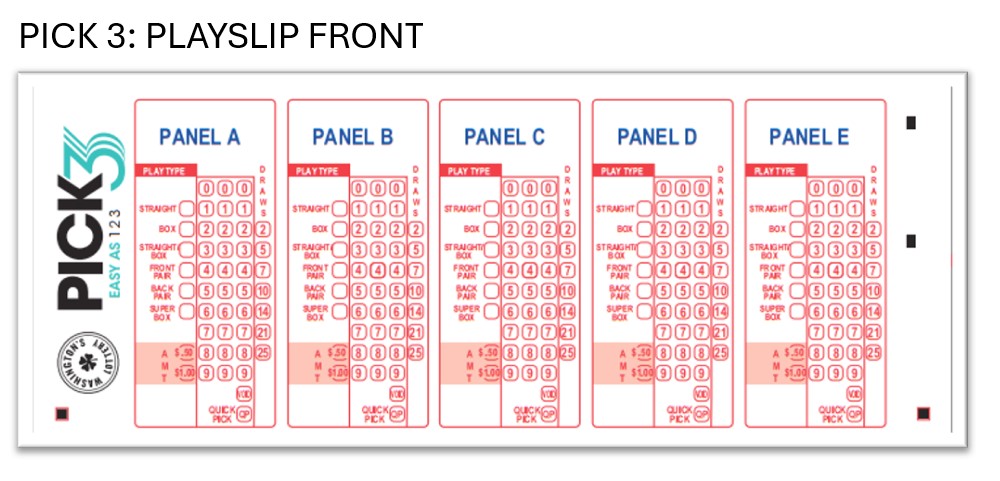
- Game Play : Match (3) numbers from 0 through 9. Choose play type combination and desired bet amount.
- $.50 or $1.00 per play (with No Add-ons)
- 9 ways to play
- No add-ons available
- Pick 3 tickets sold in Washington are only valid for Washington’s Lottery’s Pick 3 Drawings
- Players can buy a ticket for up to twenty-five (25) consecutive drawings
- 9 ways to play
Pick 3
Ways to Play:
STRAIGHT (STR) :
- $.50 OR $1.00 Bet
- Choose 3 numbers
- To win, numbers must be drawn in the same order they were selected.
- Selected = 1,2,3 Drawn = 1,2,3
- If drawn numbers are in any different order than selected, no prize is won.
BOX :
- $.50 OR $1.00 Bet
- Choose 3 numbers
- To win, match 3 numbers in any order.
- Selected = 1,2,3 Drawn = 2,3,1
3-WAY BOX :
- $.50 OR $1.00 Bet
- Choose 3 numbers
- Two selected numbers will be the same.
- To win, match 3 numbers in any order.
- High Prize Payout = Exact Order
- Selected 1,1,2 Drawn 1,1,2
- Low Prize Payout = Any Order
- Selected 1,2,1 Drawn = 1,1,2
- High Prize Payout = Exact Order
STRAIGHT | BOX :
- $1.00 Bet
- Choose 3 numbers
- To win, numbers can match in the exact or any order
- High Prize Payout = Exact Order
- Selected 1,1,2 Drawn 1,1,2
- Low Prize Payout = Any Order
- Selected 1,2,1 Drawn = 1,1,2
- High Prize Payout = Exact Order
3-WAY STRAIGHT | BOX :
- $1.00 Bet
- Choose 3 numbers
- Straight|Box bet with two of the three numbers matching.
- To win, numbers can match in the exact or any order
- High Prize Payout = Exact Order
- Selected 1,1,2 Drawn 1,1,2
- Low Prize Payout = Any Order
- Selected 1,2,1 Drawn = 1,1,2
- High Prize Payout = Exact Order
FRONT PAIR:
- $.50 OR $1.00 Bet
- Choose 2 numbers
- To win, match the front pair of drawn numbers in the exact order.
- Selected = 1,2; Drawn = 1,2,3
BACK PAIR:
- $.50 OR $1.00 Bet
- Choose 2 numbers
- To win, match the back pair of drawn numbers in the exact order.
- Selected = 2,3; Drawn = 1,2,3
SUPER BOX :
- $3.00 or $6.00 Bet
- Choose 3 numbers
- A straight bet on all possible winning combinations.
- To win, numbers can match in the exact or any order
- High Prize Payout = Exact Order
- Selected 1,2,3 Drawn 1,2,3
- Low Prize Payout = Any Order
- Selected 1,2,3 Drawn = 1,3,2
- High Prize Payout = Exact Order
3-WAY SUPER BOX :
- $1.50 or $3.00 Bet
- Choose 3 numbers
- A straight bet on three combinations with two of the three numbers matching..
- To win, 2 numbers can match in any order
- High Prize Payout = Exact Order
- Selected 1,2,3 Drawn 3,1,2
- High Prize Payout = Exact Order

Pick3
Game Overview
Selling Pick3
GT-1200
Selling Match 4 on the GT-1200 Retailer Terminal
Main Screen : Quick Pick
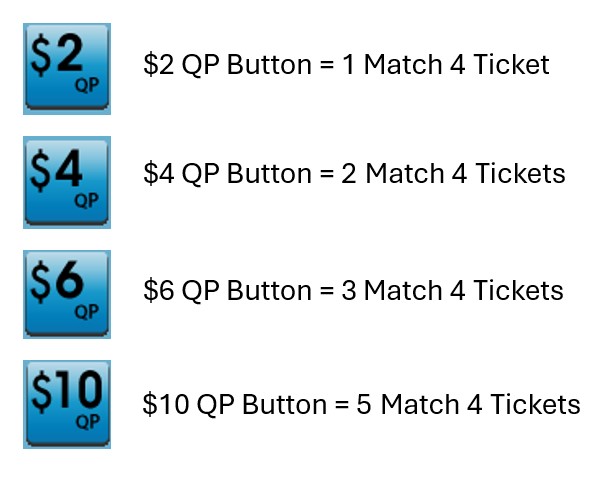
Retailers can quickly generate Match 4 tickets for the next upcoming drawing by using the Quick Pick (QP) buttons on the GT-1200 Main Screen.
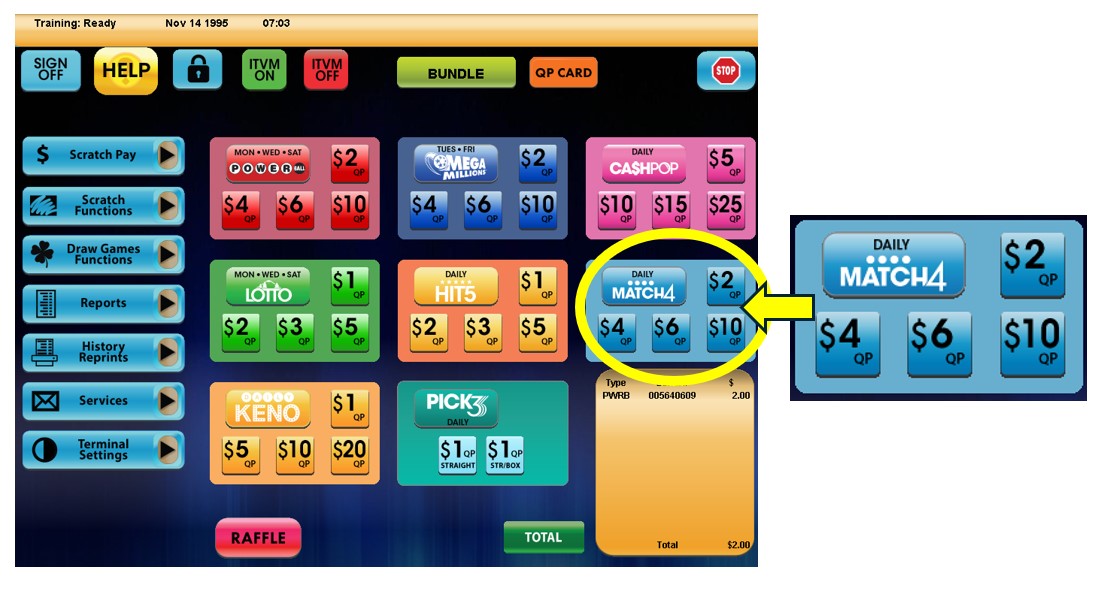
Match 4 Purchase Screen
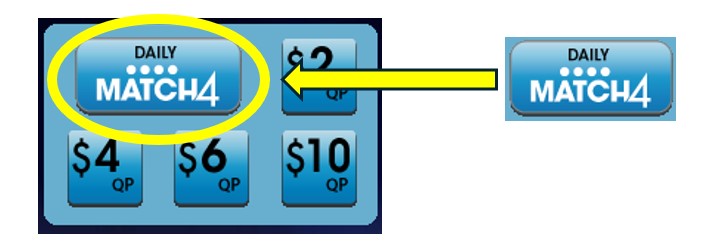
When players want to customize their Match 4 wager, Retailers will need to proceed to the Match 4 purchase screen by pressing the ‘Match 4’ button located on the GT-1200 main screen.
On the Match 4 Purchase Screen, the Retailer will be able to customize:
- Wager Amount – The number of wagers being made per Match 4 drawing.
- Number of Draws – The number of Draws that will be played (up to 25 drawings can be selected).
- Number of Tickets – The number of individual tickets per draw (up to 99 tickets can be purchased for each draw).
- Advance Play – The number of Draws that will be skipped before a ticket is playable. Advance Play is available for up to 24 future draws.
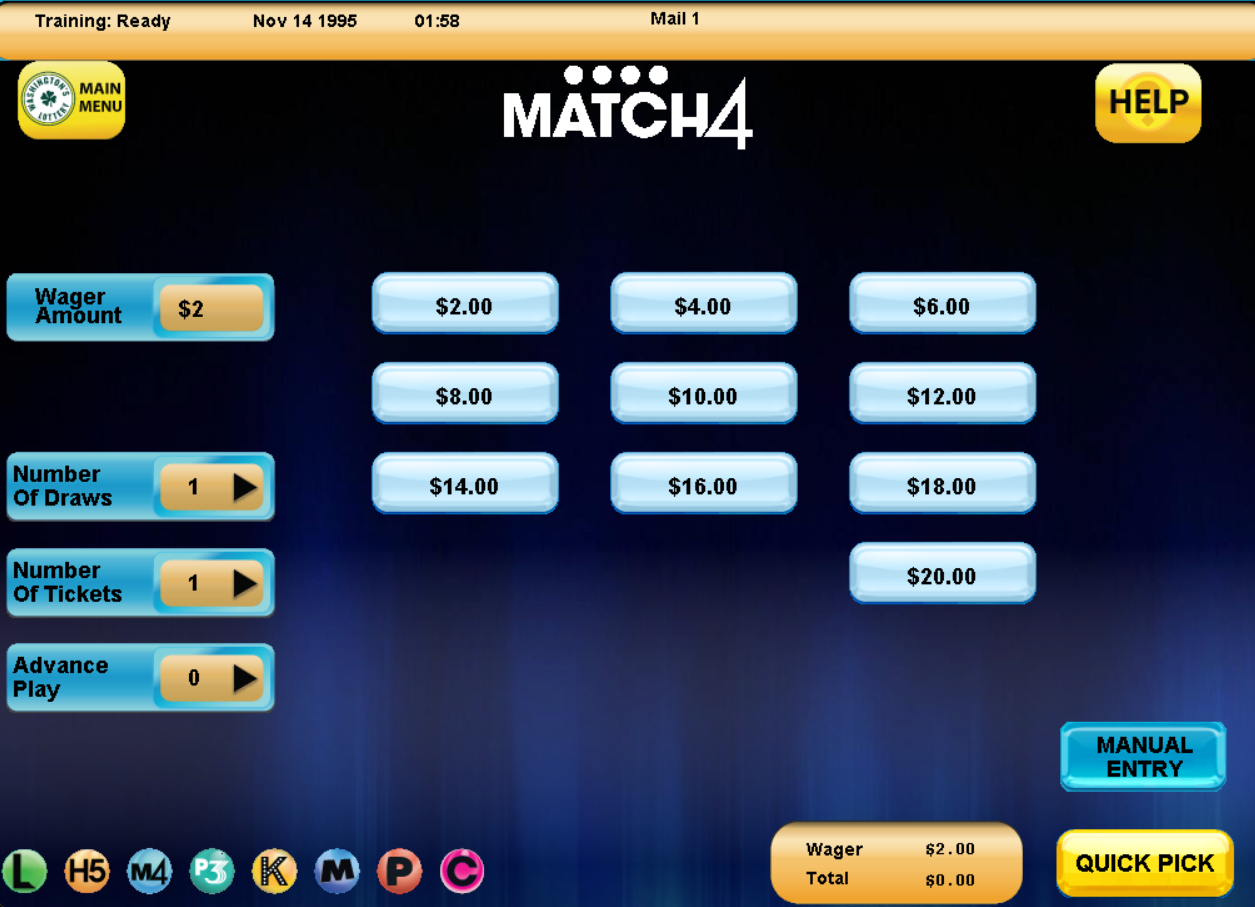
Match 4 Numbers Selection : Manual Entry
 For Players who want to manually select their numbers, the Retailer can press the “Manual Entry” button located at the bottom right of the HIT5 purchase screen.
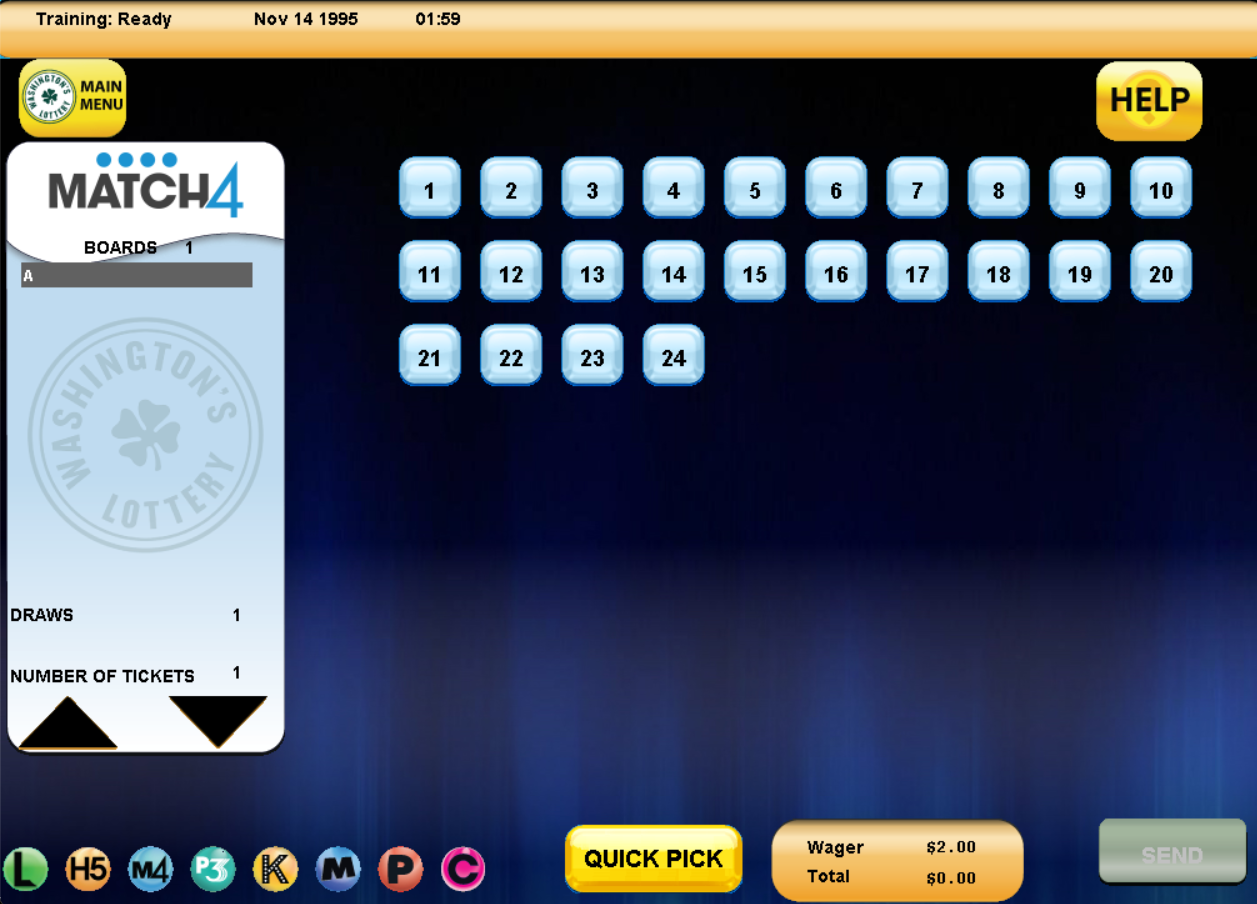
On the Match 4 Manual Entry Screen, the Retailer can select the individual numbers [1-42] the Player would like to choose for their wager.
Press SEND when the Player’s ticket is completed.
Match 4
Match 4 Game Sales Key Notes:
- Two (2) ways to purchase Match 4:
- Quick Pick (QP)
- Wagers can be generated using Hot Keys on GT-1200 Main Menu or on Self Service Terminals
- Wagers can be generated using Hot Keys on GT-1200 Main Menu or on Self Service Terminals
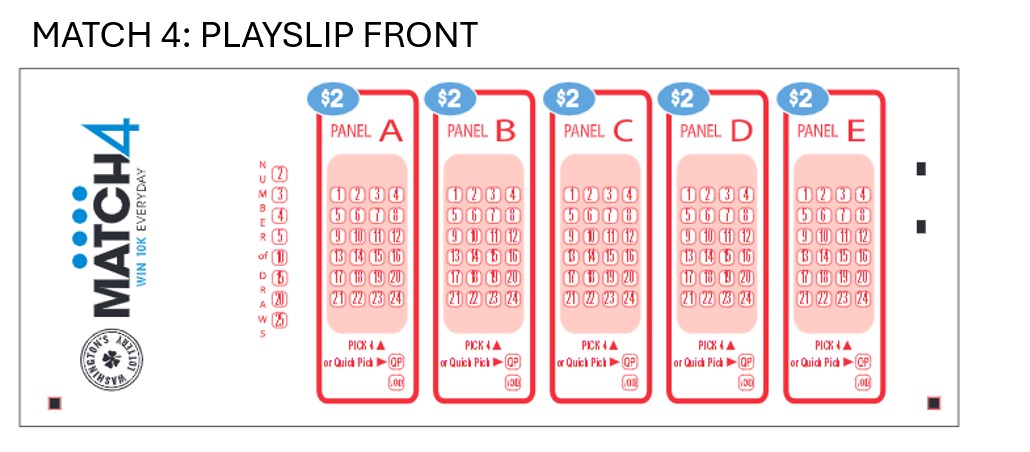
- Playslip
- Note – Ticket layouts for both options will look the same except for the gaming field.
- Quick Pick (QP)
- Players can buy a ticket for up to twenty-five (25) consecutive drawings
- Great odds