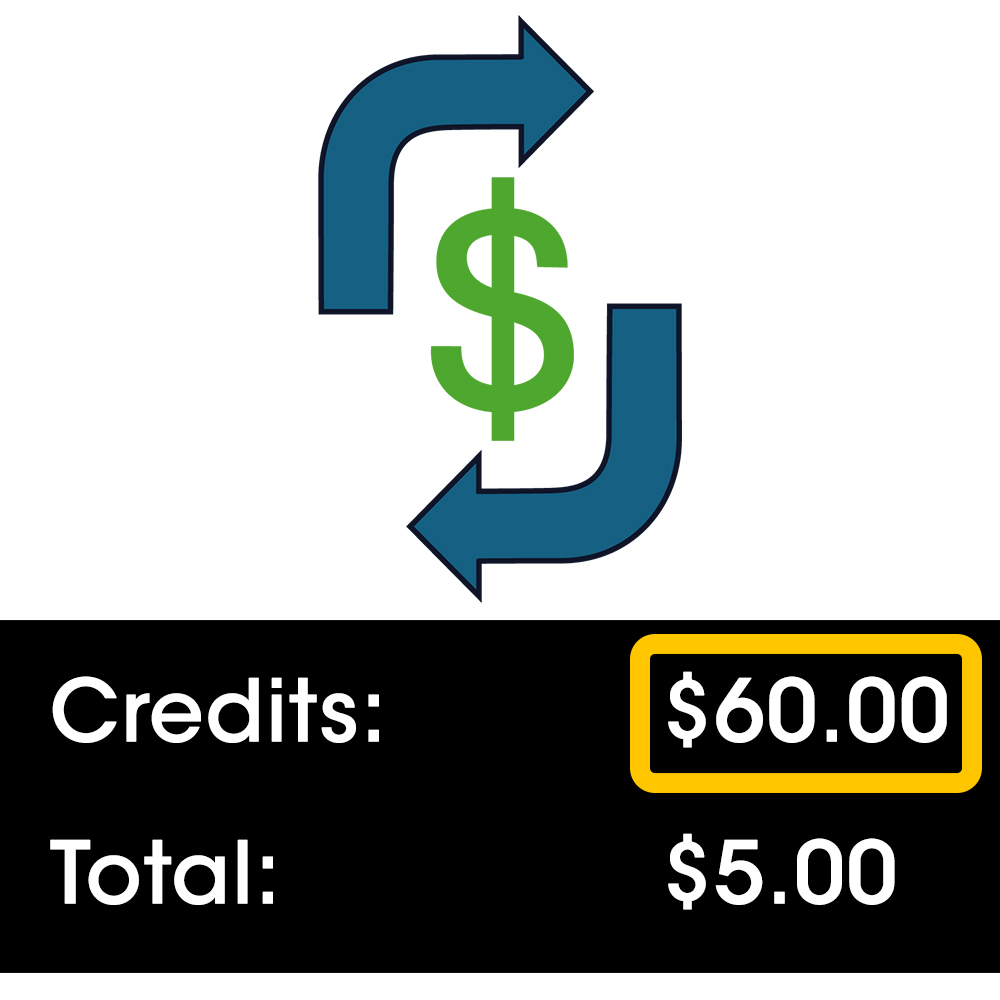
Refunding with Credits
on Terminals
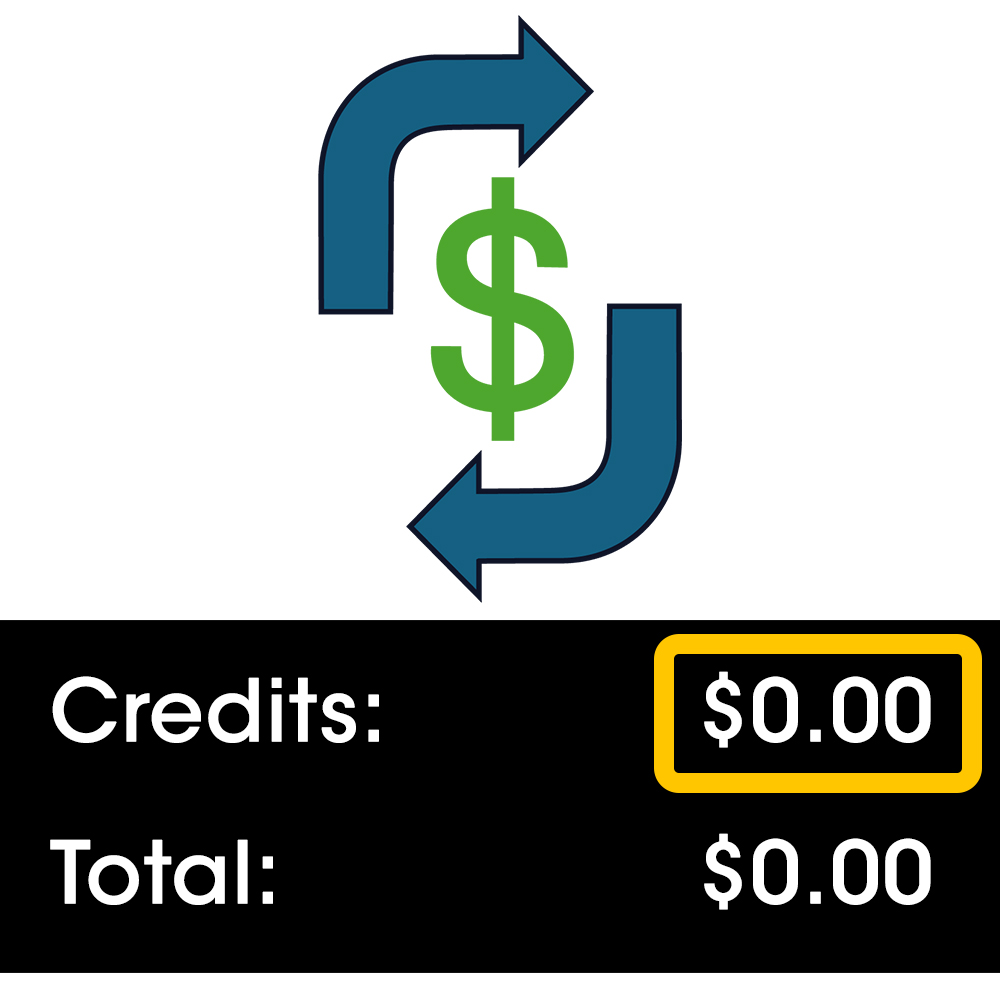
Refunding with No
Credit on Terminals

Shopping Cart
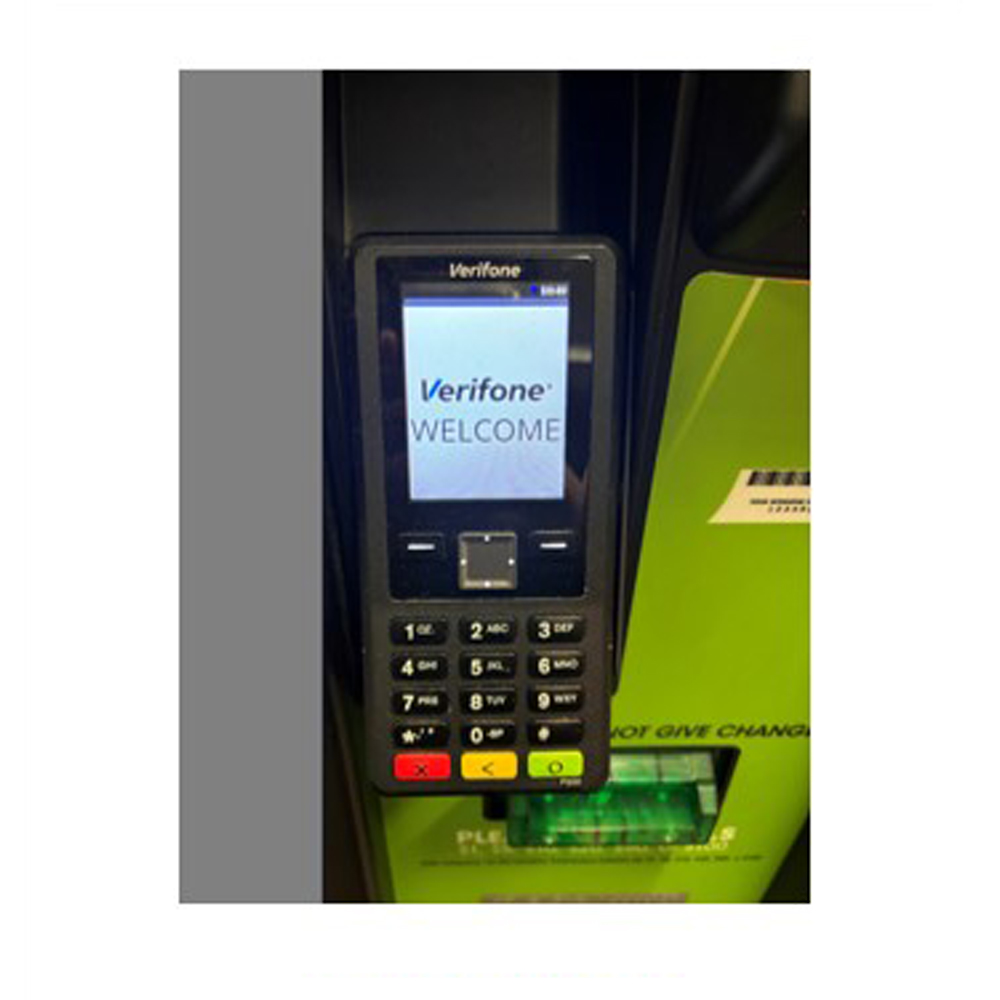
Debit Card
Purchases
Ticket Validations
& Redemptions

Refunding Players
St. Patrick’s Day Raffle
Raffle Starts: January 20, 2026
Drawing Date: March 17th, 2026
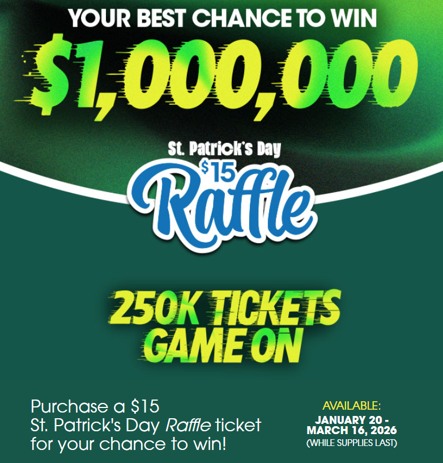
Limited Quantity of Tickets: Only 250,000 Raffle tickets will be available for purchase.
Winning numbers will be available on March 18th, 2026
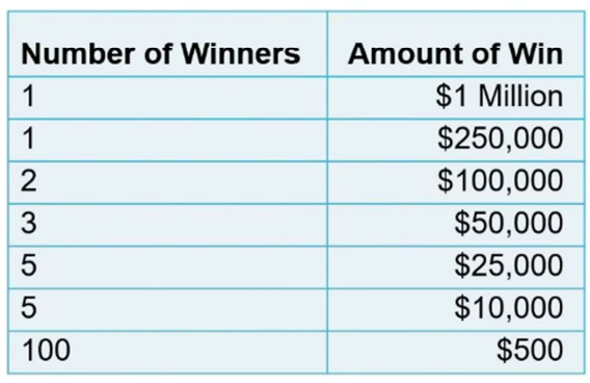
Raffle Prizes:
On the Spot Bonus!
- Random purchases throughout the game will be followed with a $50 “On The Spot” voucher.
- The player must claim the prize with the Retailer at the GT1200 terminal.
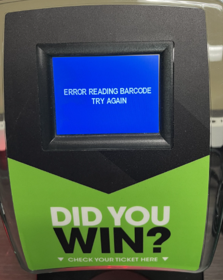
BE ADVISED: When scanning a bonus voucher using the Ticket Scanner Plus (TSP), an error message will display:
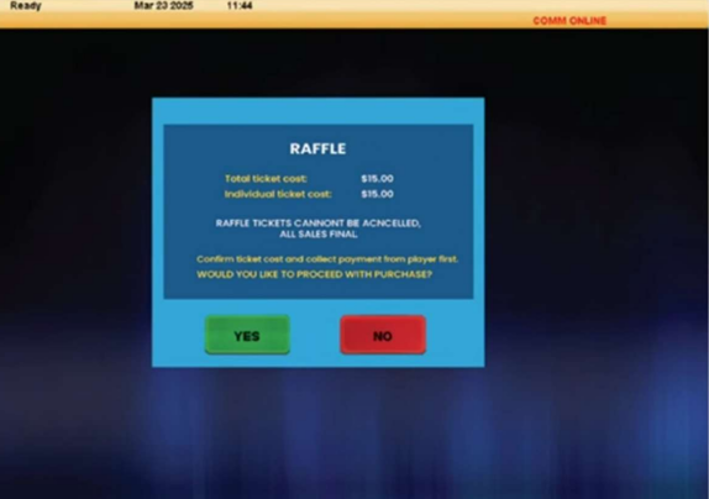
Raffle Confirmation Screen
- A Confirmation Screen will appear before a Retailer is able to complete any Raffle ticket transaction.
- All Raffle ticket purchases are non-cancelable.
Misprinted Raffle Ticket
- Retailers can reimburse players for misprinted Raffle tickets and provide the transaction date and time of the incident to their DSR for credit.
Misprinted Bonus Vouchers
- Collect players’ contact information.
- Collect the retailer number, serial number of the original Raffle ticket along with the transaction date and time of the incident.
- Advise the player that they will receive a call from Lottery Security and to keep the Raffle ticket as proof in case their voucher wins.
For more information about the St. Patrick’s Day Raffle:
Jackpot Reports
Retailer Best Practice:
- Retailers should print a copy of the Jackpot Report each morning and place on or around the GT1200 retailer terminal and monitor.
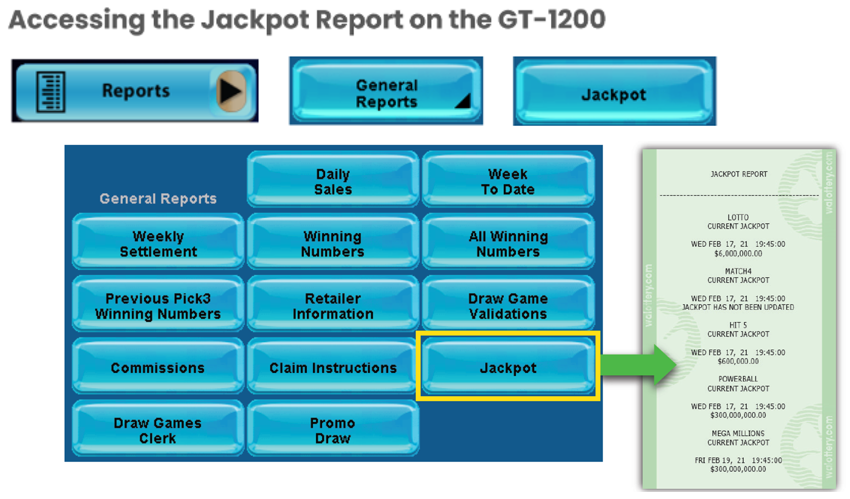
For more information about the Jackpot Report:
Confirmation Screens and Refunds
Confirmation Screens – Prior to Completing a Transaction
- A confirmation screen will be presented on the GT1200 terminal prior to completing any off the following transactions:
- Powerball – Purchases $20 or larger
- Mega Millions – Purchases $20 or larger
- Cash POP – Purchases $20 or larger
- Raffle – All purchases.
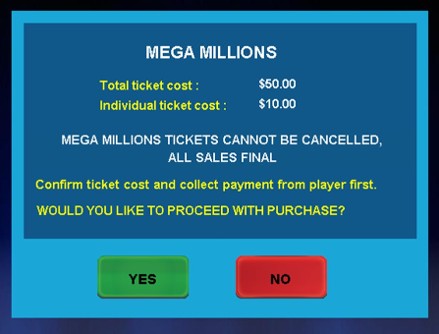
BE ADVISED: Retailers may not be credited a refund for misprinted tickets generated by retailers who override the confirmation screen.
New Terminal Stickers
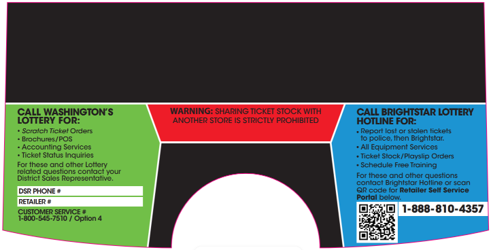
- Starting February 2026, Brightstar Lottery will be replacing the existing Resource Terminal Stickers on the GT1200 retailer terminals.
- Please Note: The new stickers will have the QR code to quickly access the Retailer Self-Service (RSS) website.
Gemini Touch Receipt Project Team
- Shift Report – Reprint Option
- New : A Last Shift Report button has been added to the reprint screen.
- Retailers are now able to reprint a shift report that was previously cleared.
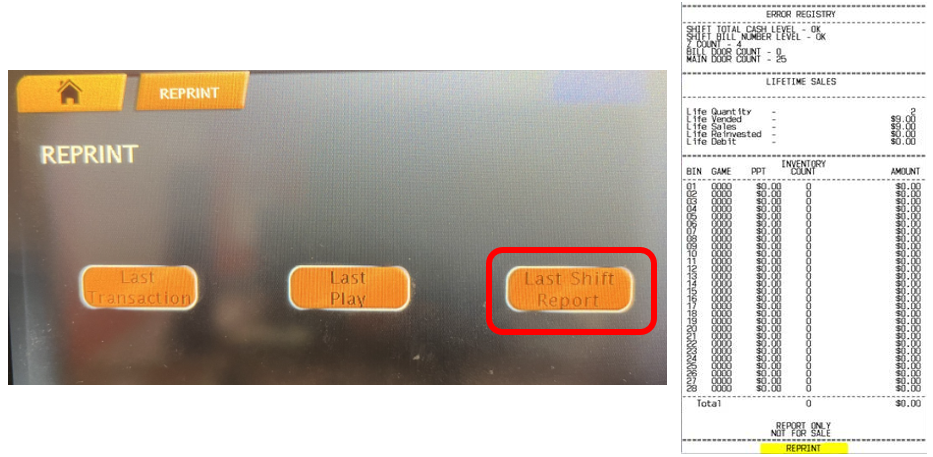
NOTE: The Reprint Shift report is available until the next shift is cleared. After the Shift Report is cleared, the reprint shift report is updated with latest report information.
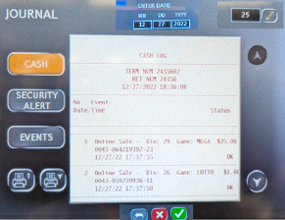
Cash Log – Adding Session ID
A date field has been added to the Cash Log screen, allowing users to input a specific date to investigate a specified incident, up to 12 days prior.
- If a user chooses to enter a date, the Cash Log shall return all transactions for the selected day
- If no date is input, the Cash Log shall default to the count option, and the information retrieved shall correspond to the count value in that field.
Note: The option to retrieve the Cash Log via scanning a barcode shall remain. The rules for not entering a date should apply the same here
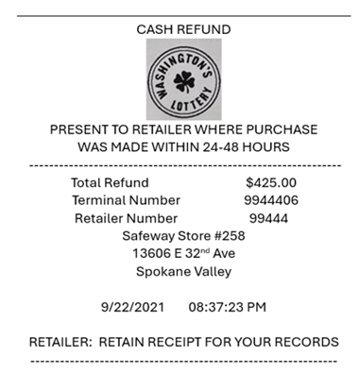
New Cash Refund Slip:
UPDATE THE REFUND SLIP TO CASH REFUND
- Added store name and address
- Added Statement for retailers to retain receipt
Current and Upcoming Promotions
- St. Patrick’s Day Raffle
- 01/20/26 – 03/17/26 – Only 250,000 tickets available
- Purchase a $15 Raffle ticket for a chance to win
- Raffle ticket sales are non-cancelable
- https://walottery.com/raffle
- February Sunday Only
- Sundays Only, February 1, 8, 15 and 22, 2026
- Buy a $5 Cash POP Get a $1 Lotto Free.
- WALOTTERY SUNDAY ONLY
- Powerball Happy Hour
- 03/22/26 – 04/04/26
- Purchase a $10 Powerball ticket & Get a FREE $4 Powerball
- $4 Powerball ticket includes : $2 Powerball ticket with PowerPlay and Double Play
Game Closures
- Retailers should set full packs aside for their DSRs to pick up:
- 1954 $30 Lucky Times 50
- 1911 $30 Max-A-Million
- 1939 $5 Double Your Dollars
- 1959 $5 Witches Brew Bucks
- 1960 $1 Holly Day Cash
- 1961 $2 Snow Much Fun
- 1962 $5 Peppermint Bark 7s
- 1963 $10 25 Days of Winning
- 1977 $1 Toboggan Tripler
- 1991 $1 “2026”
- 1940 $5 Loteria Grande v12
- 1810 $10 Bonus Money
- Please Note: All game closures are communicated to Retailers using the GT1200 Mail Message.
Retailer Self-Service (RSS) Website
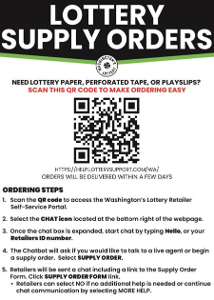
Order Supplies at the Touch of a Button
- Retailers are encouraged to utilize the online Supply Order system found on the RSS website:
- For more information on the online supply order process, or to download the RSS quick reference card, please visit:
Thank you, Washington’s Lottery Retailers, for your continued support!