Selling LOTTO on the GT-1200 Retailer Terminal
Main Screen : Quick Pick
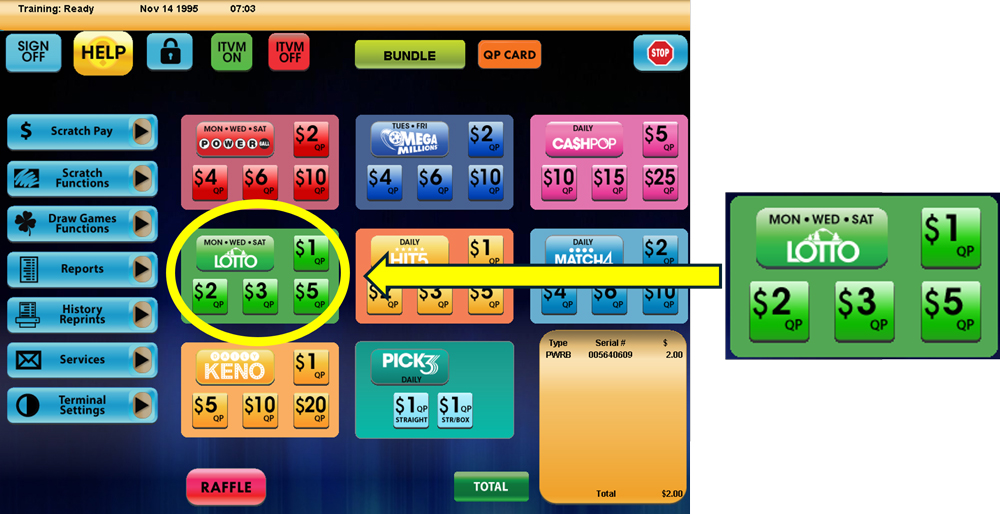
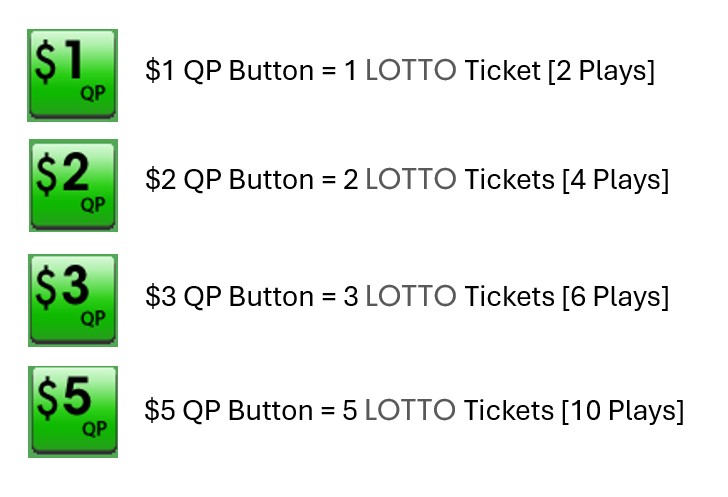
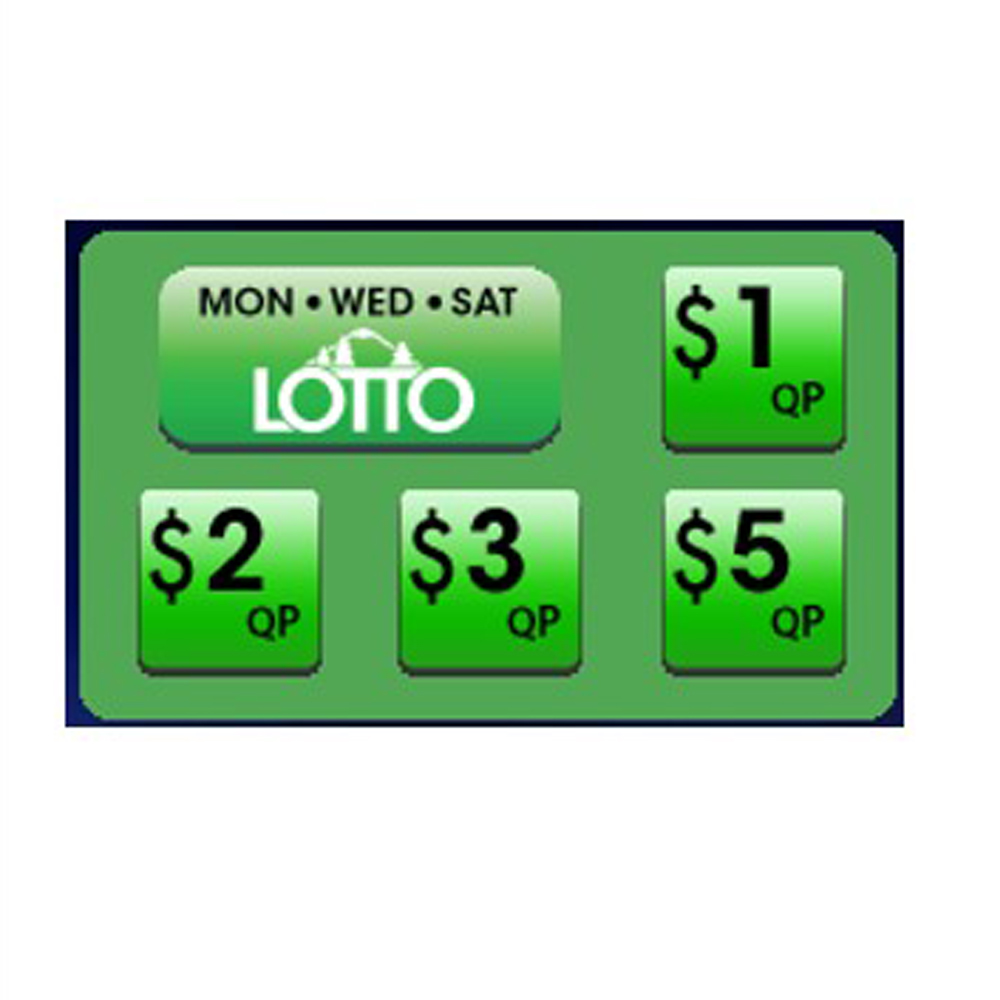
Retailers can quickly generate LOTTO tickets for the next upcoming drawing by using the Quick Pick (QP) buttons on the GT-1200 Main Screen.
LOTTO Purchase Screen
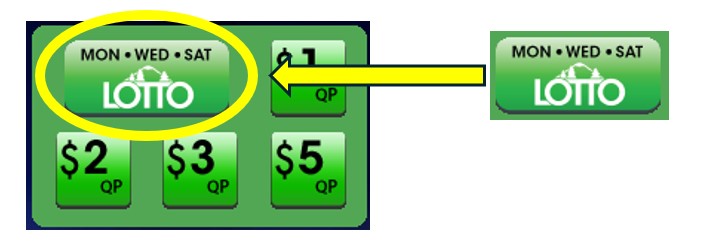
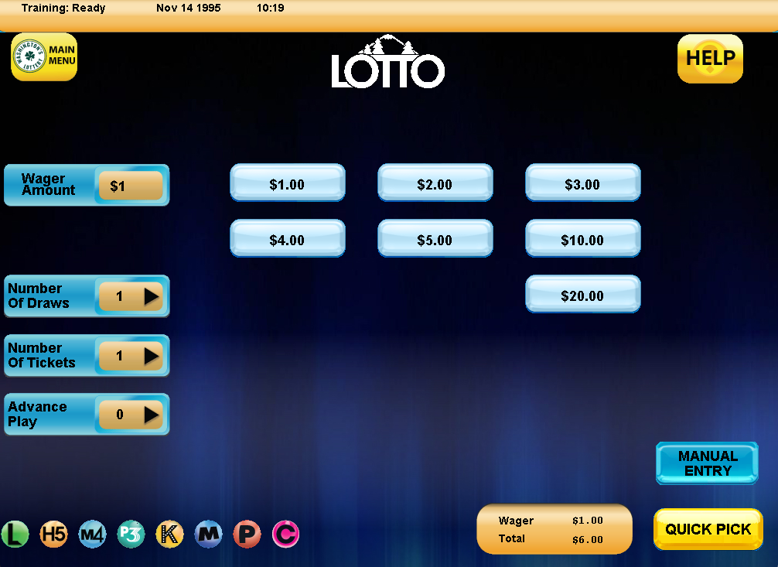
When players want to customize their LOTTO wager, Retailers will need to proceed to the LOTTO purchase screen by pressing the ‘LOTTO’ button located on the GT-1200 main screen.
On the LOTTO Purchase Screen, the Retailer will be able to customize:
- Wager Amount – The number of wagers being made per LOTTO drawing.
- Number of Draws – The number of Draws that will be played (up to 25 drawings can be selected).
- Number of Tickets – The number of individual tickets per draw (up to 99 tickets can be purchased for each draw).
- Advance Play – The number of Draws that will be skipped before a ticket is playable. Advance Play is available for up to 24 future draws.
LOTTO Numbers Selection : Manual Entry
 For Players who want to manually select their numbers, the Retailer can press the “Manual Entry” button located at the bottom right of the LOTTO purchase screen.
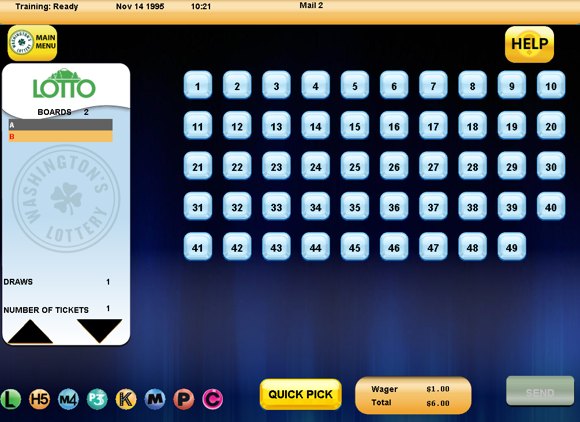
On the LOTTO Manual Entry Screen, the Retailer can select the individual numbers [1-49] the Player would like to choose for their wager.
Press SEND when the Player’s ticket is completed.
LOTTO

Lotto Game Overview:
- Lotto drawings are every Monday, Wednesday and Saturday night at 8 p.m.
- Tickets can be purchased until 7:45pm (PST), on the day of drawing.
- Tickets can be purchased until 7:45pm (PST), on the day of drawing.
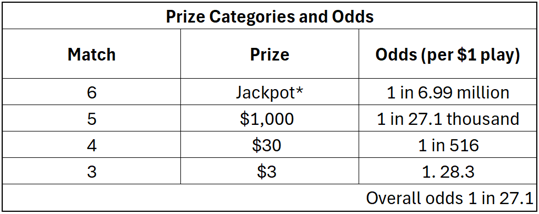
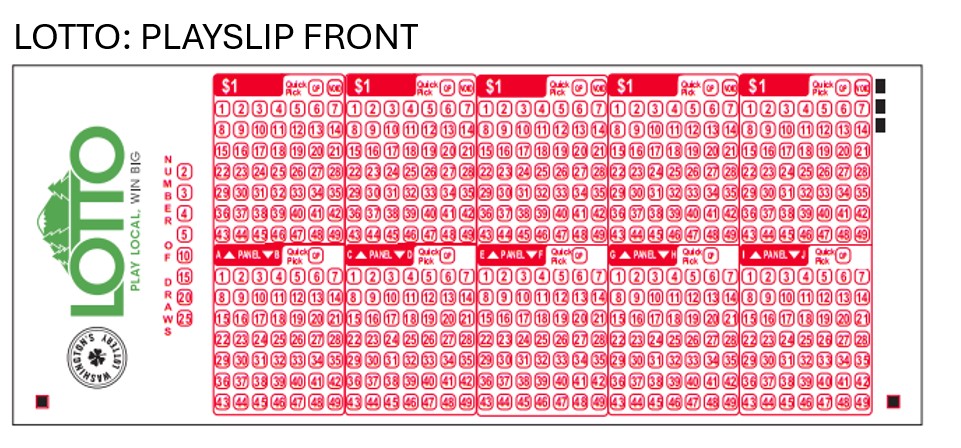
- Game Play : Match a set of six (6) numbers between 1 and 49
- $1 for (2) Plays (with No Add-ons)
- No Add-Ons Available
- Lotto Tickets sold in Washington are only valid for Washington’s Lottery’s Lotto Drawings
- Jackpot Resets at $1,000,000
- Jackpot dollar amount is determined by number of tickets sold
- Players can buy a ticket for up to twenty-five (25) consecutive drawings
- Jackpot grows $100,000 if it rolls with no winner.

Lotto
Game Overview
Selling Lotto
GT-1200
Selling Cash POP on the GT-1200 Retailer Terminal
NOTE: CASH POP TICKETS CANNOT BE CANCELLED
Main Screen : Quick Pick
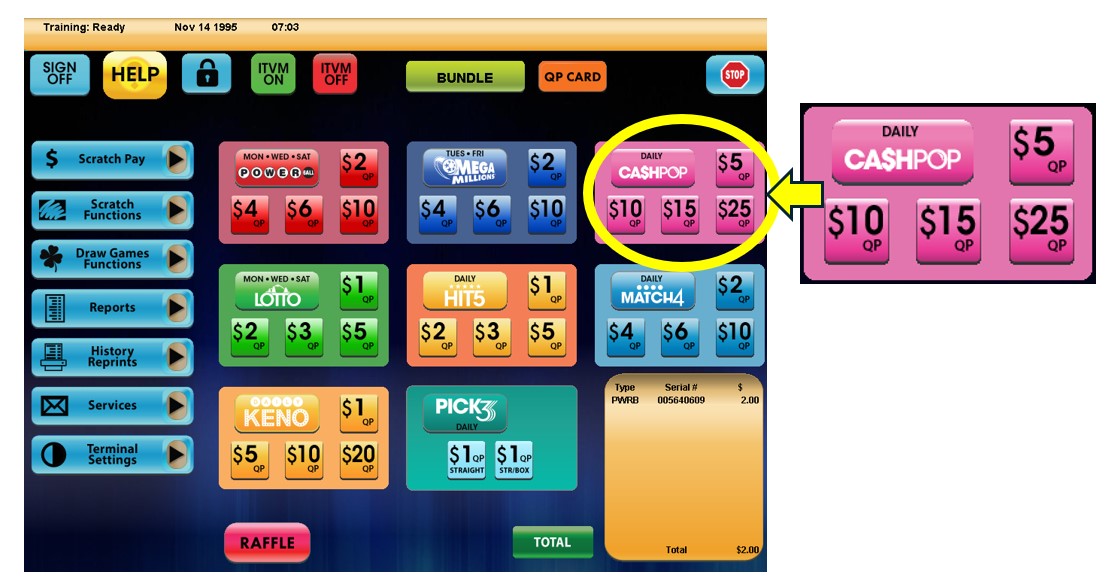
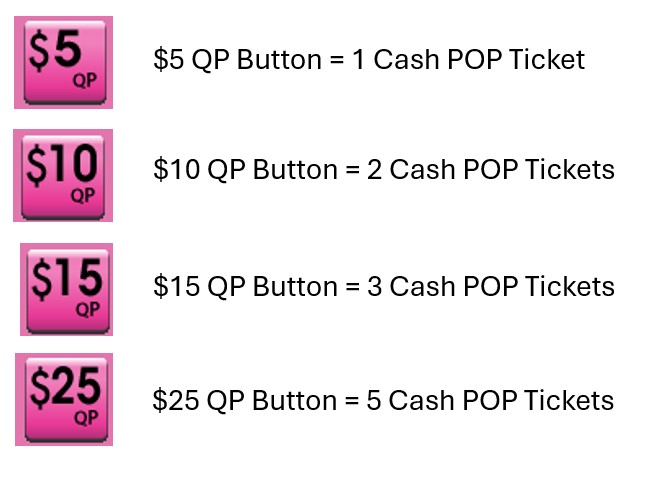
Retailers can quickly generate Cash POP tickets for the next upcoming drawing by using the Quick Pick (QP) buttons on the GT-1200 Main Screen.
Cash POP Purchase Screen
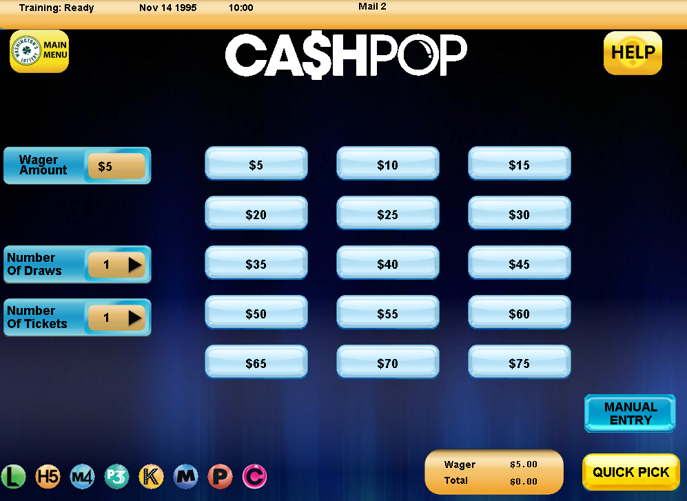
When players want to customize their Cash POP wager, Retailers will need to proceed to the Cash POP purchase screen by pressing the ‘Cash POP’ button located on the GT-1200 main screen.
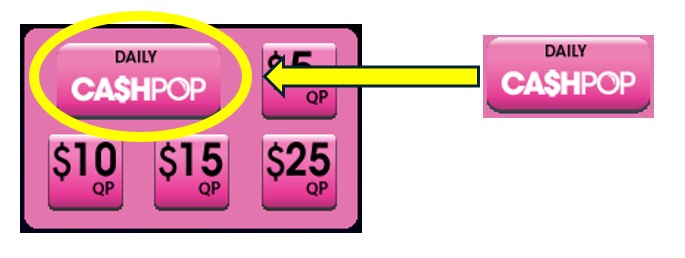
On the Cash POP Purchase Screen, the Retailer will be able to customize:
- Wager Amount – The number of wagers being made per Cash POP drawing. Up to 15 Pop numbers can be selected per wager.
- Number of Draws – The number of Draws that will be played (up to 5 drawings can be selected).
- Number of Tickets – The number of individual tickets per draw (up to 99 tickets can be purchased for each draw).
Cash POP Numbers Selection : Manual Entry
For Players who want to manually select their numbers, the Retailer can press the “Manual Entry” button located at the bottom right of the Cash POP purchase screen.
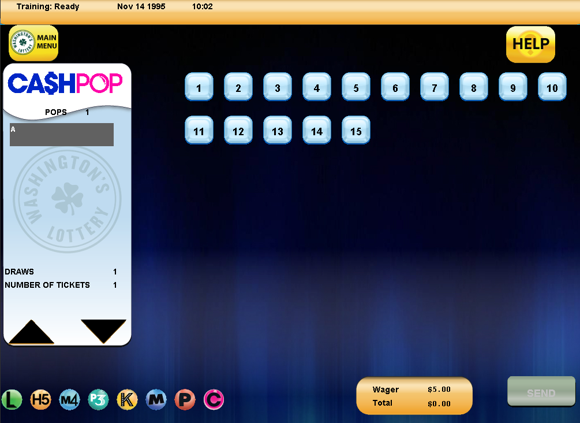
On the Cash POP Manual Entry Screen, the Retailer can select the individual Pop numbers [1-15] the Player would like to choose for their wager.
Press SEND when the Player’s ticket is completed.