
Transaction History Report
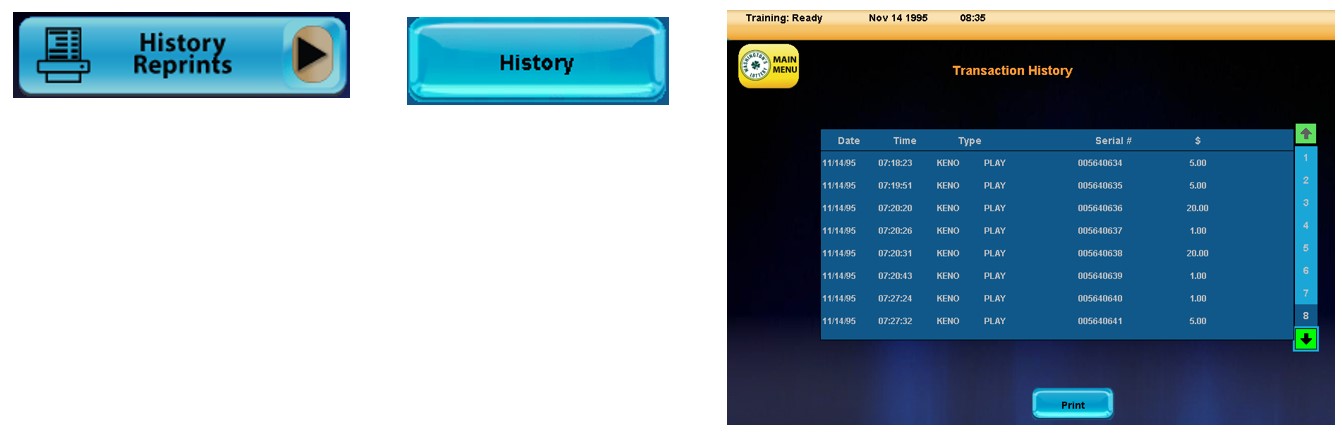
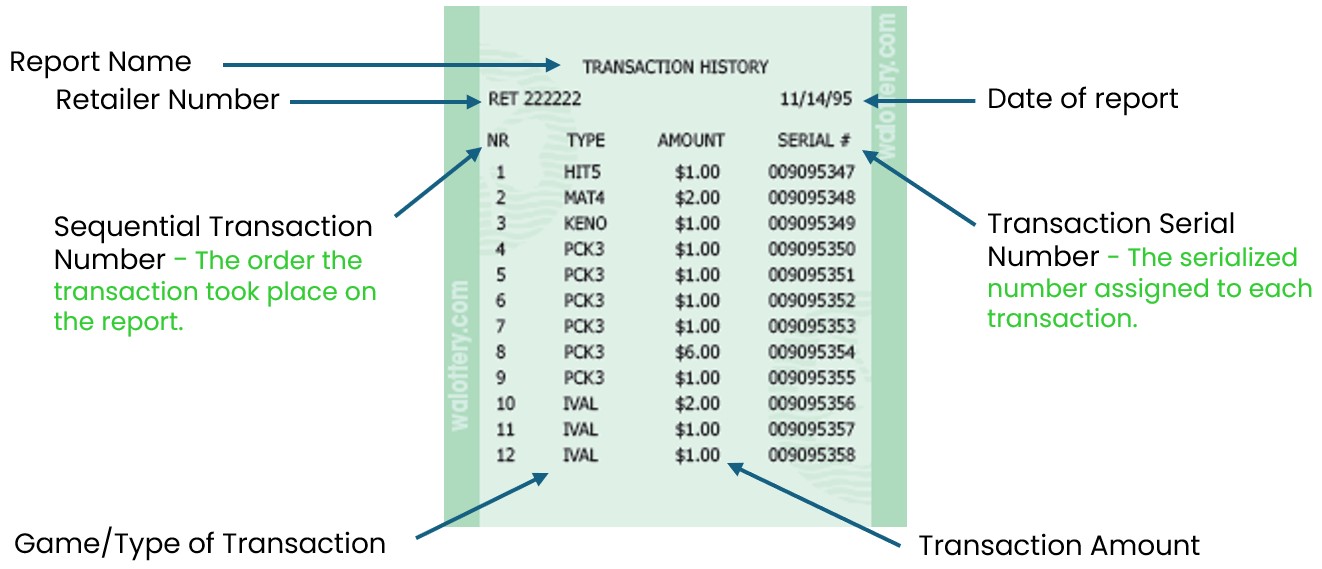
The History Report shows the last transactions that took place through the GT-1200 terminal. This report can show up to 12 previous transactions.
Accessing History Reports on the GT-1200
Printed History Reports
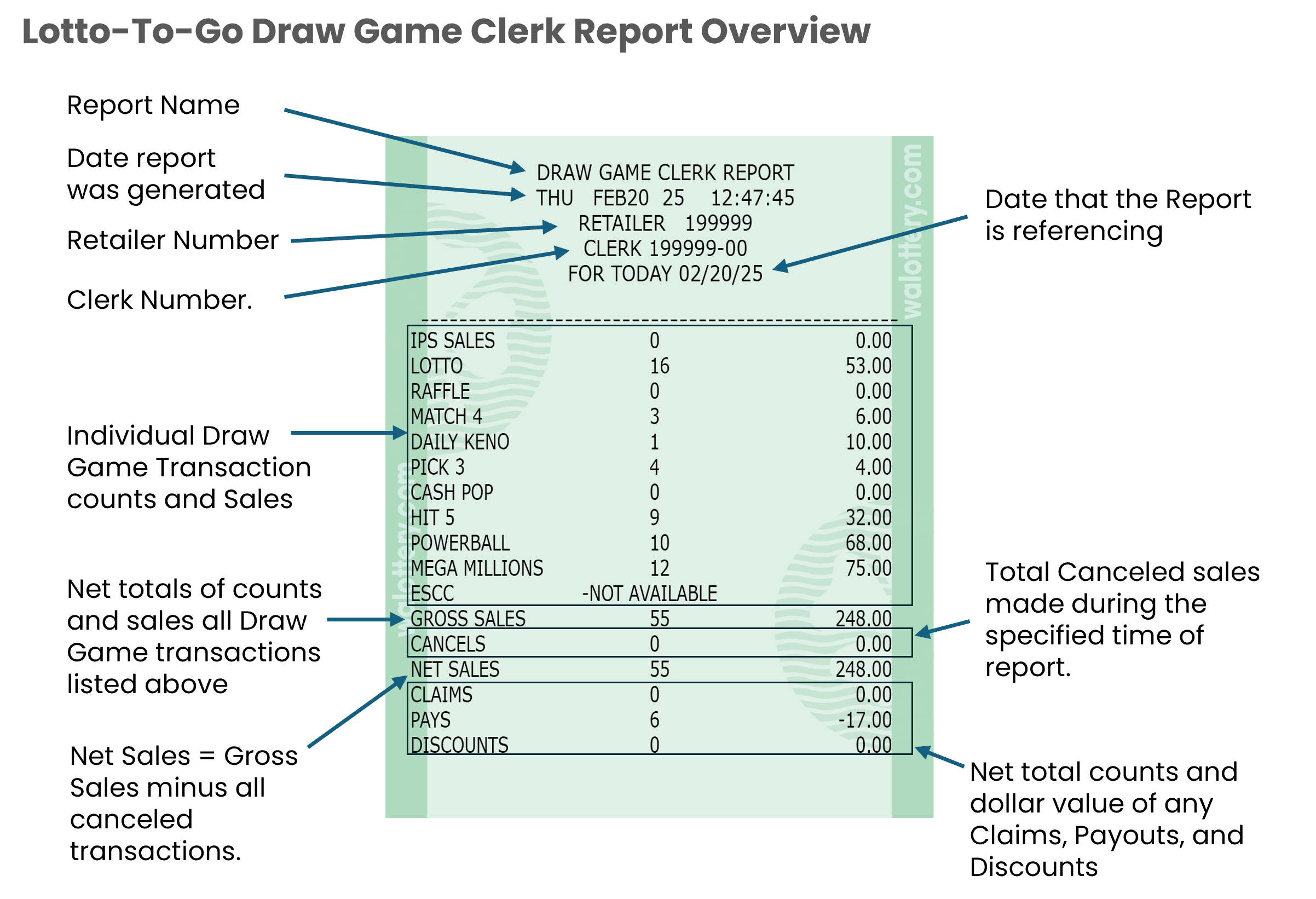
Lotto-To-Go Daily Clerk Activity : Draw Game Clerk Report
When running Lotto-to-Go Reports, the Daily Clerk Activity Report button will generate the Draw Game Clerk Report.

Lotto-To-Go Weekly Term Activity Report
The Lotto-To-Go Daily Weekly Term Activity Report shows a breakdown of Draw Game Sales, Cancelations, and Promotions along with a general Scratch Game summary used to calculate the Total Revenue for the previous week.

Retailer will be shown a window with the option to Enter Date or Press Send Button.
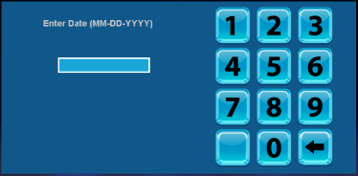
If no date is entered the SEND Button is pressed, a report will be generated using that same day.
Lotto-To-Go Weekly Term Activity Report Overview
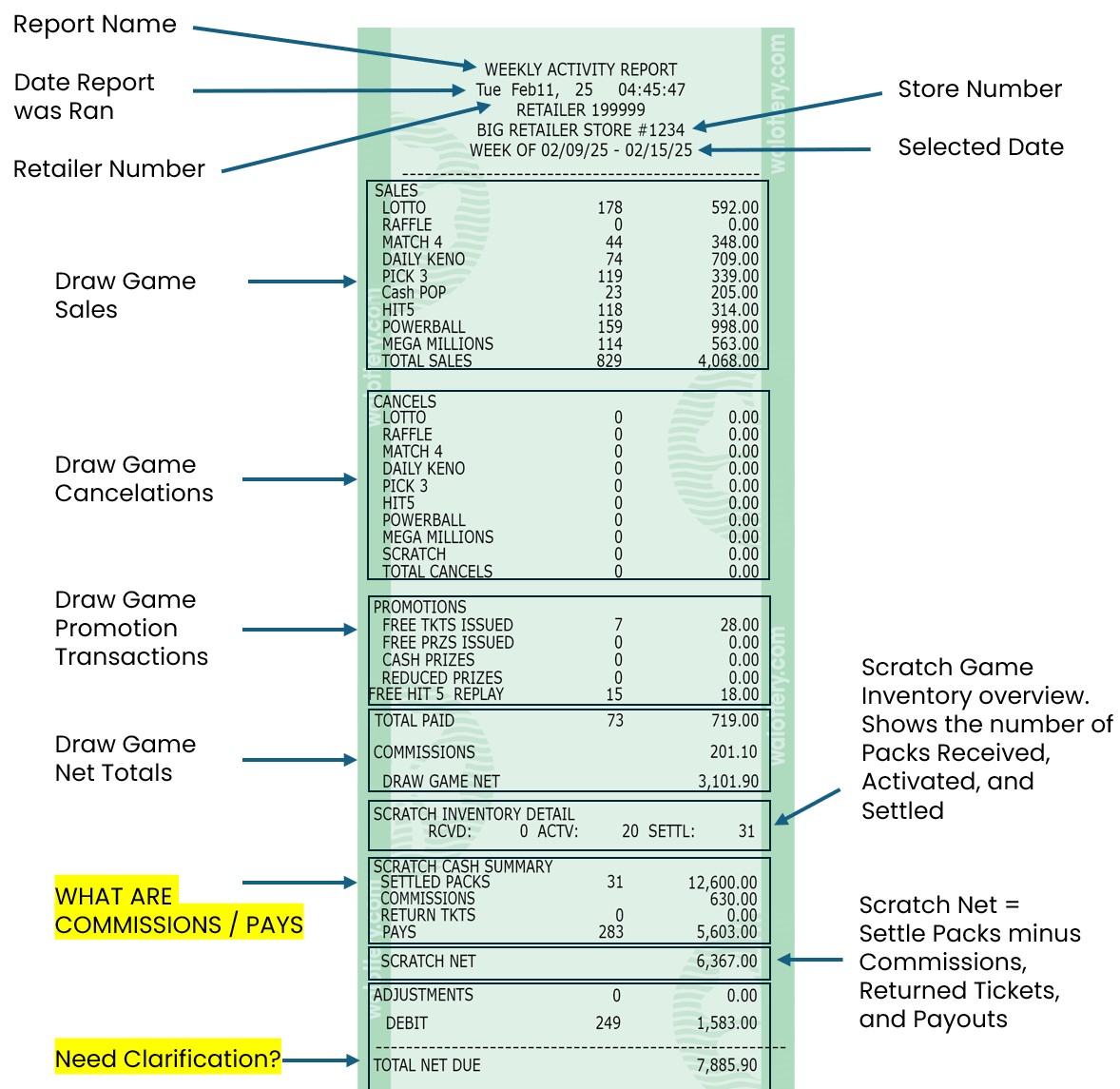
Lotto-To-Go Daily Term Activity Report
The Lotto-To-Go Daily Term Activity Report shows a breakdown of Draw Game Sales, Cancelations, and Promotions along with a general Scratch Game summary used to calculate the Total Revenue for the same day.

Retailer will be shown a window with the option to Enter Date or Press Send Button.
If no date is entered the SEND Button is pressed, a report will be generated using that same day.
Lotto-To-Go Daily Term Activity Report Overview:

Report Information
- Top of Report
- Retailer number
- Date printed
- Order day
- The day of the week that tickets are ordered for a specific retailer
- Order day will remain the same
- Frequency
- How often tickets are ordered for retailers
- May not receive tickets weekly, if no tickets are needed
- Displays a summary of scratch ticket inventory
- Lists inventory by price point and 4-digit scratch game number
- Includes abbreviated game name
- Does not include any scratch packs that have been settled (paid)
- Scratch packs are divided into four columns
- CREA/ Created
- Order has been created, but not yet shipped
- Retailers are not charged for any packs in “CREA” status
- INT/ In-Transit
- Order/ scratch packs have been shipped
- In-transit to the designated retailer location
- Order will remain “in-transit” until the order is “received” by the retailer
- Orders should be received into the system as soon as possible
- Retailers are not charged for any packs in “INT” status
- Contact Lottery Rep if scratch packs are not delivered
- REC/ Received
- Scratch packs are in retailers’ inventory/ backstock
- Received packs have not been activated
- Tickets should not be sold until they have been activated
- Retailers are not charged for any packs in the received status
- The payment process does not begin until tickets are activated
- Received packs that are not activated before last activation date will be picked up by Lottery Rep
- ACT/ Activated
- Scratch packs are activated
- Tickets can be sold and validated
- Tickets/ scratch packs have not yet been settled
- Scratch packs will automatically settle after 50 days or when 80% of winning tickets have been validated
- Scratch packs will drop off the report once they have been settled
- Settled packs can still be sold
- Lottery reps will pick up older tickets that are in the game closure process
- Retailers will receive credit for any unsold tickets that have been activated or settled
- CREA/ Created