Training Videos
- Loading Scratch Tickets _ GT 24/28
- Loading Partial Packs
- Cleaning the GT-1200 Reader
- Cleaning the Accutherm Printer
- Changing the Accutherm Paper Roll
- Using the Self-Service Terminal Key Fob
* More training videos coming soon!
Jackpot Reports
Retailer Best Practice:
- Retailers should print a copy of the Jackpot Report each morning and place on or around the GT1200 retailer terminal and monitor.
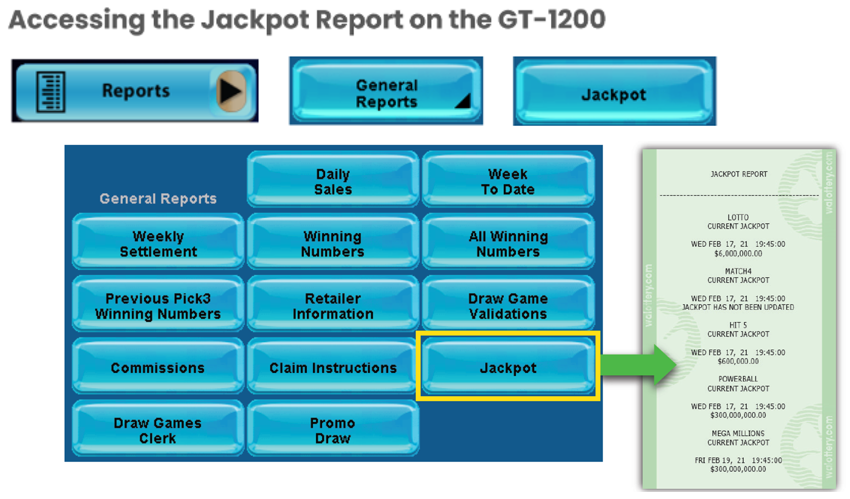
For more information about the Jackpot Report:
Confirmation Screens and Refunds
Confirmation Screens – Prior to Completing a Transaction
- A confirmation screen will be presented on the GT1200 terminal prior to completing any off the following transactions:
- Powerball – Purchases $20 or larger
- Mega Millions – Purchases $20 or larger
- Cash POP – Purchases $20 or larger
- Raffle – All purchases.
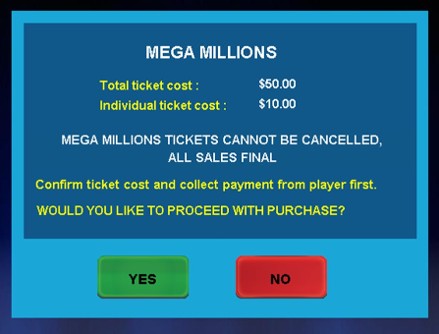
BE ADVISED: Retailers may not be credited a refund for misprinted tickets generated by retailers who override the confirmation screen.
New Terminal Stickers
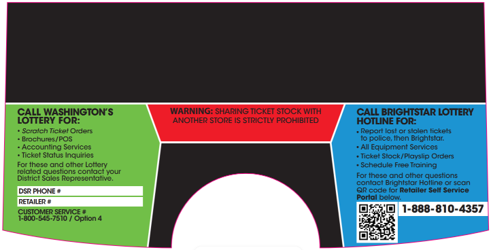
- Starting February 2026, Brightstar Lottery will be replacing the existing Resource Terminal Stickers on the GT1200 retailer terminals.
- Please Note: The new stickers will have the QR code to quickly access the Retailer Self-Service (RSS) website.
Gemini Touch Receipt Project Team
- Shift Report – Reprint Option
- New : A Last Shift Report button has been added to the reprint screen.
- Retailers are now able to reprint a shift report that was previously cleared.
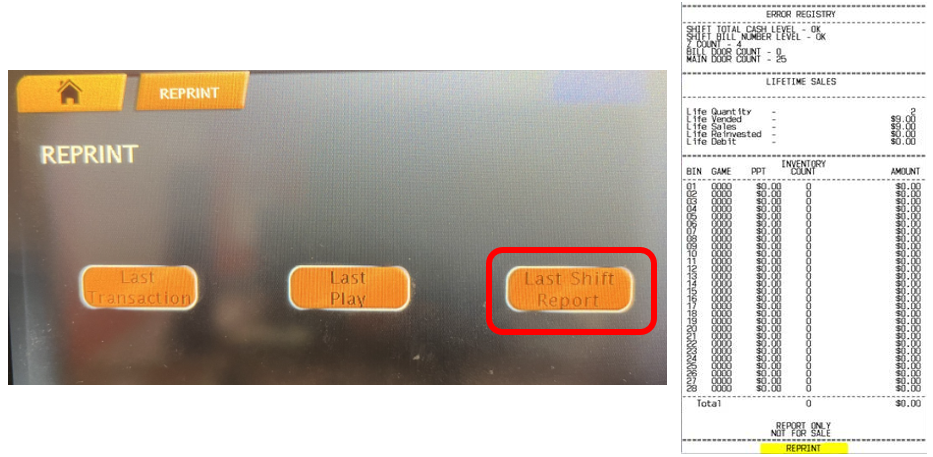
NOTE: The Reprint Shift report is available until the next shift is cleared. After the Shift Report is cleared, the reprint shift report is updated with latest report information.
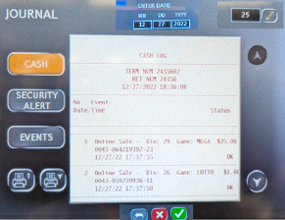
Cash Log – Adding Session ID
A date field has been added to the Cash Log screen, allowing users to input a specific date to investigate a specified incident, up to 12 days prior.
- If a user chooses to enter a date, the Cash Log shall return all transactions for the selected day
- If no date is input, the Cash Log shall default to the count option, and the information retrieved shall correspond to the count value in that field.
Note: The option to retrieve the Cash Log via scanning a barcode shall remain. The rules for not entering a date should apply the same here
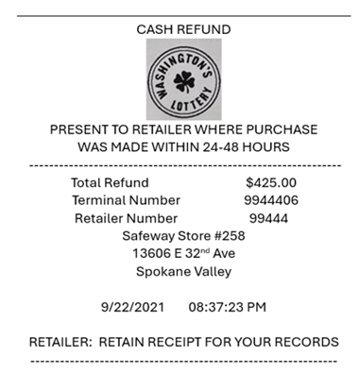
New Cash Refund Slip:
UPDATE THE REFUND SLIP TO CASH REFUND
- Added store name and address
- Added Statement for retailers to retain receipt
Current and Upcoming Promotions
- Stacks of Scratch
- Buy a $5 Mega Millions ticket and mail-in the trailing voucher for a chance to win Stacks of Scratch!
- Promotion Runs: April 12 – June 6, 2026
- Two Drawings: May 13th & June 17th
Game Closures
- Retailers should set full packs aside for their DSRs to pick up:
- 1946 - $10 Triple Cash Payout
- 1982 - $5 $500 Frenzy
- 1984 - $20 $2,500 Frenzy
- 1801 - $30 Serious Money
- 1944 - $3 Jackpot Bingo
- 1985 - $30 $5,000 Frenzy
- 1993 - $3 Crabby Crossword
- 1975 - $5 Payday
- 1986 - $1 Winner Winner Chicken Dinner
- 1948 - $20 Loteria Super Grande v4
- Please Note: All game closures are communicated to Retailers using the GT1200 Mail Message.
Retailer Self-Service (RSS) Website
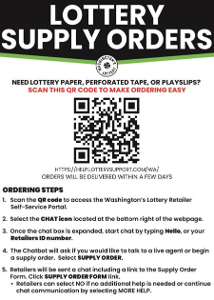
Order Supplies at the Touch of a Button
- Retailers are encouraged to utilize the online Supply Order system found on the RSS website:
- For more information on the online supply order process, or to download the RSS quick reference card, please visit:
Thank you, Washington’s Lottery Retailers, for your continued support!

2026 Trainings
Out of Stock Prevention and Best Practices Guides
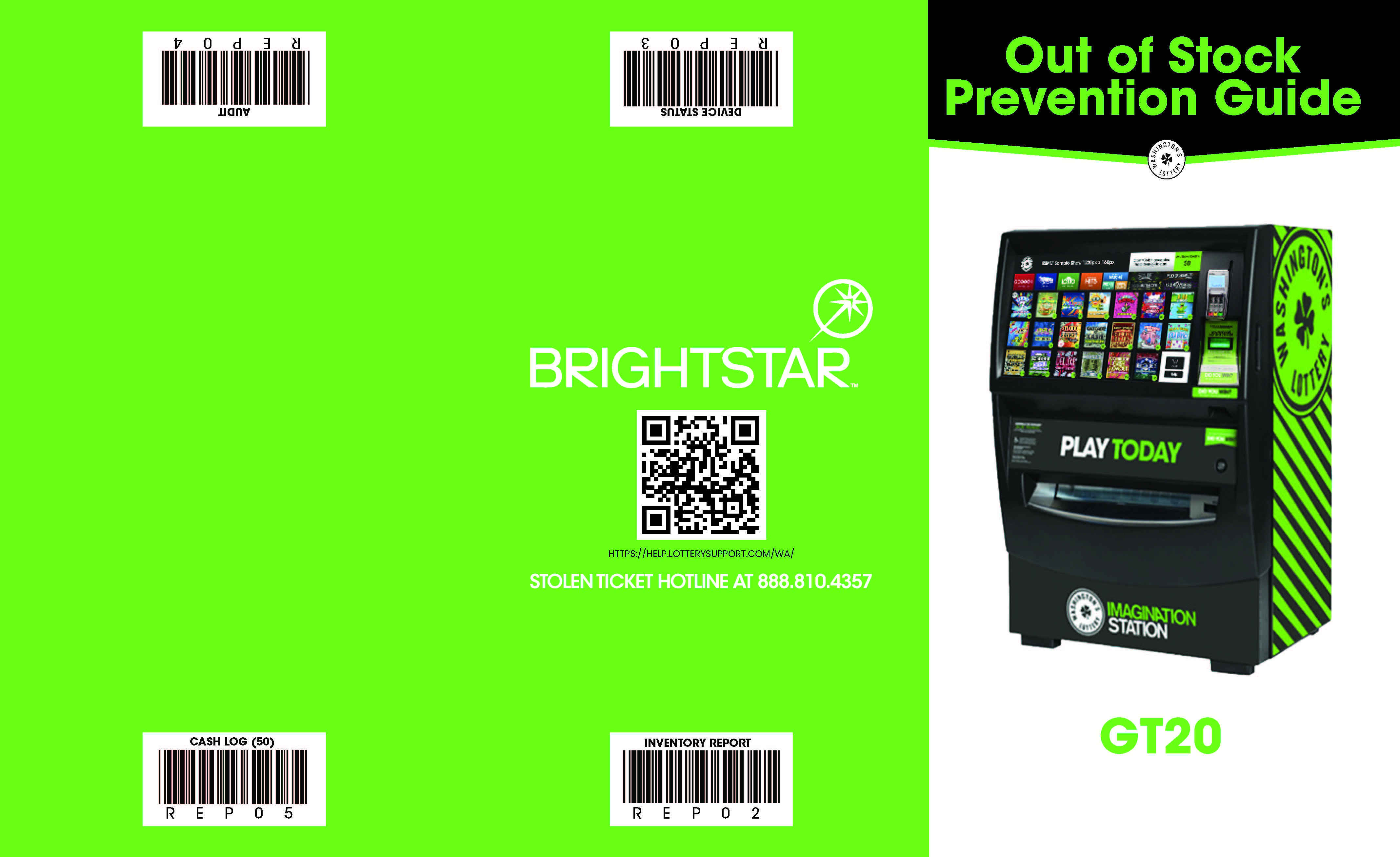
Retailers can utilize the Out of Stock Prevention Guide as a quickly references for best practices that help ensure Scratch inventory is being properly tracked and managed.
Also provided on the Out of Stock Prevention Guide are four quick scan barcodes that can be scanned at the Self-Service terminals to quickly generate the following frequently generated reports:
- Device Status Report
- Audit Report
- Inventory Report
- Cash Log
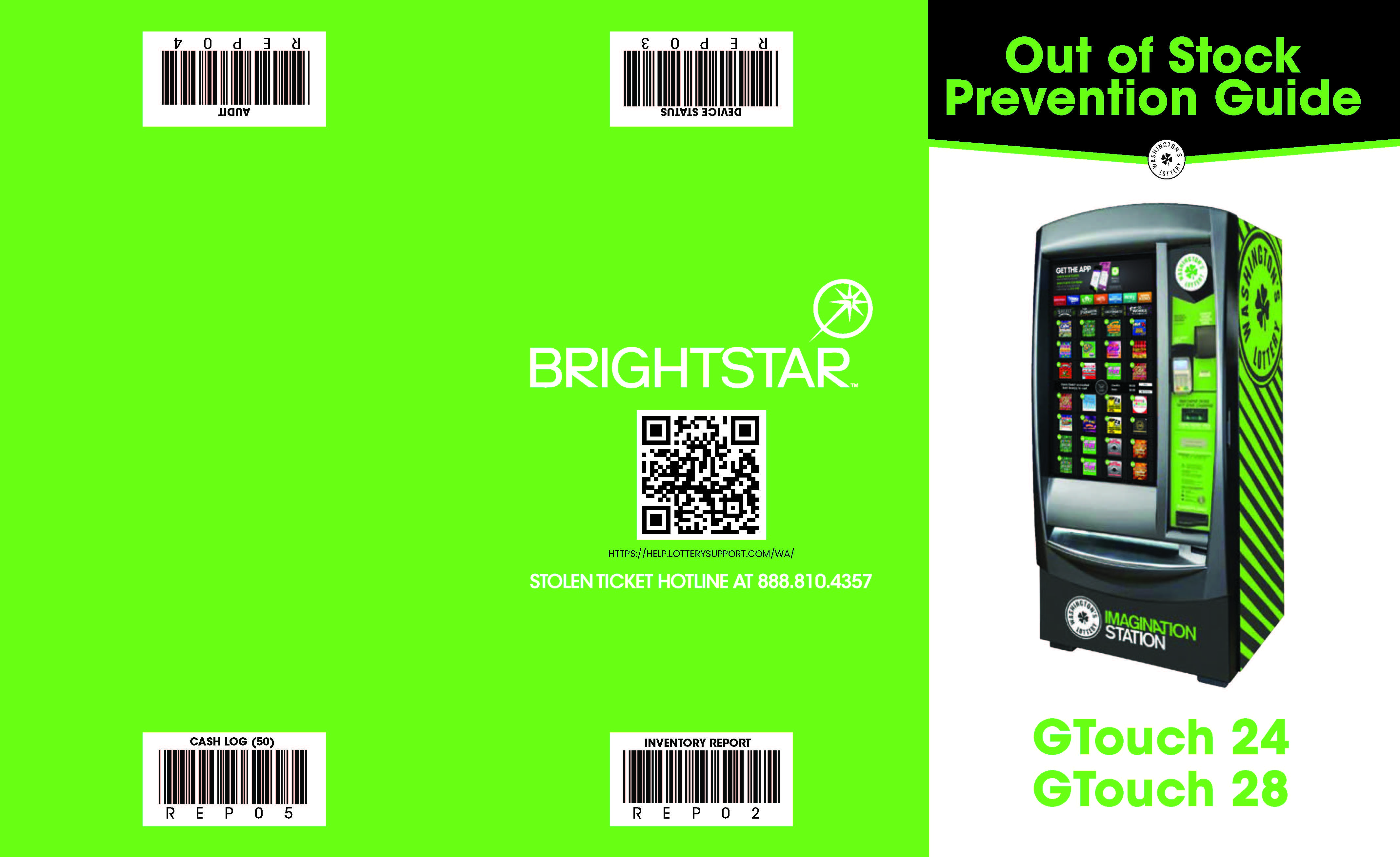
GT24/28 Out-of-Stock Prevention & Quick Scan Barcodes.pdf